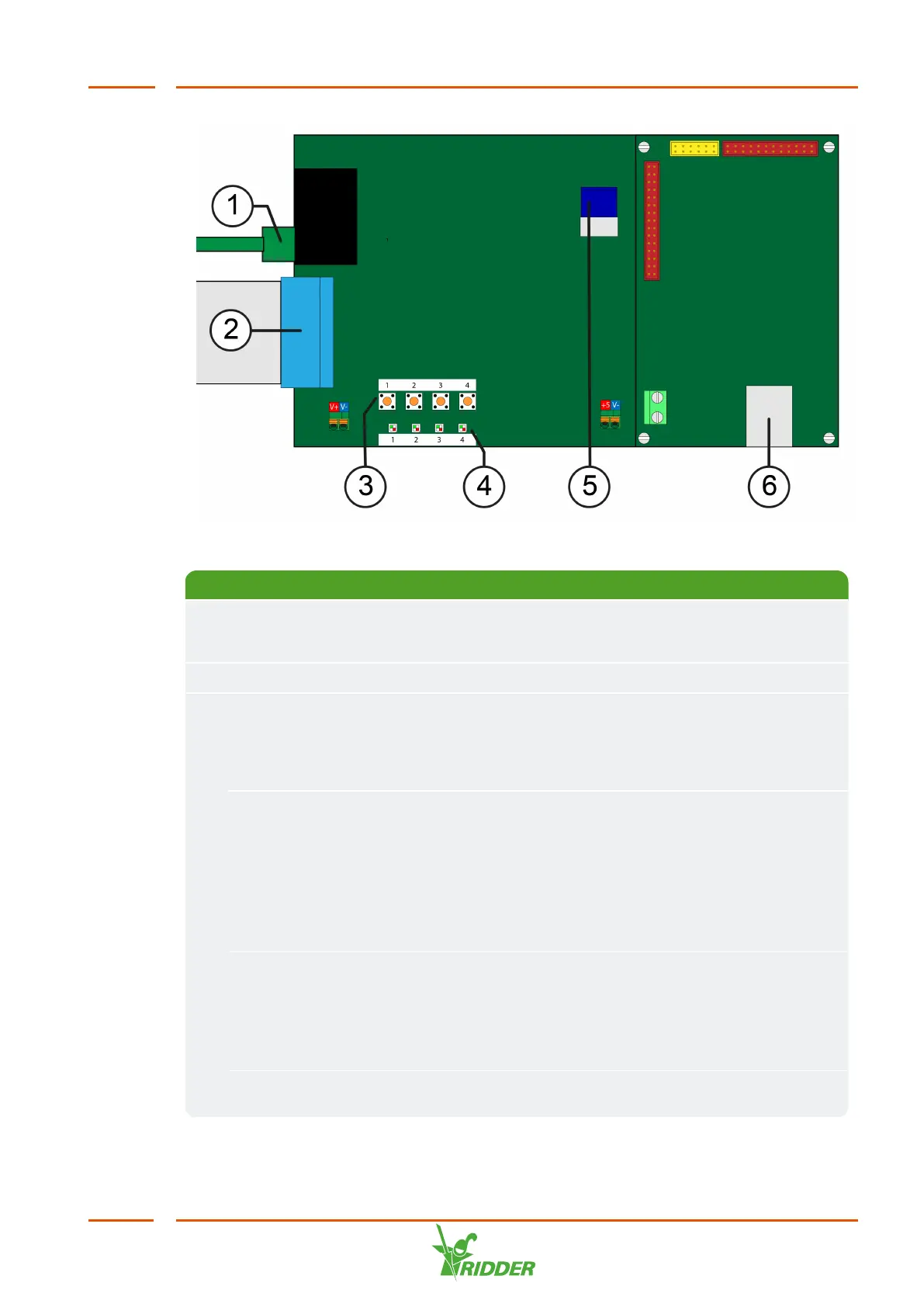
No. Name Description
1 RJ45
Compactima
cable
Connects the display board with the Compactima modules
2 Flat cable Cable to display
3 Push button
1
New start: A 'new start' restarts the controller and erases all
settings in the process. Press and hold down the push button 1
while the VitaLite-E and C is starting up to initiate a new start.
Wait until LED 1 lights up green.
Push button
2
Shutdown: A shutdown closes the unit's software in a
controlled manner. Press and hold down push button 2 for
three seconds to shut down the VitaLite-E and C software. LED
2 lights up green during the shutdown process and then lights
up orange when the shutdown process is complete. You can
now switch off the controller. If the controller is not switched
off within three minutes, it will be restarted by the watchdog.
Push button
3
Partial reset: A partial reset restarts the controller. Although
all temporary values of active processes will be erased, the
settings will be retained. Press and hold down the push button
3 while the VitaLite-E and C is starting up to initiate a partial
reset.
Push button
4
-



 To Next Page