95
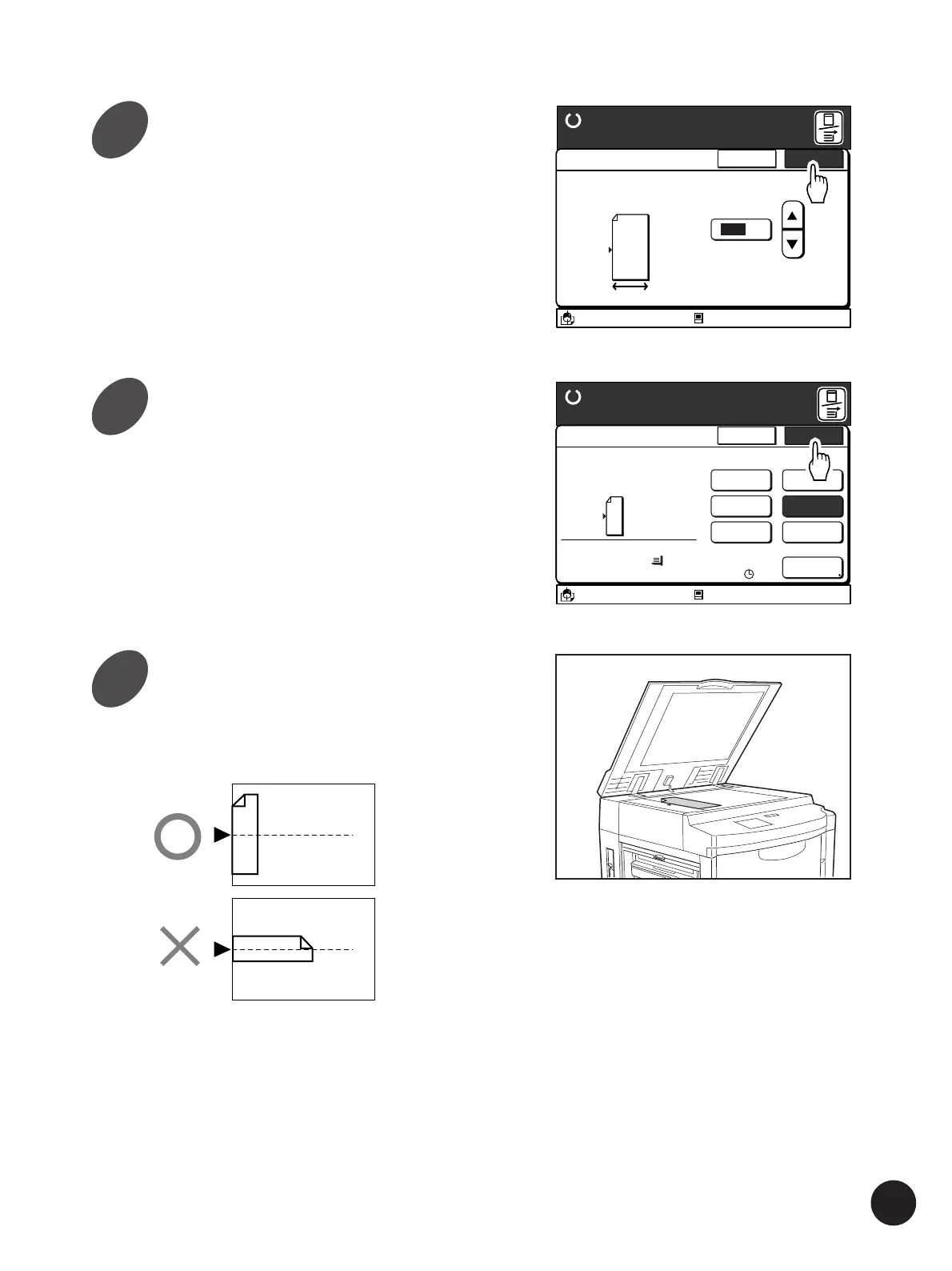
Touch the [OK] button.
The window returns to the [Multi-Up Print] window.
A3/Black
13:59
Cancel OK
Multi-Up Tickets
Ready to Make Master
(50mm~210mm)
100
mm
The width of tickets can
be specified
Idle
M
A
A3/Black
13:59
Multiple pages can be
Printed on a sheet
[Page Direction]
Size Paper
100%
A 3
Cancel OK
Multi-Up Print
Ready to Make Master
2UP
4UP
8UP
16UP
Ticket
OFF
Interval
15s
Idle
A
M
Printing Originals Side by Side
Place an original face-down on
the Stage Glass.
The original should be placed on the Stage Glass
as shown below.
A
A
Touch the [OK] button again.
The window returns to the [Functions] window.
5
6
7



 To Next Page