2.7 Shutting Down Computer – Connecting Scanner –
Switching ON Computer and Scanner
After actuating „Finish“ you are prompted to shut the
computer down (Figure 2.11). Please confirm by
actuating "Yes". Now wait until the computer has
been shut down and switched OFF.
Figure 2.11: Prompt to shut computer
down
After having switched the computer OFF, proceed as
follows:
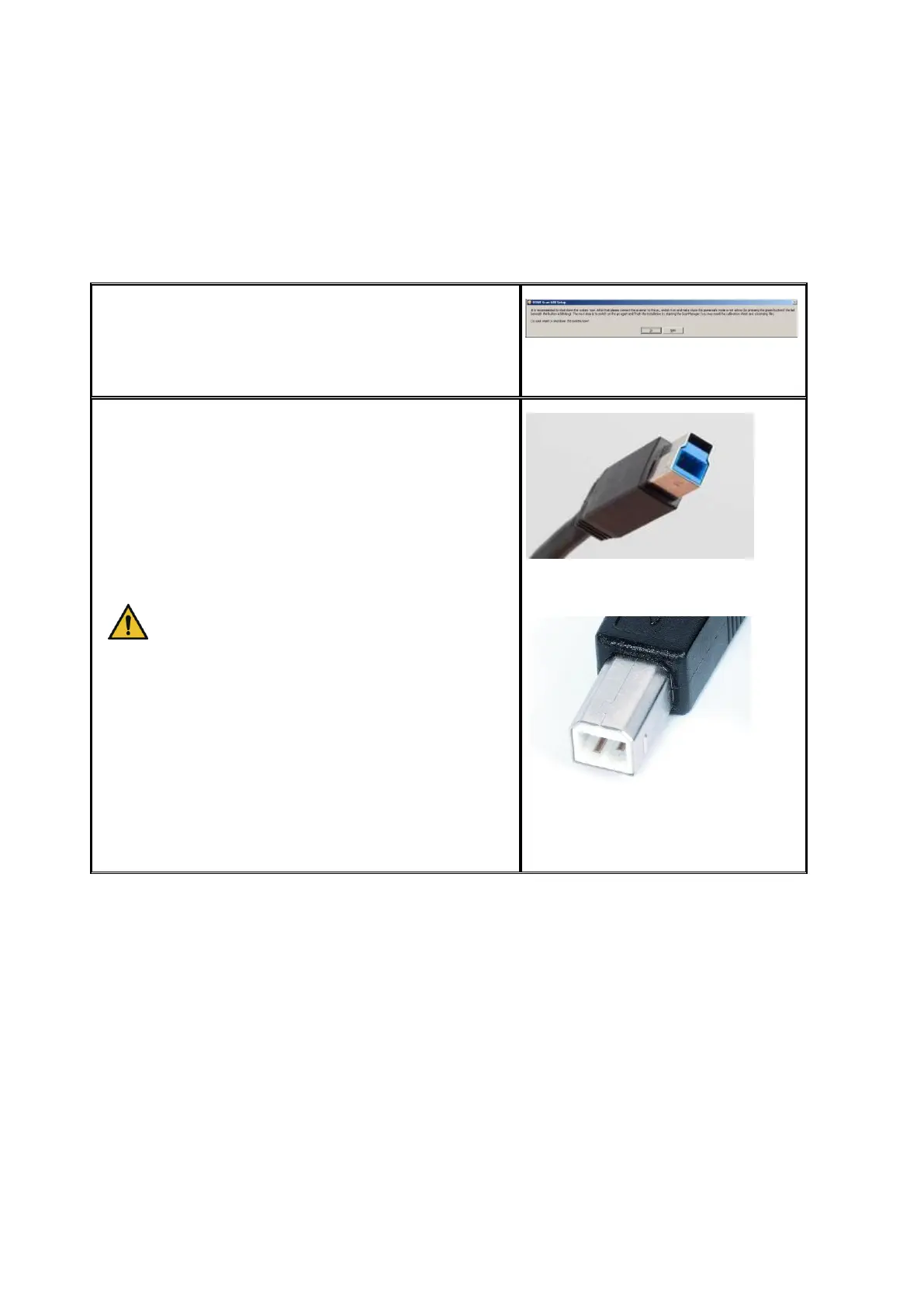
1. Connect the computer to the scanner using
the USB cable. Use the supplied USB cable. If
your computer has a USB 3.0 slot (blue), use
the supplied USB 3.0 cable (blue plug, see
Figure 2.12). If your computer has USB 2.0
slots, only, use the supplied USB 2.0 cable
(see Figure 2.13).
For being able to use the USB 3.0
connection, you have to use the supplied
USB 3.0 cable.
2. Connect the scanner to the power supply
using the supplied power cord.
3. Switch the scanner ON by setting the switch
at the back on the right of the scanner to
position "I".
4. Switch the computer ON again.
Figure 2.12: USB 3.0 plug (connection
scanner)
Figure 2.13: USB 2.0 plug (connection
scanner)



 To Next Page