5.11.2.3 Output Settings for Inkjet Printer
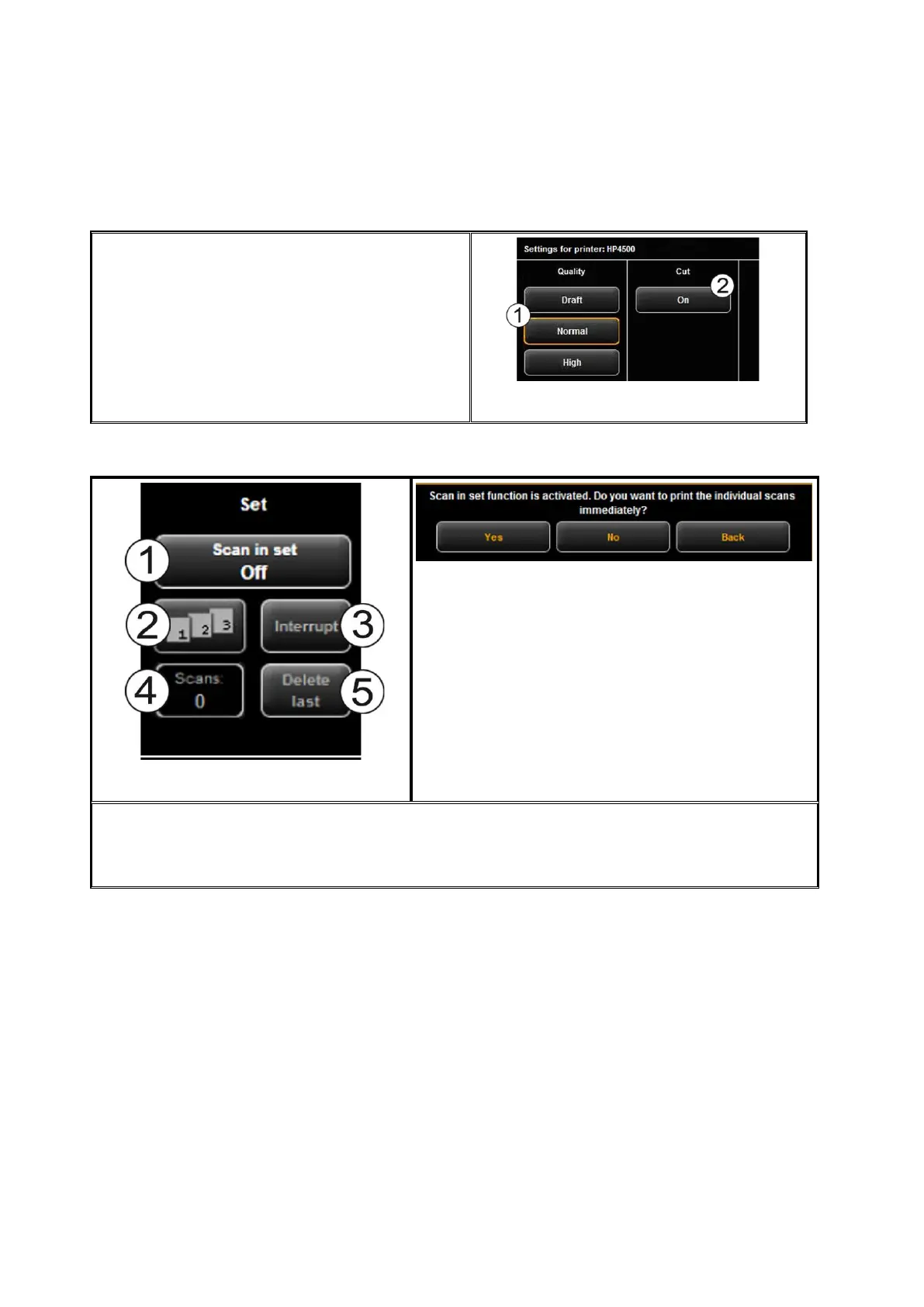
In the advanced settings, you see the following
options if you selected an inkjet printer:
1. Quality: Draft, normal, or high
2. Cut On/Off: Set whether the paper is
to be cut off after output of a
document.
Figure 5.22: Output settings for inkjet printer
5.11.2.4 Set Function
Figure 5.23: Set function
Figure 5.24: Query whether set shall be printed immediately
As soon as you enable the set function (1), you are asked whether you want to print the
documents in the set immediately. If you press "Yes", the output is started immediately; if
you press "No", the output is started only after completion of the set (press (1) again).
5.11.3 Settings Independent of Function
In this chapter, those settings are described which are available in "Scan" as well as
"Copy" function. They mainly cover parameters such as color mode, brightness / contrast
as well as numerous other options for improving the quality of scans and copies.



 To Next Page