1.3 System Overview
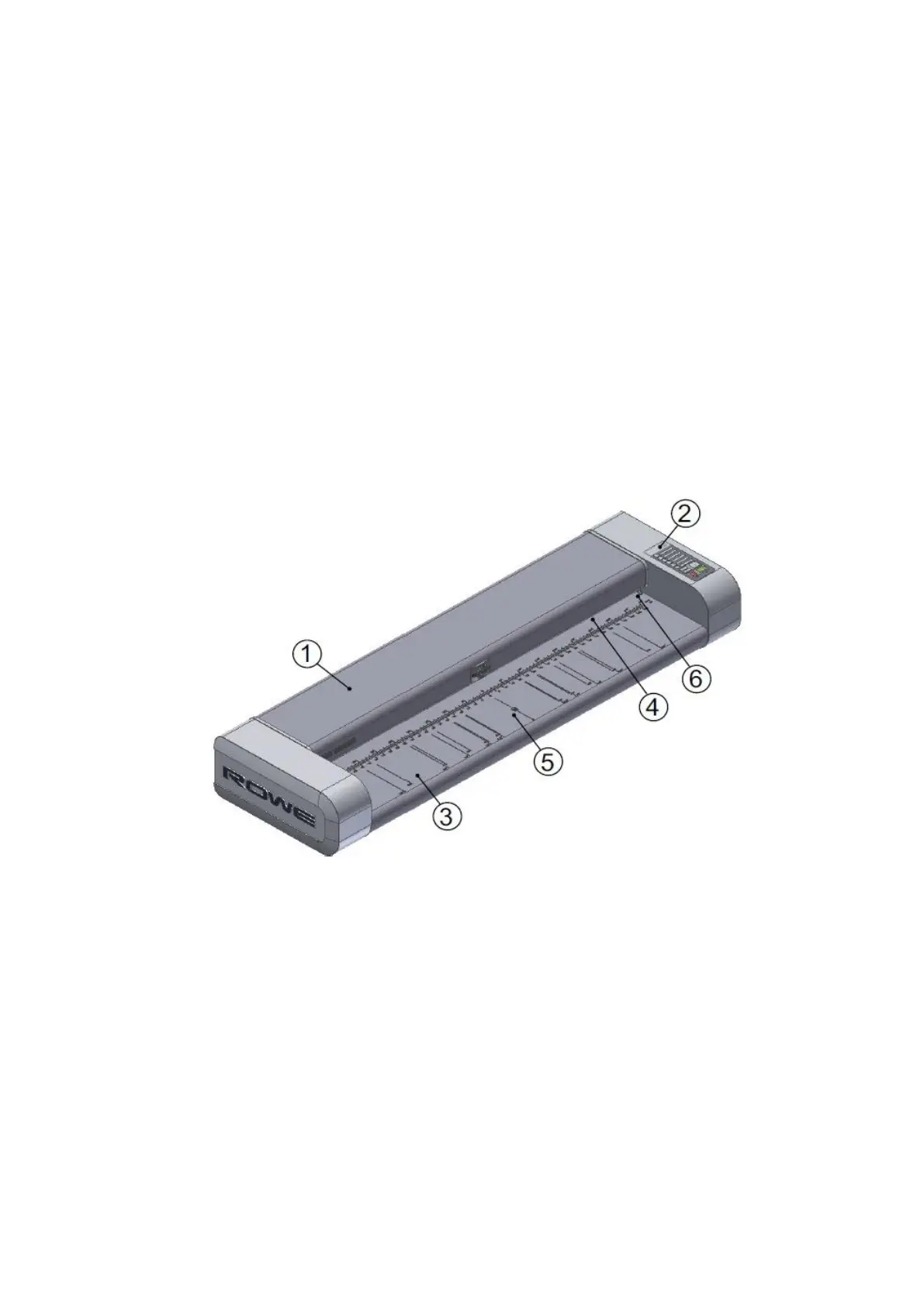
Figure 1.1 shows the ROWE Scan 600 front view. The following components are depicted:
1. Scanner top
2. Control panel
3. Feed table with graduation for formats
4. Feeding slot for document feed
5. Zero point
6. Locking of scanner top (on both sides)
Figure 1.1: ROWE Scan 600
Figure 1.2 shows the ROWE Scan 600 control panel. It includes the following components:
1. Start key
2. Stop key
3. Height adjustment key (only available for scanners with height adjustment option
being activated)
4. Forward motion key
5. Backward motion key
6. Favorite keys (individual allocation of scan settings via ScanManager)
7. Operating LED
8. Malfunction indicator LED



 To Next Page