EasyManua.ls Logo

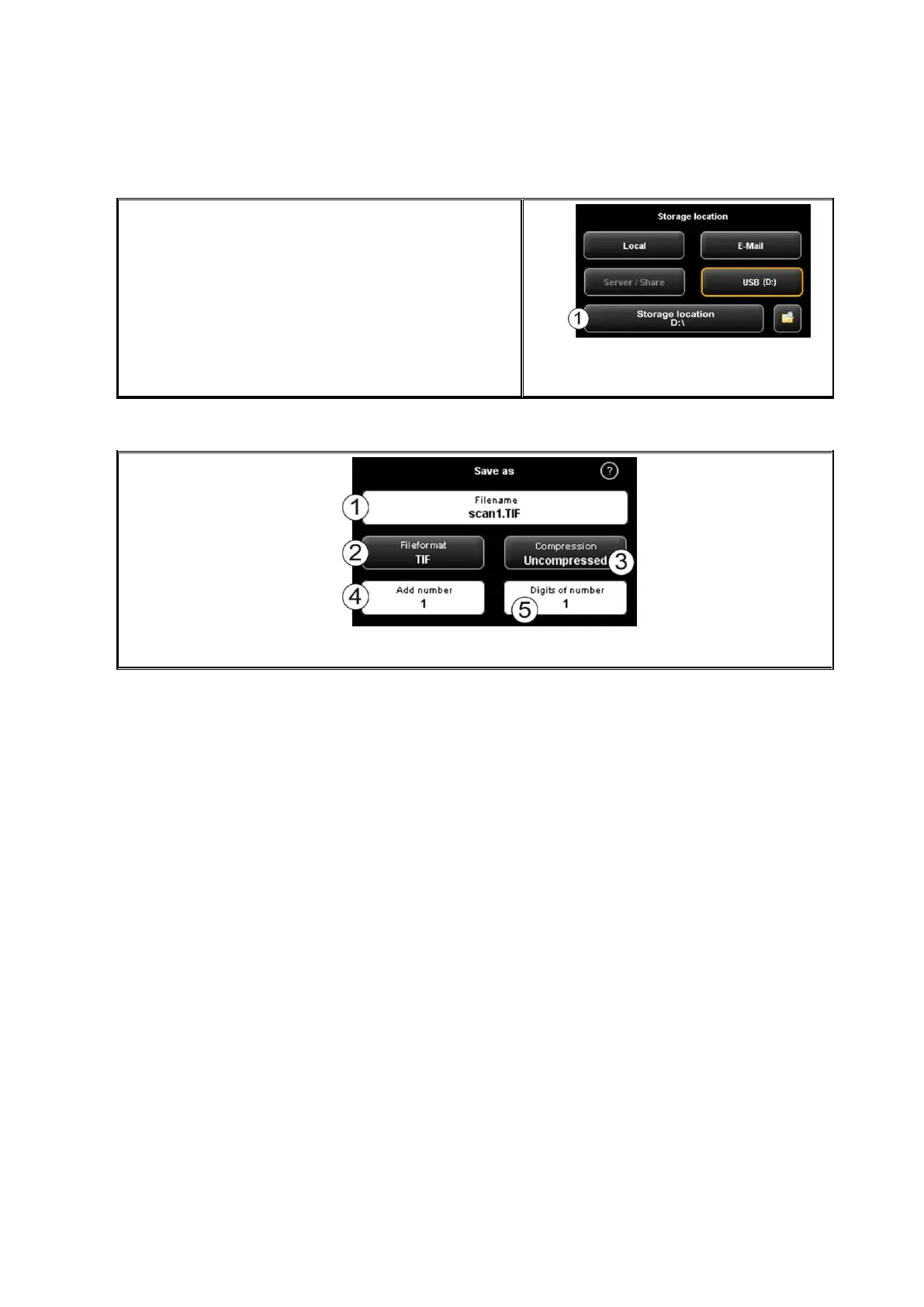
Rowe Scan 600-20 - Figure 5.15: Storage Location - USB Data Carrier; Figure 5.16: Settings - File Format; File Format

Rowe Scan 600-20
140 pages
Print Icon
To Next Page IconTo Next Page
To Previous Page IconTo Previous Page
Loading...
46
USB: By means of this button you can easily
select a USB data carrier (e.g. flash drive or
external disk) as storage location. This function is
only available if the operating system recognized
a USB data carrier being connected.
By means of button (1) you can also select a
subdirectory.

Figure 5.15: Storage location - USB data
carrier
5.11.1.2 File Format
Figure 5.16: Settings - File format

Table of Contents

Related product manuals