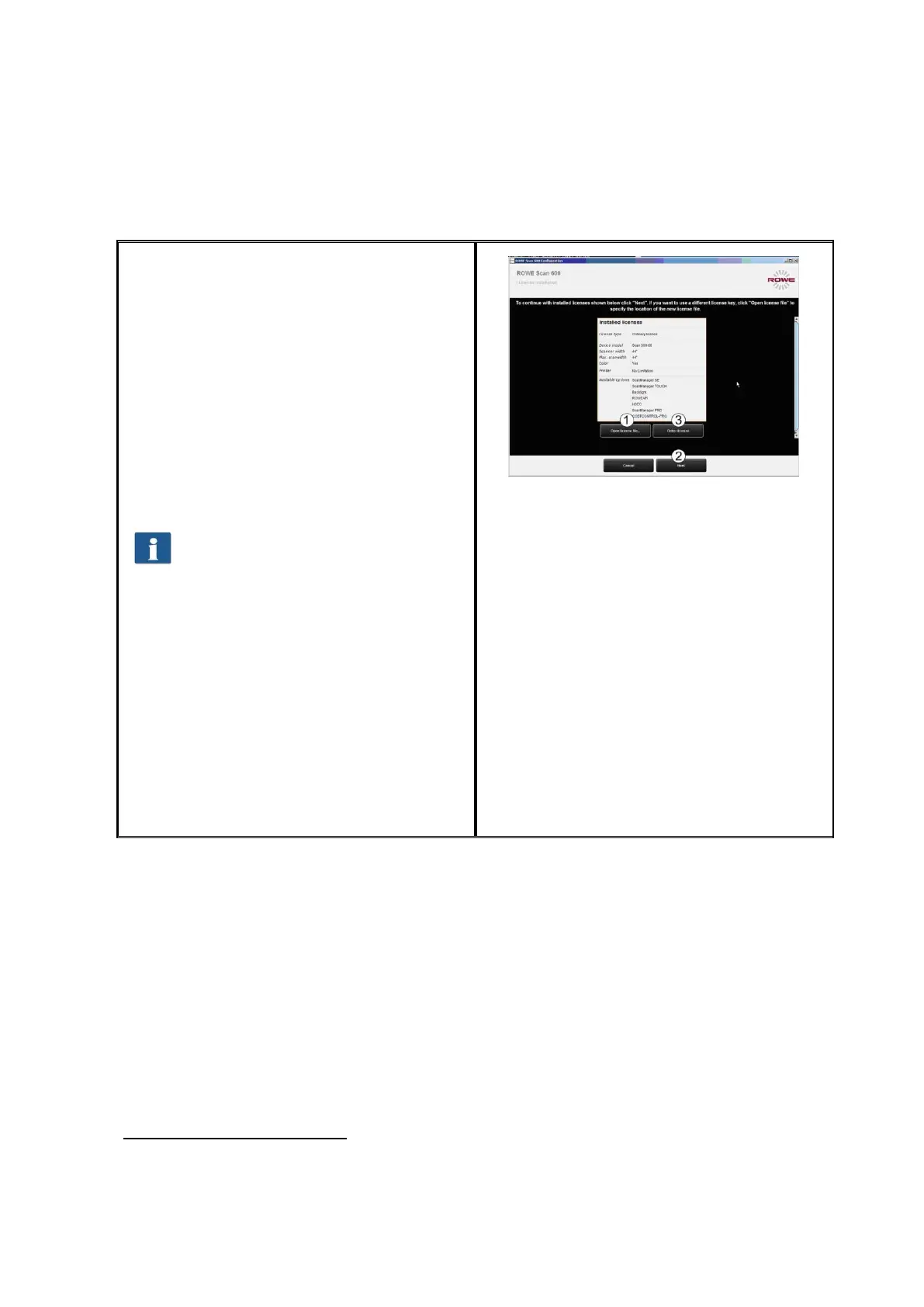
2.10 Activating License Options
Should you have purchased additional
license options, you can install the license
file in the following dialog box. Proceed as
follows:
1. Open license file: Select the license
file (file extension ".key"). After
purchasing ROWE Scan 600 as well
as later upgrades, you obtain the
file usually by e-mail or on request
on an additional data carrier.
2. Press "Next“ to activate the license
or to proceed with the license
already existing.
1
If you obtained a license file by e-
mail, you have to safe the attached
.key file on your PC, first, to be able
to select it under 1.
3. If you want to fit your ROWE Scan
600 with additional functions, you
can confirm the button labeled 3.
("Order license“). If a connection to
the Internet is given, your Internet
browser pops up automatically and
you access the ROWE website
where you can order further license
options. As an option, you can also
contact the ROWE Service
Department (see Page 9).
Figure 2.20: License installation
1
By default, the ROWE Scan 600 is fitted with a 30-day trial license for ScanManager SE.
This is why you can press "Next" immediately – unless you purchased additional license
options.



 To Next Page