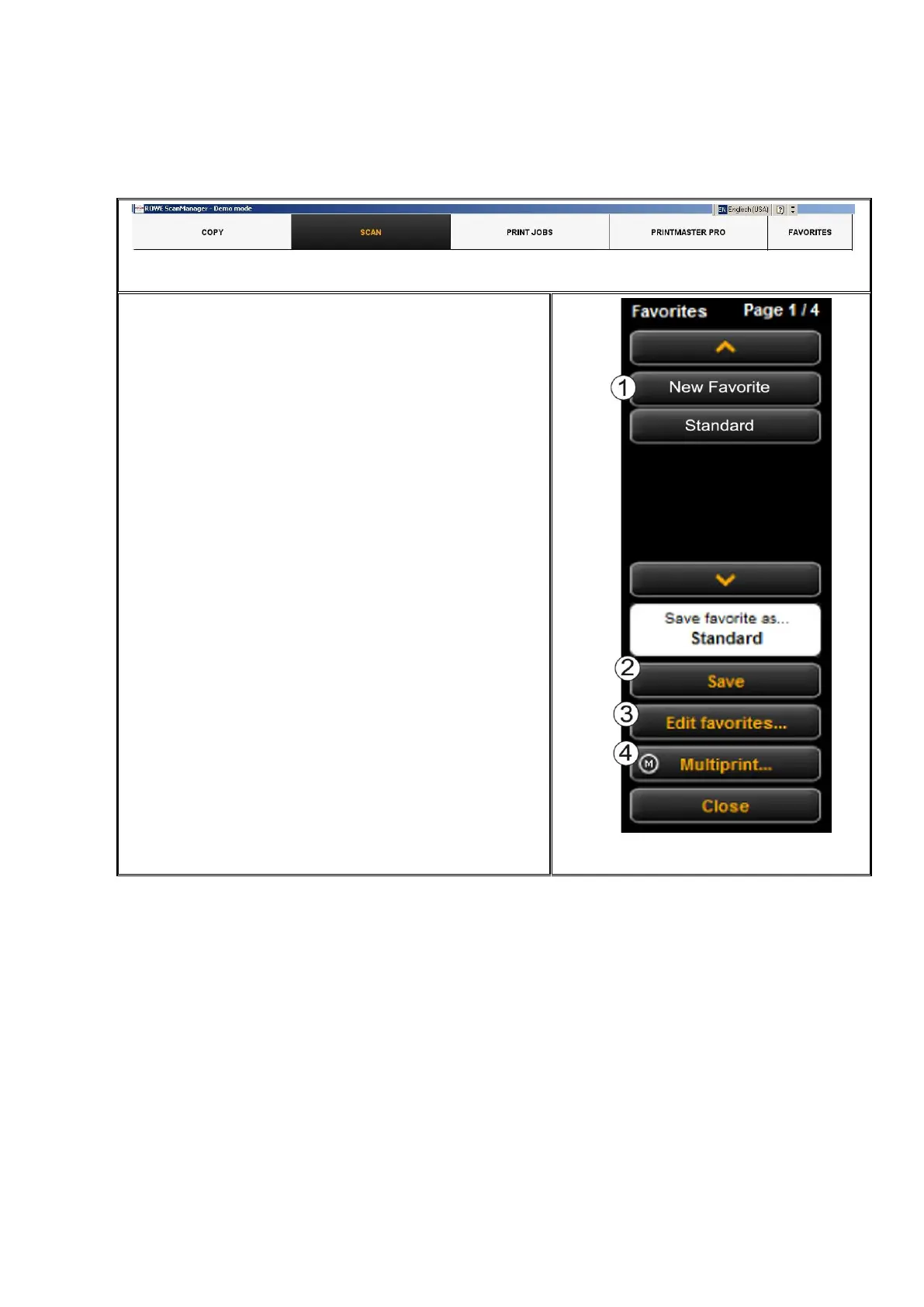
When clicking the "Favorites“ function, the depicted
menu pops up:
1. Favorites: Here, all favorites already saved
are listed. In order to load and activate the
saved settings, simply click on the entry in
the list.
2. Save favorite: If you want to save the current
settings as favorite, press the "Save“ button.
Prior to this enter a name in the text field. If
a favorite with this name already exists, you
are asked whether to overwrite the latter.
3. Edit favorites: Here, you can rename
favorites and / or allocate them to numberal
keys on the control panel of the scanner (see
Figure 5.38).
4. Multiprint: This function is useful if you want
to issue copies on several output devices.
The Multiprint function is described in a
separate chapter (see Chapter 5.12.1)



 To Next Page