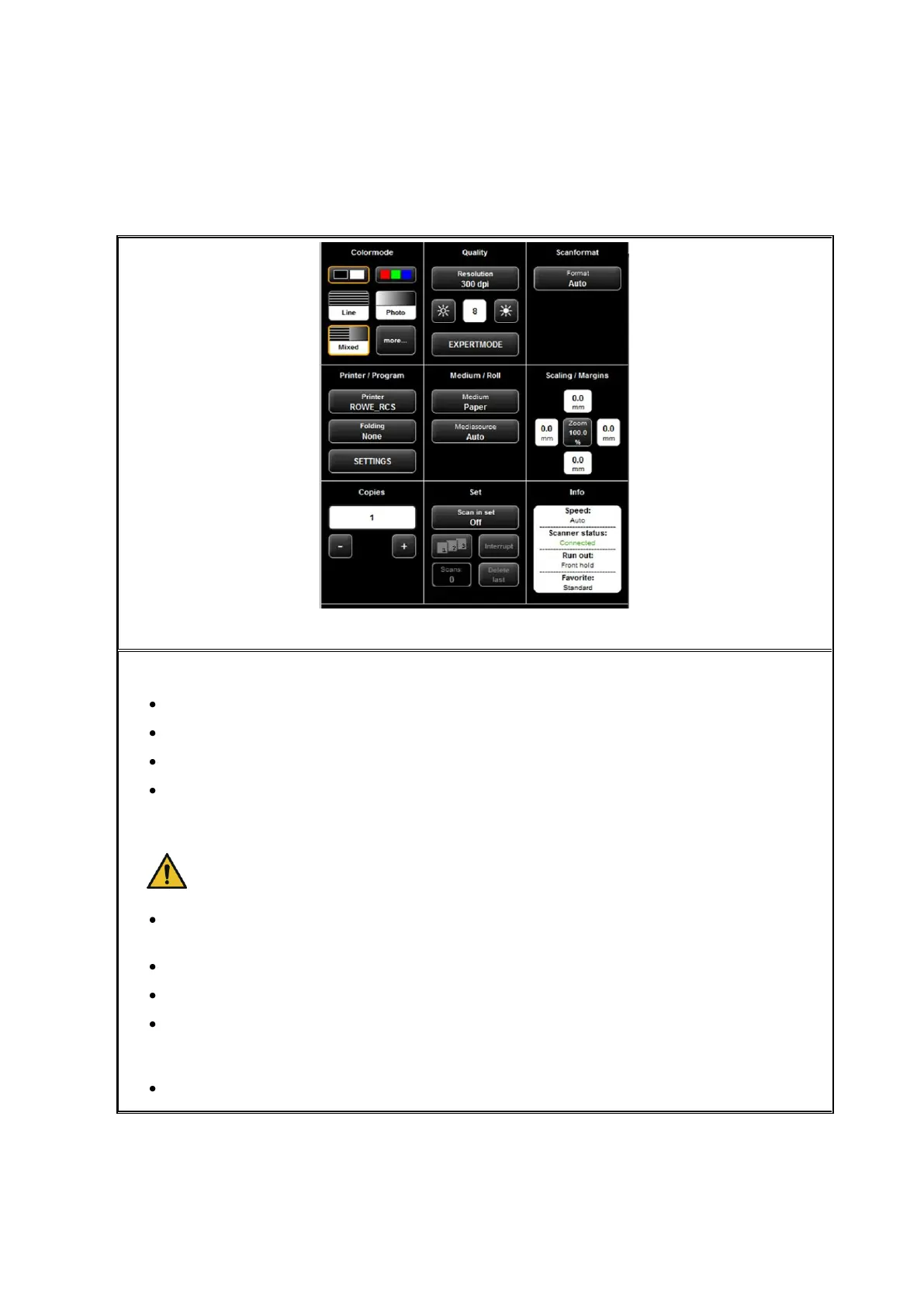
5.11.2 Settings "Copy"
Figure 5.18: Settings - Copy
When you are in the "Copy" function, the settings are as follows:
Color mode: see 5.11.3.1
Quality: see 5.11.3.2
Scan format: see 0.
Printer/Program: Here, you can define the printer for output. Moreover, you can
set printer-specific output options (e.g. folding programs if any). For detailed
information see Chapter 5.11.2.1 , Page 49.
For being able to use a printer, you have to set it once. Printer setup is
described in Chapter 6.5.1, Page 83.
Medium/Roll: Here, you can define on which medium and / or roll to print if the
selected printer supports this option.
Scaling / margins see 5.11.3.4 .
Copies: Define how many copies shall be made.
Set: This option can be activated if you want to unite several scans in one set.
This set can then be output on the printer. A detailed description of the set
function can be found in Chapter 5.11.2.4 , Page 51.
Info: see 5.11.3.5 .



 To Next Page