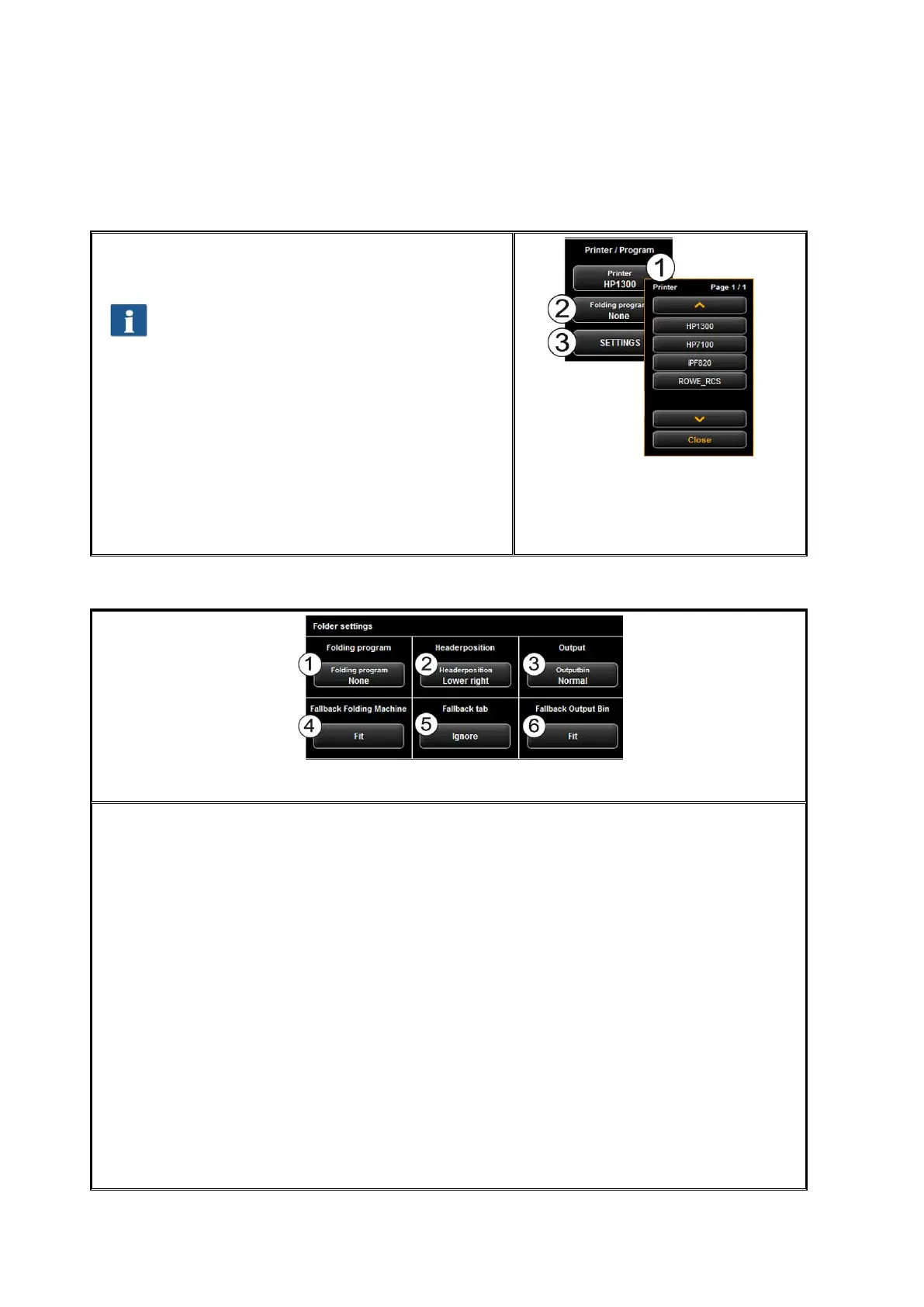
5.11.2.1 Printer Selection
Here, you can select on which printer you want to
output a document.
Depending on the selected printer (1) other
options may be available (e.g. Folding for
ROWE printers)
1. Printer: Select the requested printer.
2. Folding program: Available only if a ROWE
printer was selected in (1). See Figure 5.20.
3. Settings: Further options affecting the print
depending on printer type.
ROWE printer: see Figure 5.21.
Inkjet printer: see 5.11.2.3
Figure 5.19: Printer selection
5.11.2.2 Output Settings for ROWE Printer
Figure 5.20: Folder settings
If you print on a ROWE printer featuring a folding machine, you can select the following
folding options:
1. Select folding program
2. Header position: Here, you can define in which quadrant there is a header if any.
If a folding program is activated, the drawing is rotated automatically so that the
text field is always at the top.
3. Output bin: Here you can select where printer and / or folder shall output the
drawing. E.g. if a sorter is connected, you can select the conveyor.
4. Fallback folding machine: Response to folding machine not existing or not ready
(also refer to 5.14.4).
5. Fallback tab: Response to missing tab if a folding program with tab is selected
(also refer to 5.14.4).
6. Fallback output bin: Response to output bin which is not available and / or full
(also refer to 5.14.4).
After having enabled all requested settings, you return to the previous view by pressing
"Back".



 To Next Page