Even if directly comparing two identical printer models, different results may be
produced. All in all, the color reproduction is dependant upon a number of factors, mainly:
1. Printer model but also the device itself,
2. Medium to be printed on (e.g. normal paper, high-gloss photo paper),
3. Age and condition of ink.
The factors printer model and medium have a great influence. In the following
steps of creation of a color profile therefore make sure that the appropriate
medium is actually available in the printer.
In order to achieve a reproducible reproduction of color, ROWE ConfigManager offers the
"Closed loop calibration" option. This means that the printer prints a specific color pattern
(a so-called target) about which the precise color values are known. Afterwards, this
target is scanned with the printer and the actual color values of the individual color fields
are established. An ICC profile is then calculated on the basis of the measured data and
the reference data which compensates "color errors" as well as possible.
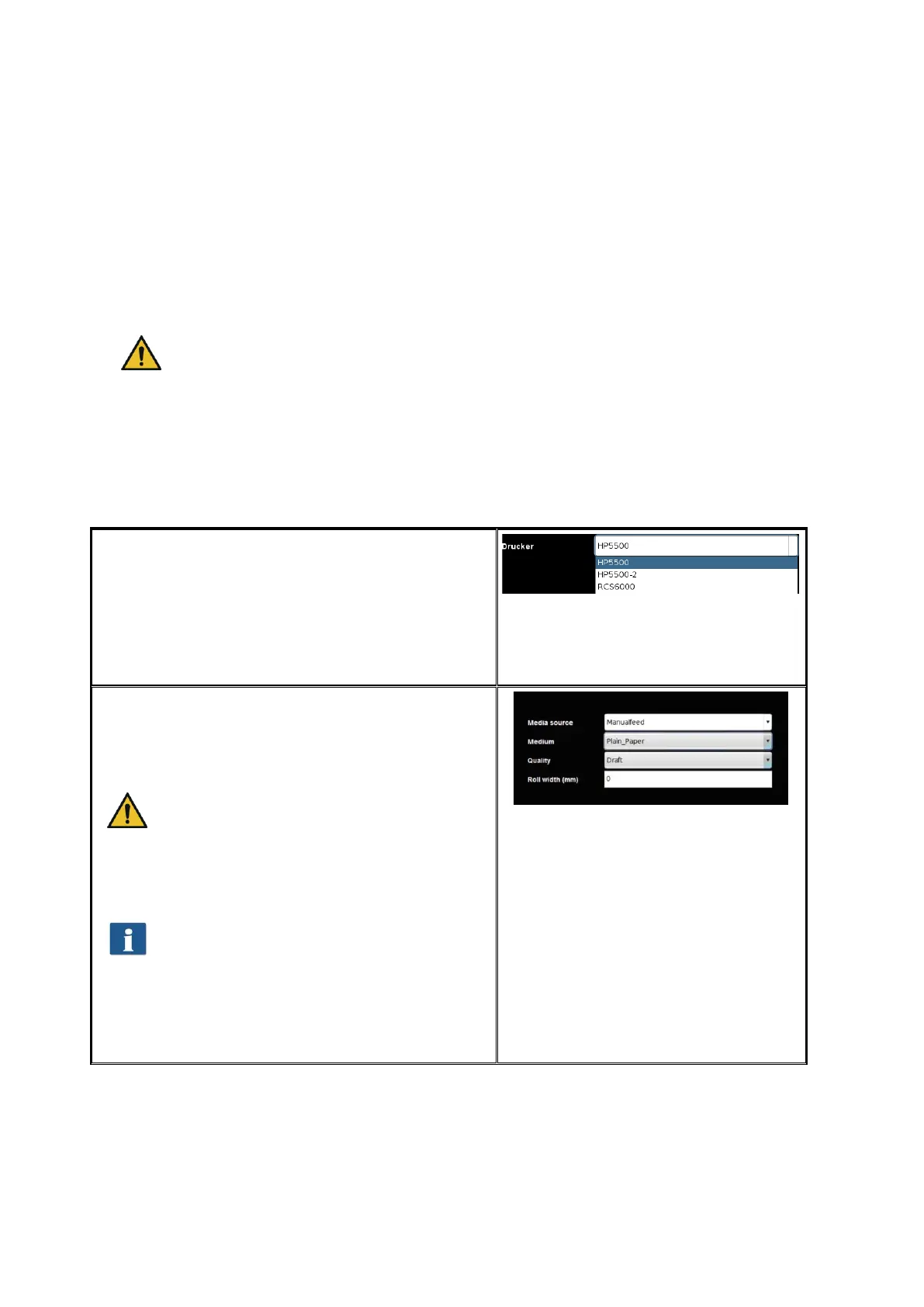
In order to optimize the color reproduction for a
color printer you can also have a so-called ICC
profile be calculated automatically. For this
purpose, select the option "Profile printer" under
"Printer". Afterwards, you are prompted to select
the printer to be profiled. The list shows all
printers already installed.
Figure 6.11: Printer selection
In the following dialog select the medium for
which you want to create a profile. As some color
printers have several rolls, you further have to
indicate on which roll the medium can be found.
Make sure that the appropriate medium is
actually available on the selected roll.
Afterwards enter roll width as well as desired
quality level for the target to be printed. Then
press "Print chart“.
If your printer has several rolls which are
provided with different media and if you
want to create a profile for further media,
you can click "Back" afterwards and print
the target already on the next medium.
When creating a profile later, you can
then skip this step.
Figure 6.12: Selection of paper grade



 To Next Page