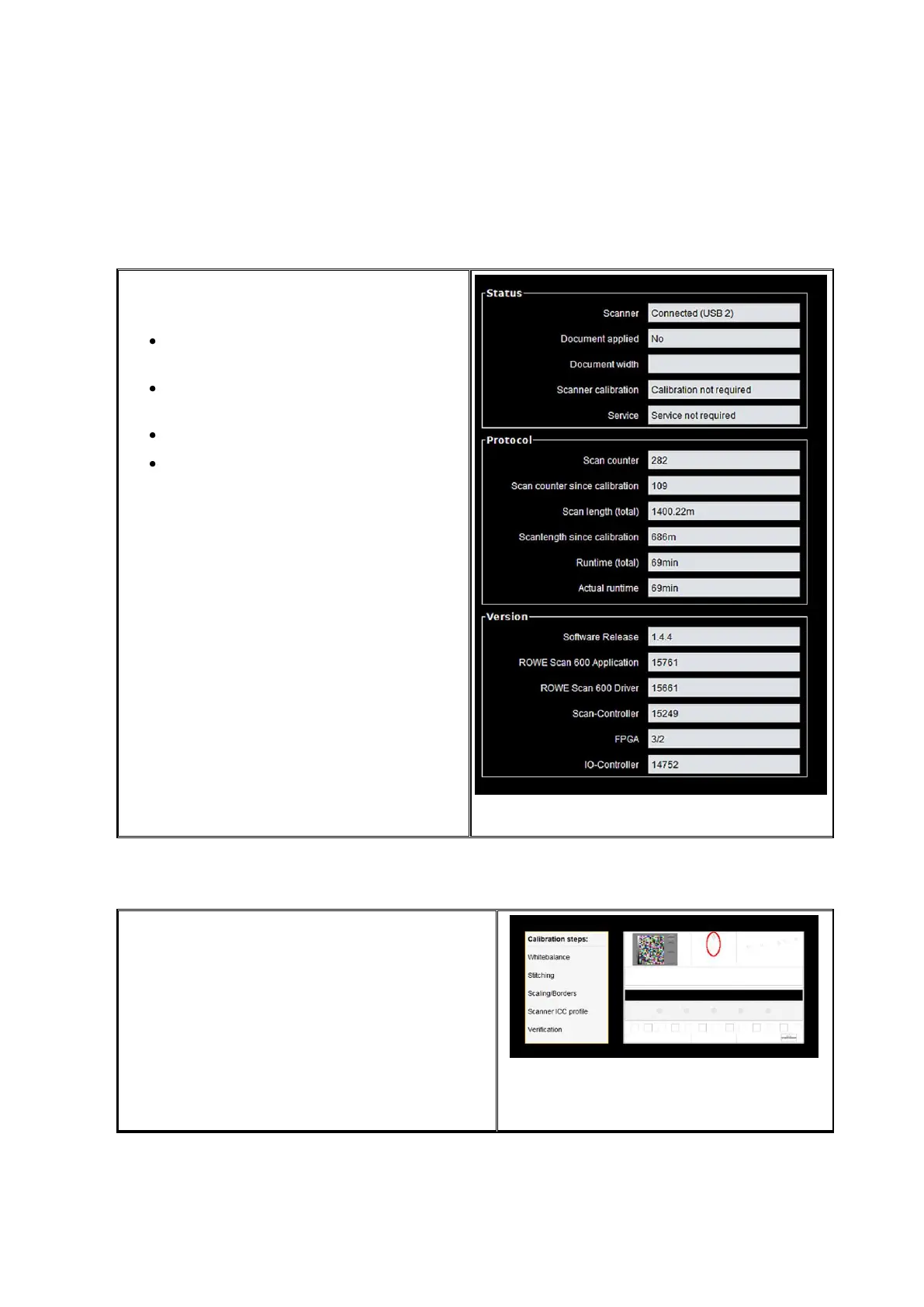
The following information is given under
Status:
Status of connection between
scanner and PC
Whether an original was placed
and if yes its approximate width
Whether calibration is required
Whether maintenance by the
ROWE Service is required
Under Protocol you can see the scanner's
intensity of utilisation. There you can see
the number of scans already effected, the
overall scan length, as well as the
operating hours of the scanner.
Under Version you can see detailed
information on the software version as well
as firmware of the scanner. Usually, only
the entry "Software Release" (here 1.3.0) is
important.
Under Calibration you can calibrate the
scanner again. A new calibration is always
recommended if the scan quality seems to
have deteriorated. Moreover, calibration is to
be effected at regular intervals – depending on
the degree of utilisation.
In order to perform a calibration you simply
have to follow the instructions given on the
screen. In this respect, also refer to Chapter
2.11).



 To Next Page