Introducing the ZoneFlex Access Point
Getting to Know the Access Point Features
ZoneFlex Indoor Access Point 9.8.1 User Guide, 800-70601-001 Rev C 22
Rear Panel Features
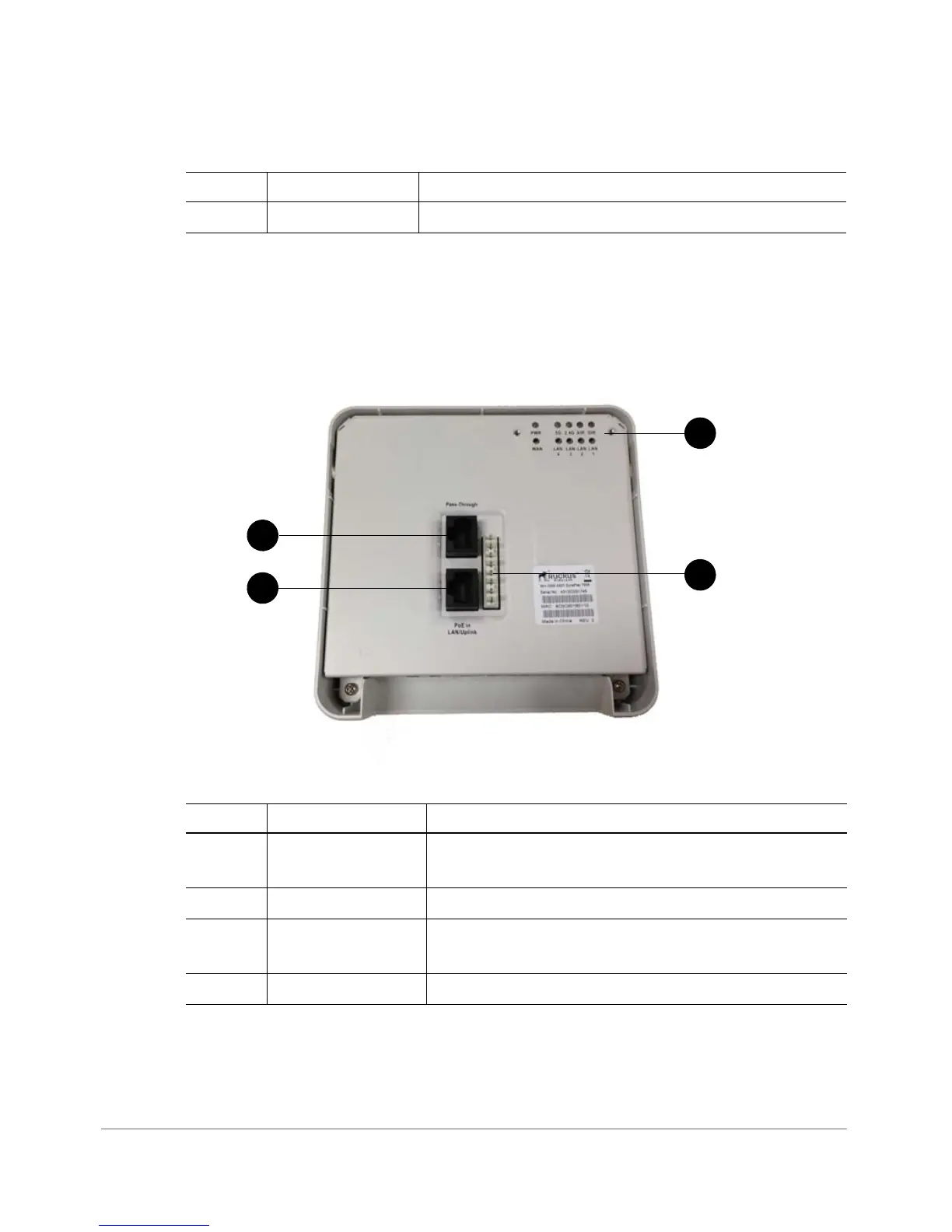
Figure 7 shows the rear panel of the ZoneFlex 7055. For a description of each rear
panel element, refer to Ta ble 9 .
Figure 7. ZF7055 rear panel
5 Reset buttons Refer to “Reset Buttons” on page 24 for details.
Table 9. ZF 7055 rear panel features
Number Name Description
1 PoE In LAN/Uplink Uplink LAN port that supports 802.3af and 802.3at
Power over Ethernet (PoE) input.
2 Punch down Block 110 punchdown block.
3 Pass Through Port RJ-45 pass through port for the pass through
connection.
4 LEDs See
Tab l e 7 for LED descriptions and behaviors.
Table 8. ZF7055 front view features
Number Name Description










 To Next Page