Introducing the ZoneFlex Access Point
Getting to Know the Access Point Features
ZoneFlex Indoor Access Point 9.8.1 User Guide, 800-70601-001 Rev C 24
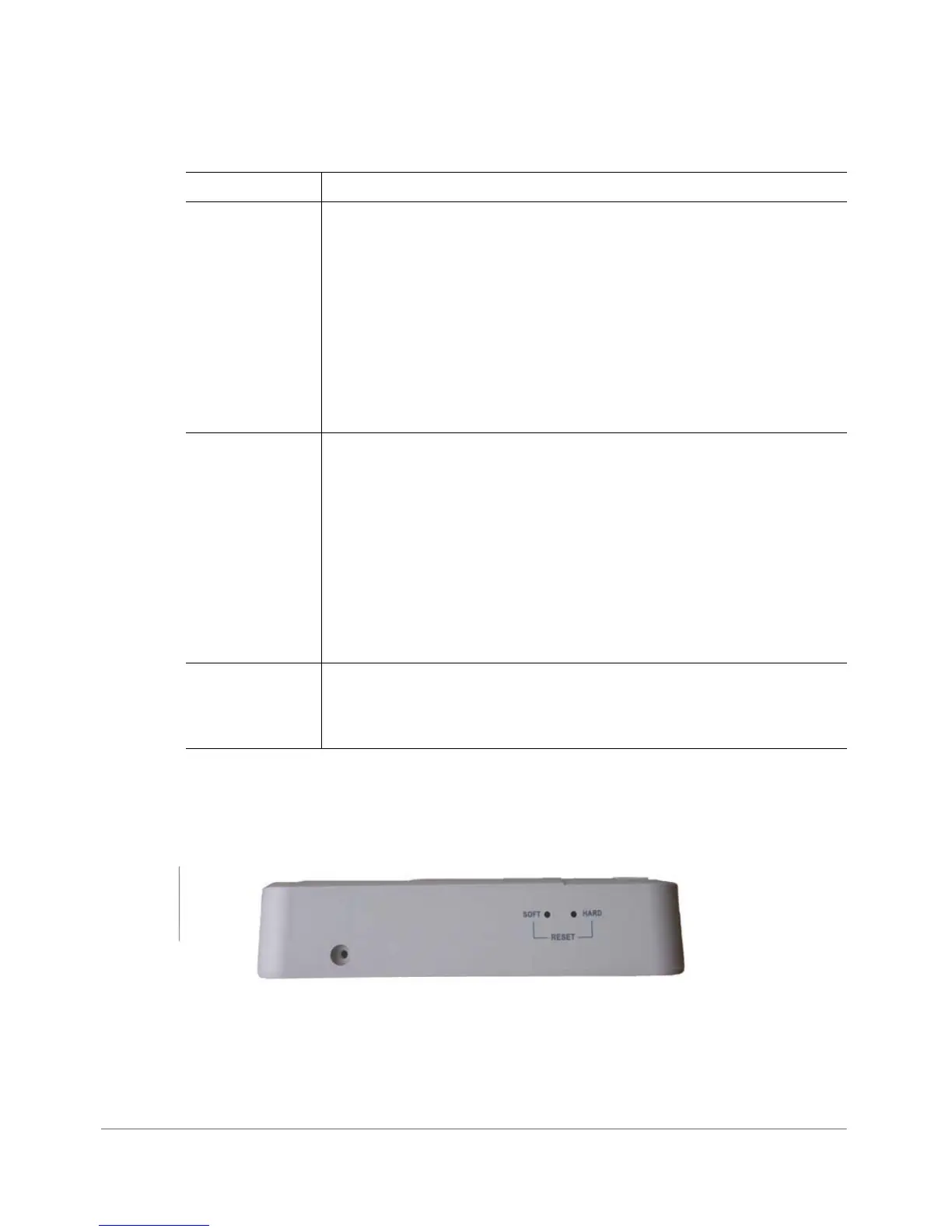
Reset Buttons
Two reset buttons on the left side of the AP are used to reboot or factory reset the AP.
Figure 8. Reset buttons
Press and hold the Soft Reset button for three seconds or more to reset the AP to
factory defaults. Press and release the Hard Reset button to restart the AP.
AIR Off: The Access Point is operating in standalone mode or operating
as a root AP (RAP) or a non-mesh AP.
Green: The AP is functioning as a Mesh AP (MAP), and the wireless
signal to its uplink AP is good.
Fast flashing green (two flashes every second): The AP is
functioning as a Mesh AP (MAP), and the wireless signal to its uplink
AP is fair.
Slow flashing green (one flash every two seconds): Mesh
networking is enabled, but the AP is still searching for a mesh uplink.
DIR
Off: The Access Point is not being managed by ZoneDirector
(standalone mode).
Green: The Access Point is being managed by ZoneDirector.
Slow flashing green (one flash every two seconds): The Access
Point is being managed by ZoneDirector, but is currently unable to
communicate with ZoneDirector.
Fast flashing green (two flashes every second): The Access Point
is being managed by ZoneDirector and is currently receiving
configuration settings (provisioning) or a firmware update.
LAN1 - LAN4
Green: Link up.
Flashing green: Activity.
Off: Link down.
Table 10. ZF 7055 LEDs (Continued)
LED Meaning










 To Next Page