Introducing the ZoneFlex Access Point
Getting to Know the Access Point Features
ZoneFlex Indoor Access Point 9.8.1 User Guide, 800-70601-001 Rev C 74
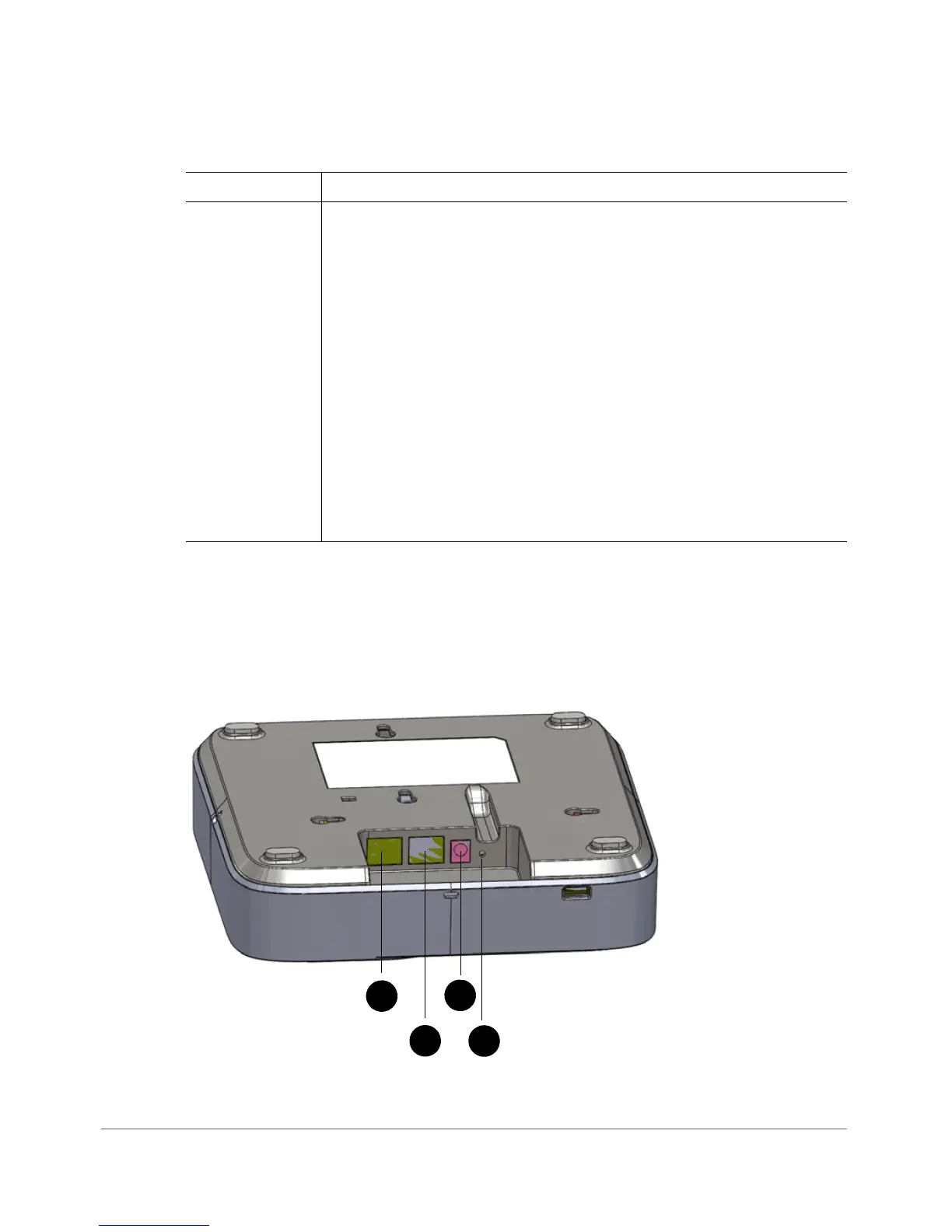
Rear Panel
The rear panel of the R700 features one 10/100/1000 PoE Ethernet port, 10/100/
1000 Ethernet port, power socket and reset button. See Table 4 0 for a description
of each rear panel part.
Figure 33. R700 rear panel
5GHz LED • Off: The WLAN service is down.
• Amber: The WLAN is up, but no clients or downlink MAPs are
associated/connected.
• Green: The WLAN is up and at least one client is associated. No
downlink MAPs are connected.
• Slow flashing green (one flash every two seconds): The WLAN is
up and at least one downlink MAP is connected. No clients are
associated.
• Fast flashing green (two flashes every second): The WLAN is up,
at least one downlink MAP is connected, and at least one client is
associated.
Note: The mesh (RAP and MAP) functions are available on the
R700 in a future release.
Table 39. R700 front panel elements (Continued)
LED Description










 To Next Page