Making Connections Contacts 97
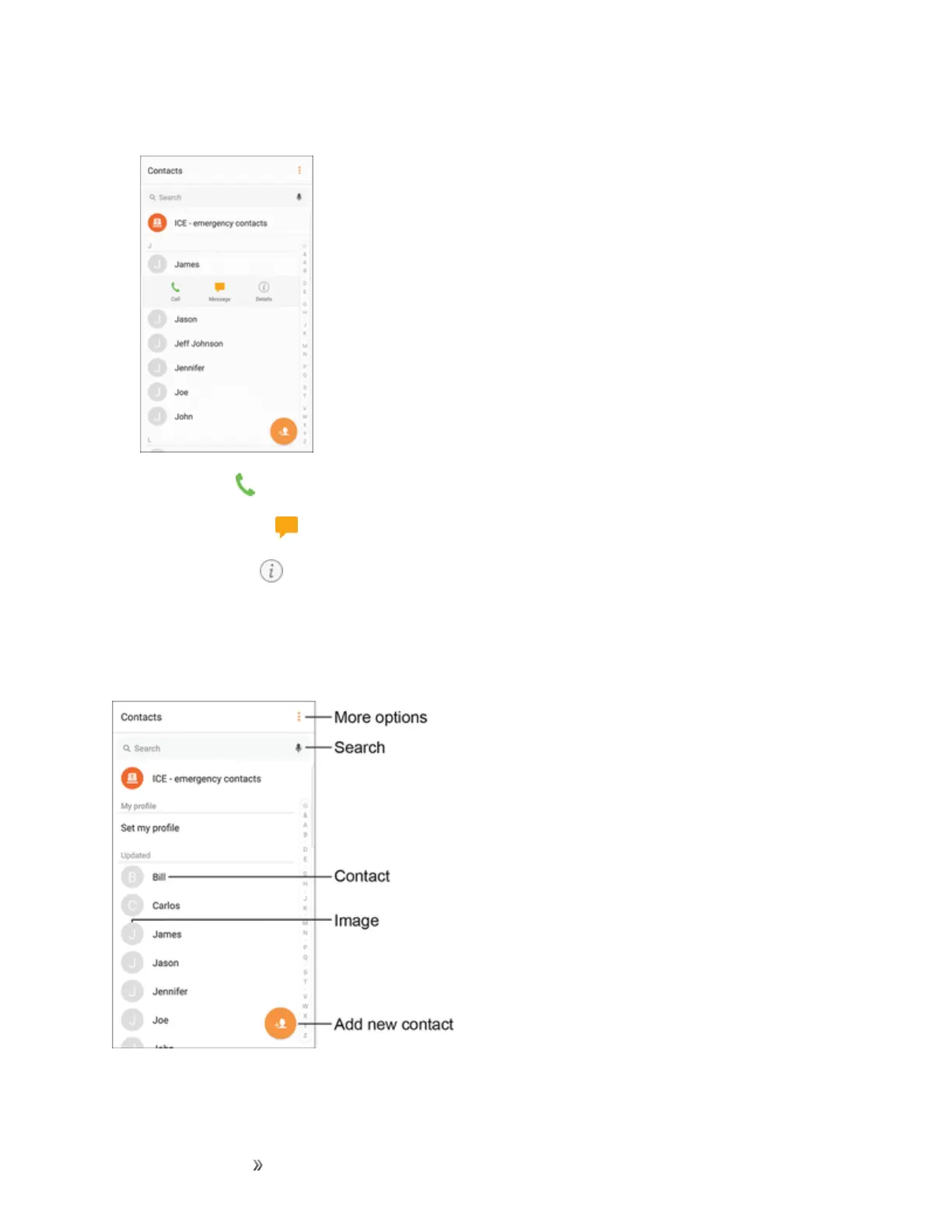
2. Tapacontacttoviewquickoptions.
l
TapCall todialthecontact’sdefaultphonenumber.
l
TapMessage tosendthecontactamessage.
l
TapDetails toviewmoreinformationaboutthecontact.
Contacts Screen Layout
Thefollowingillustrationshow’syourContactsapplayoutanddescribesthevariousfeatures.














 To Next Page