Making Connections Contacts 108
Before Backing Up Contacts to an SD Card
YouwillneedtohaveinstalledanSDcard(notincluded)intoyourphonebeforeyoucanbackup
yourcontacts.SeeSDCardforSDcardinformation.
Back Up Contacts to Your SD Card
1.
Fromhome,tapApps >Contacts .
YouwillseetheContactslist.
2.
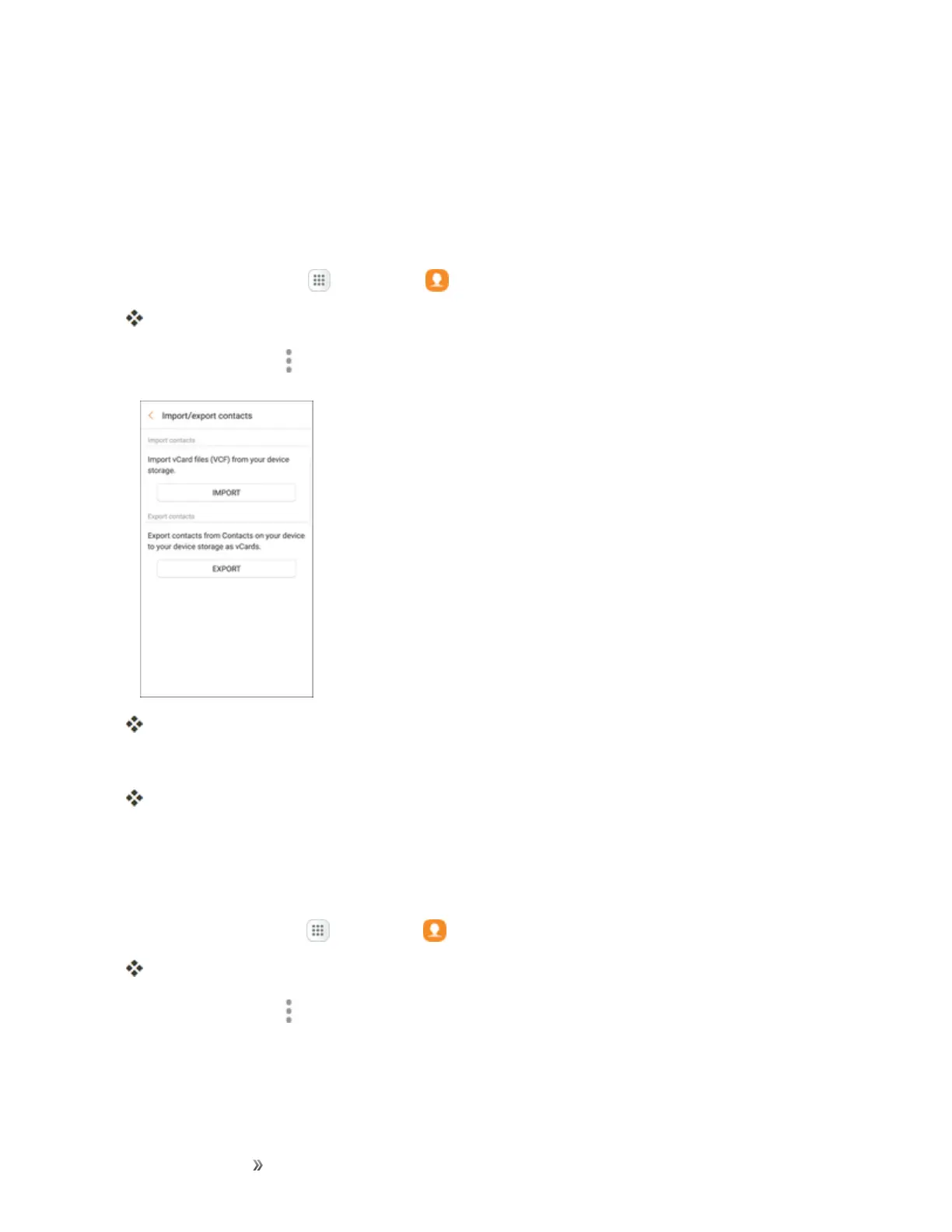
TapMore options >Settings>Import/export contacts.
YouwillseetheImport/Exportcontactsmenu.
3. TapExport andfollowthepromptstocompletetheexport.
ThecontactsareexportedandsavedtotheinstalledSDcard.
Contacts Settings
Configureoptionsforcontactsstoredonyourphone.
1.
Fromhome,tapApps >Contacts .
YouwillseetheContactslist.
2.
TapMore options >Settings>toconfigureoptions:
l Import/Export contacts:ImportcontactsfromaninstalledSDmemorycardandexport
contactstoaninstalledSDmemorycard(notincluded)














 To Next Page