3 – 74 HS40 Service Manual
PRINT Server Information
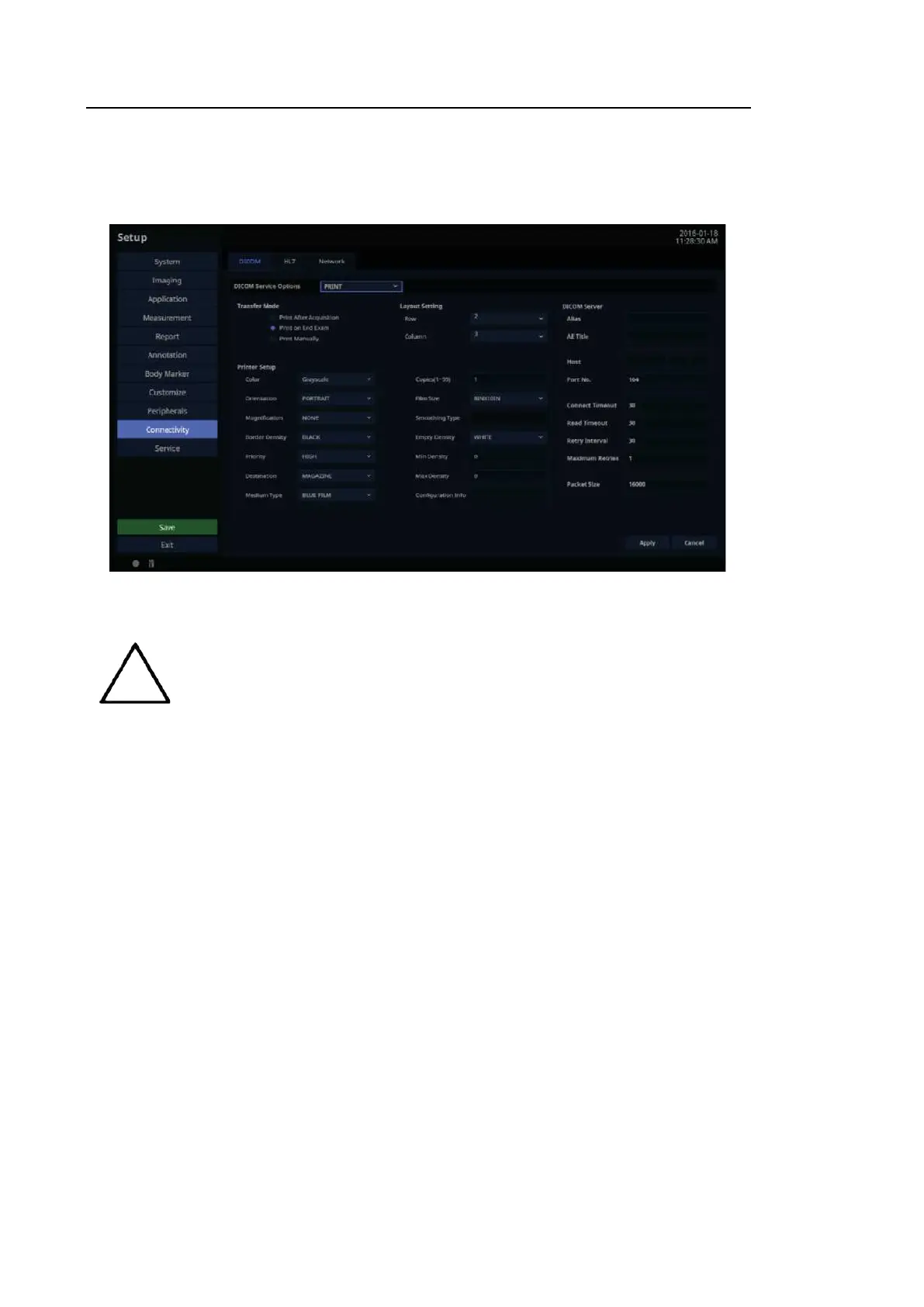
Select ‘PRINT’ as the DICOM Service Options item. Configure the Print Service using DICOM.
[Figure 3.43 DICOM Configuration – PRINT]
You can only configure printers connected to the DICOM network.
Depending on the printer, some of the following functions may not be
available. Before configuring a printer, please refer to the printer’s user
manual, or the DICOM Conformance Statement.
■ Transfer Mode
Select a printing method:
– Print after acquisition: Print an image whenever you press the Store button to save it.
– Print on end exam: Print all saved images when you press the End Ex am button.
– Print manually: Print an image the user selects from the Exam List or in Review.
■ Layout Setting
Specify the paper layout. Between 1 and 6 rows and 1 and 4 columns can be selected.



 To Next Page