3.6
SEL-749M Relay Instruction Manual Date Code 20080918
PC Software
Settings
Settings Editor
The Settings Editor shows the relay settings in easy-to-understand categories.
The SEL-749M settings structure makes setting the relay easy and efficient.
Settings are grouped logically, and relay elements that are not used in the
selected protection scheme are not accessible. For example, if there is only
one option card installed in the relay, you can access settings for this one card
only. Settings for the other slots are dimmed (grayed) in the
ACSELERATOR
QuickSet menus.
ACSELERATOR QuickSet shows all of the settings categories
in the settings tree view. The settings tree view remains constant whether
settings categories are enabled or disabled. However, any disabled settings are
dimmed when accessed by clicking an item in the tree view.
Settings Menu
ACSELERATOR QuickSet uses a database to store and manage SEL relay
settings. Each unique relay has its own record of settings. Use the File menu
to Open an existing record, create and open a New record, or Read relay
settings from a connected SEL-749M and then create and open a new record.
Use Tools menu to Convert and open an existing record. The record will be
opened in the Setting Editor as a Setting Form (template) or in Editor
Mode.
File > New
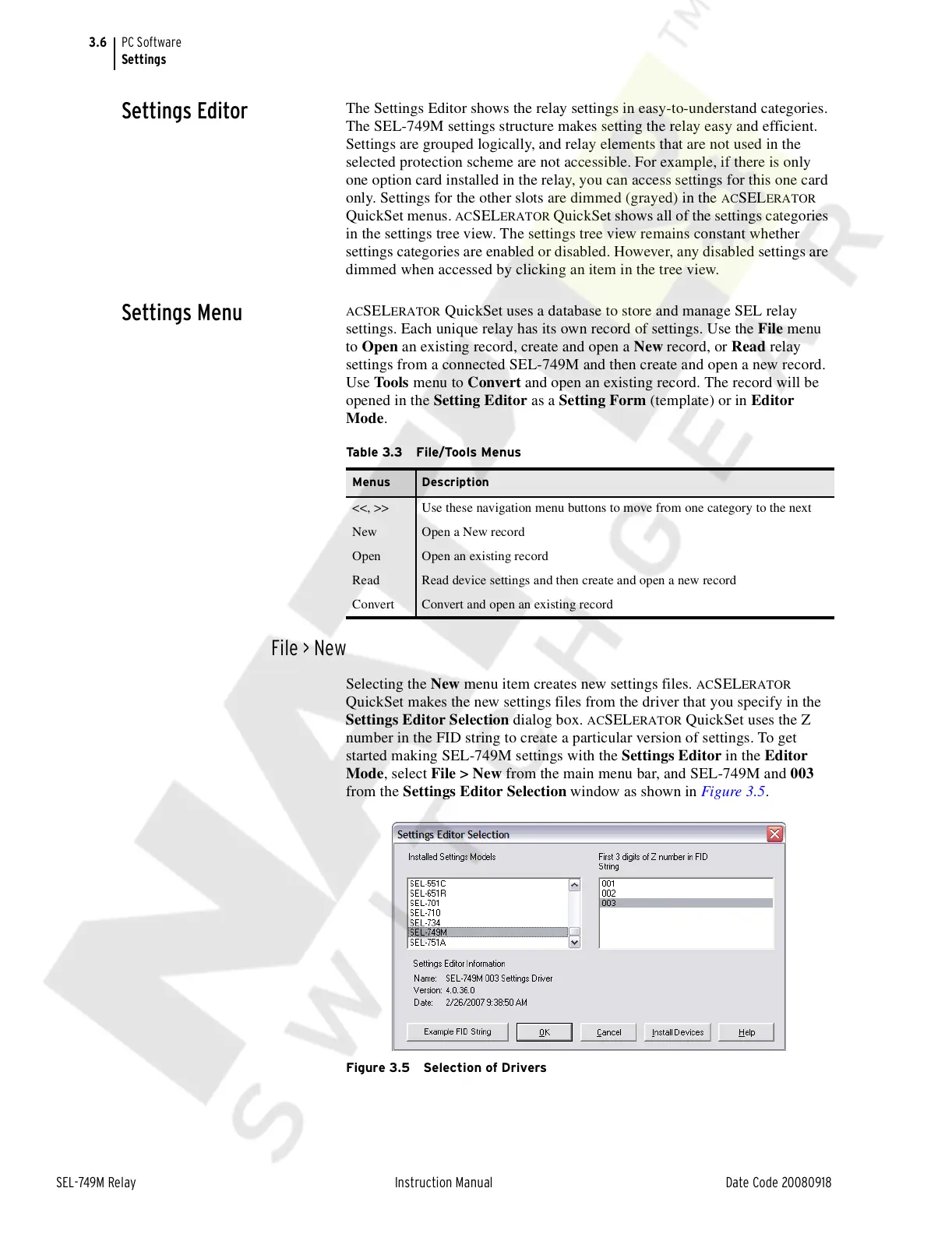
Selecting the New menu item creates new settings files. ACSELERATOR
QuickSet makes the new settings files from the driver that you specify in the
Settings Editor Selection dialog box.
ACSELERATOR QuickSet uses the Z
number in the FID string to create a particular version of settings. To get
started making SEL-749M settings with the Settings Editor in the Editor
Mode, select File > New from the main menu bar, and SEL-749M and 003
from the Settings Editor Selection window as shown in Figure 3.5.
Figure 3.5 Selection of Drivers
Table 3.3 File/Tools Menus
Menus Description
<<, >> Use these navigation menu buttons to move from one category to the next
New Open a New record
Open Open an existing record
Read Read device settings and then create and open a new record
Convert Convert and open an existing record
Courtesy of NationalSwitchgear.com



 To Next Page