Date Code 20080918 Instruction Manual SEL-749M Relay
SEL-749M Relay Command Summary
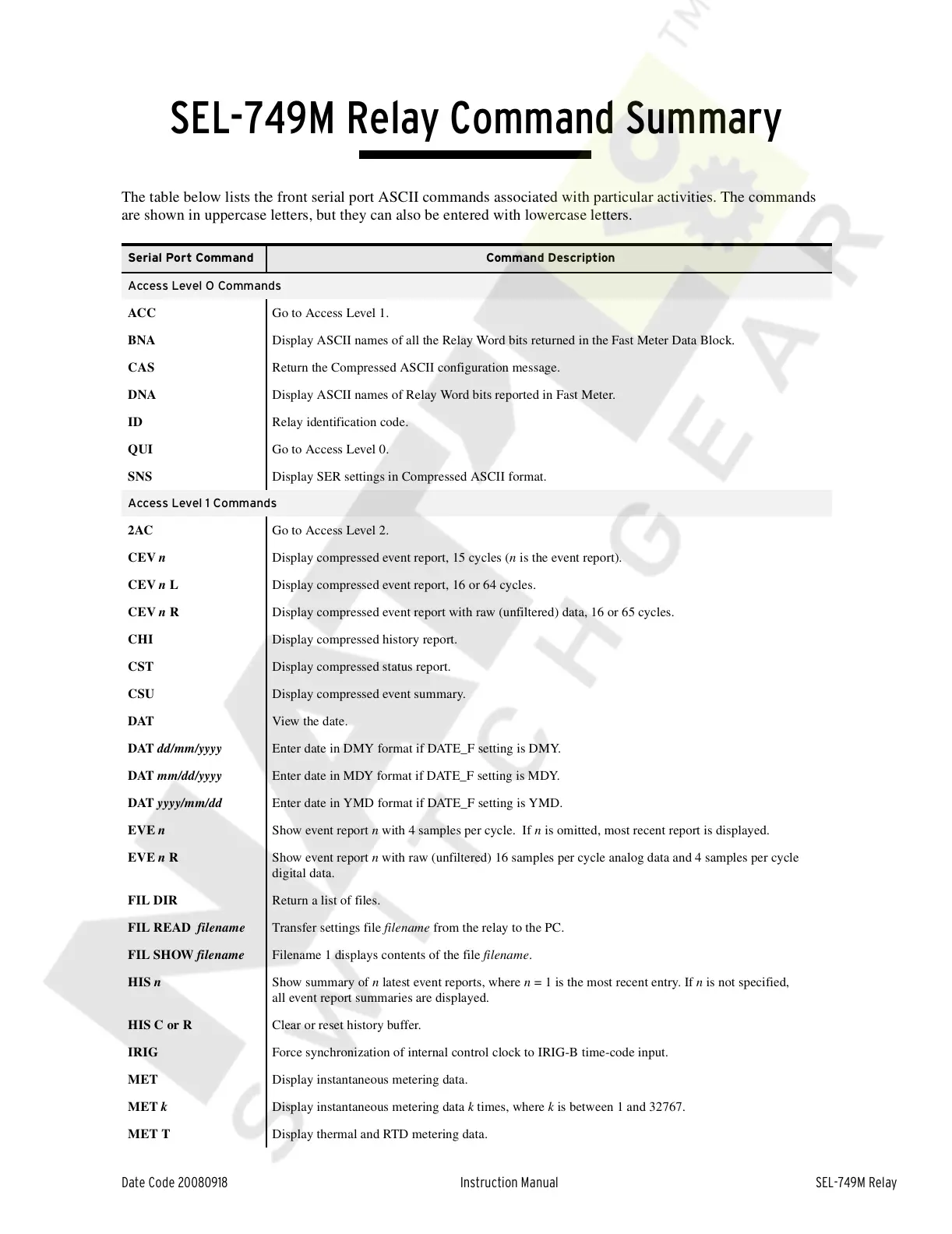
The table below lists the front serial port ASCII commands associated with particular activities. The commands
are shown in uppercase letters, but they can also be entered with lowercase letters.
Instructi on Manual
Serial Port Command Command Description
Access Level O Commands
ACC Go to Access Level 1.
BNA Display ASCII names of all the Relay Word bits returned in the Fast Meter Data Block.
CAS Return the Compressed ASCII configuration message.
DNA Display ASCII names of Relay Word bits reported in Fast Meter.
ID Relay identification code.
QUI Go to Access Level 0.
SNS Display SER settings in Compressed ASCII format.
Access Level 1 Commands
2AC Go to Access Level 2.
CEV n Display compressed event report, 15 cycles (n is the event report).
CEV n L Display compressed event report, 16 or 64 cycles.
CEV n R Display compressed event report with raw (unfiltered) data, 16 or 65 cycles.
CHI Display compressed history report.
CST Display compressed status report.
CSU Display compressed event summary.
DAT View the date.
DAT dd/mm/yyyy Enter date in DMY format if DATE_F setting is DMY.
DAT mm/dd/yyyy Enter date in MDY format if DATE_F setting is MDY.
DAT yyyy/mm/dd Enter date in YMD format if DATE_F setting is YMD.
EVE n Show event report n with 4 samples per cycle. If n is omitted, most recent report is displayed.
EVE n R Show event report n with raw (unfiltered) 16 samples per cycle analog data and 4 samples per cycle
digital data.
FIL DIR Return a list of files.
FIL READ filename Transfer settings file filename from the relay to the PC.
FIL SHOW filename Filename 1 displays contents of the file filename.
HIS n Show summary of n latest event reports, where n = 1 is the most recent entry. If n is not specified,
all event report summaries are displayed.
HIS C or R Clear or reset history buffer.
IRIG Force synchronization of internal control clock to IRIG-B time-code input.
MET Display instantaneous metering data.
MET k Display instantaneous metering data k times, where k is between 1 and 32767.
MET T Display thermal and RTD metering data.
Courtesy of NationalSwitchgear.com



 To Next Page