3.9
Date Code 20080918 Instruction Manual SEL-749M Relay
PC Software
Settings
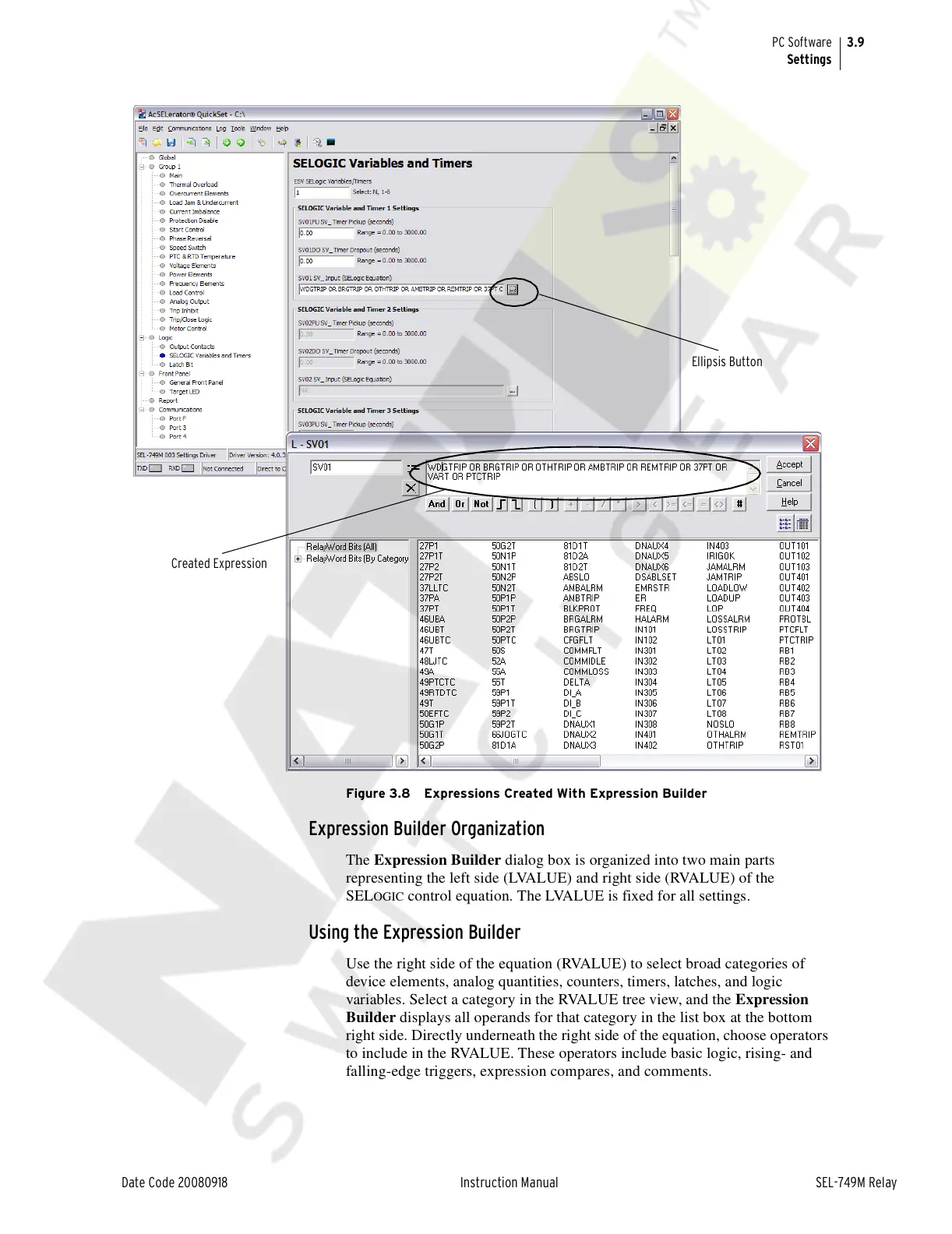
Figure 3.8 Expressions Created With Expression Builder
Expression Builder Organization
The Expression Builder dialog box is organized into two main parts
representing the left side (LVALUE) and right side (RVALUE) of the
SEL
OGIC control equation. The LVALUE is fixed for all settings.
Using the Expression Builder
Use the right side of the equation (RVALUE) to select broad categories of
device elements, analog quantities, counters, timers, latches, and logic
variables. Select a category in the RVALUE tree view, and the Expression
Builder displays all operands for that category in the list box at the bottom
right side. Directly underneath the right side of the equation, choose operators
to include in the RVALUE. These operators include basic logic, rising- and
falling-edge triggers, expression compares, and comments.
Ellipsis Button
Created Expression
Courtesy of NationalSwitchgear.com



 To Next Page