3.7
Date Code 20080918 Instruction Manual SEL-749M Relay
PC Software
Settings
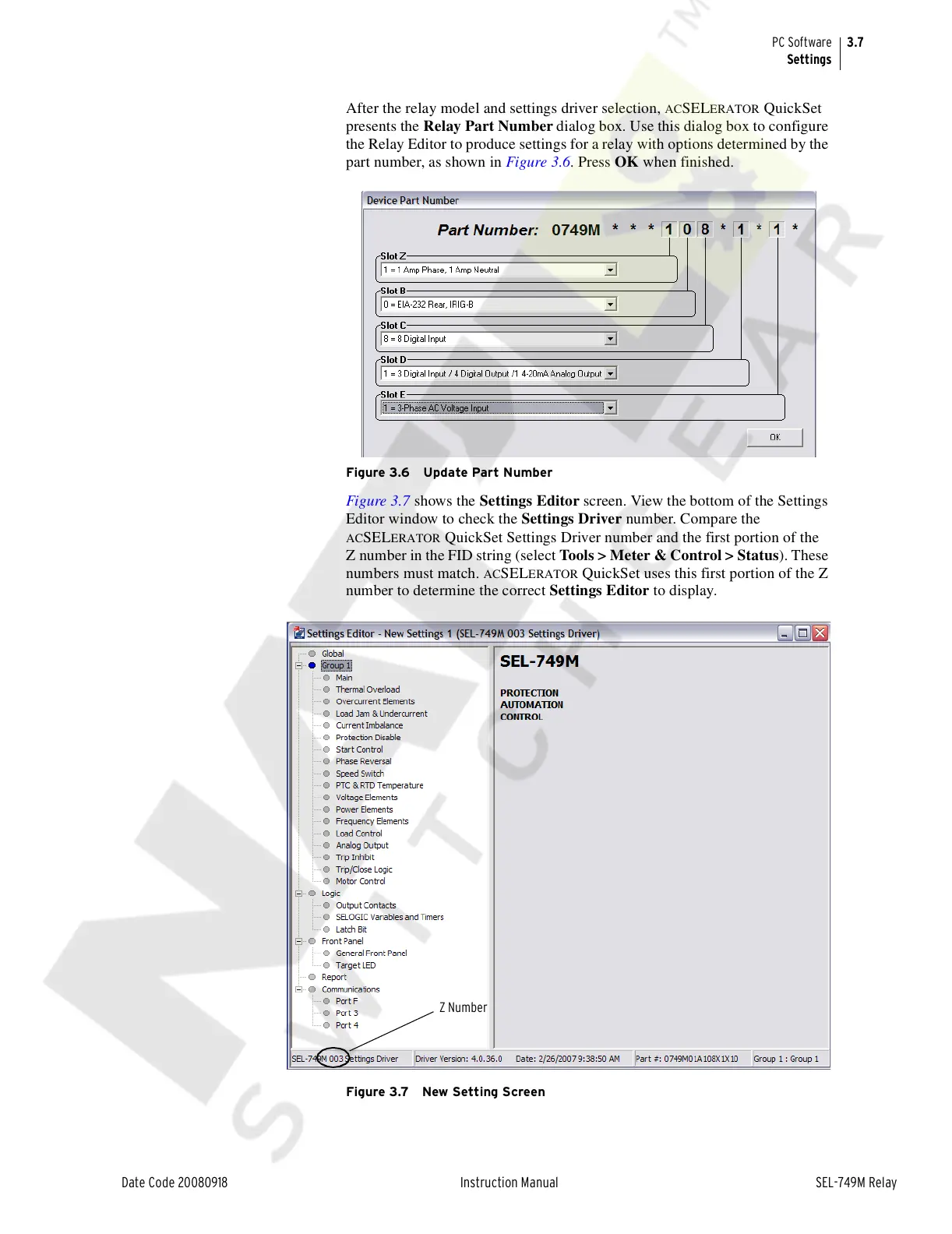
After the relay model and settings driver selection, ACSELERATOR QuickSet
presents the Relay Part Number dialog box. Use this dialog box to configure
the Relay Editor to produce settings for a relay with options determined by the
part number, as shown in Figure 3.6. Press OK when finished.
Figure 3.6 Update Part Number
Figure 3.7 shows the Settings Editor screen. View the bottom of the Settings
Editor window to check the Settings Driver number. Compare the
ACSELERATOR QuickSet Settings Driver number and the first portion of the
Z number in the FID string (select Tools > Meter & Control > Status). These
numbers must match.
ACSELERATOR QuickSet uses this first portion of the Z
number to determine the correct Settings Editor to display.
Figure 3.7 New Setting Screen
Z Number
Courtesy of NationalSwitchgear.com



 To Next Page