SEEDMASTER 2023
66
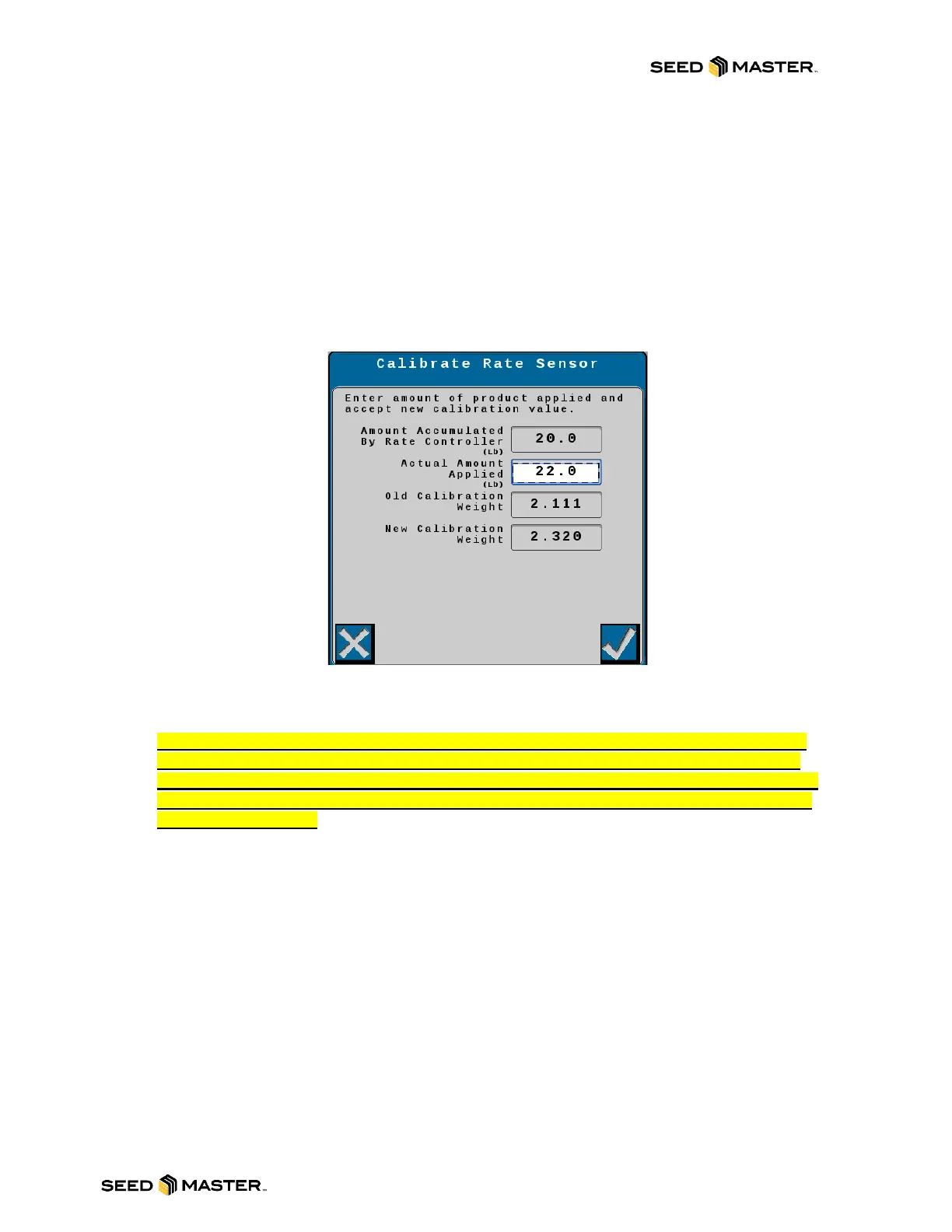
17. After the catch time expires, the calibration will advance to the last calibration screen. This
screen displays the accumulated weight computed by the Rate Controller. Below the
computed weight is where the actual weight accumulated will be entered.
a. Weigh the product that was caught (ensure that the scale being used is accurate
and the weight of the pail is removed from the total weight).
b. Enter the weight reading in the Actual Amount Applied.
c. The old calibration weight value will be displayed along with the new calculated
calibration weight. Please review these values for inaccuracies. If the results are
acceptable, then touch the check mark to accept then new calibration weight value.
NOTE: The calibration number will change automatically to the new calibration
number.
18. Shut Master Switch OFF (Foot Switch)
NOTE: IT IS RECOMMENDED TO COMPLETE AT LEAST 2 TO 3 CATCH CALIBRATIONS
PER PRODUCT TO ENSURE ACCURACY. PRODUCTS SUCH AS CANOLA SHOULD BE
CALIBRATED NO LESS THAN 3 TIMES. IF THE CALIBRATIONS ARE INACCURATE FROM
ONE TO THE NEXT, PLEASE INSPECT THE METERING COMPONENTS AND START THE
CALIBRATION OVER.



 To Next Page