SEEDMASTER 2023
93
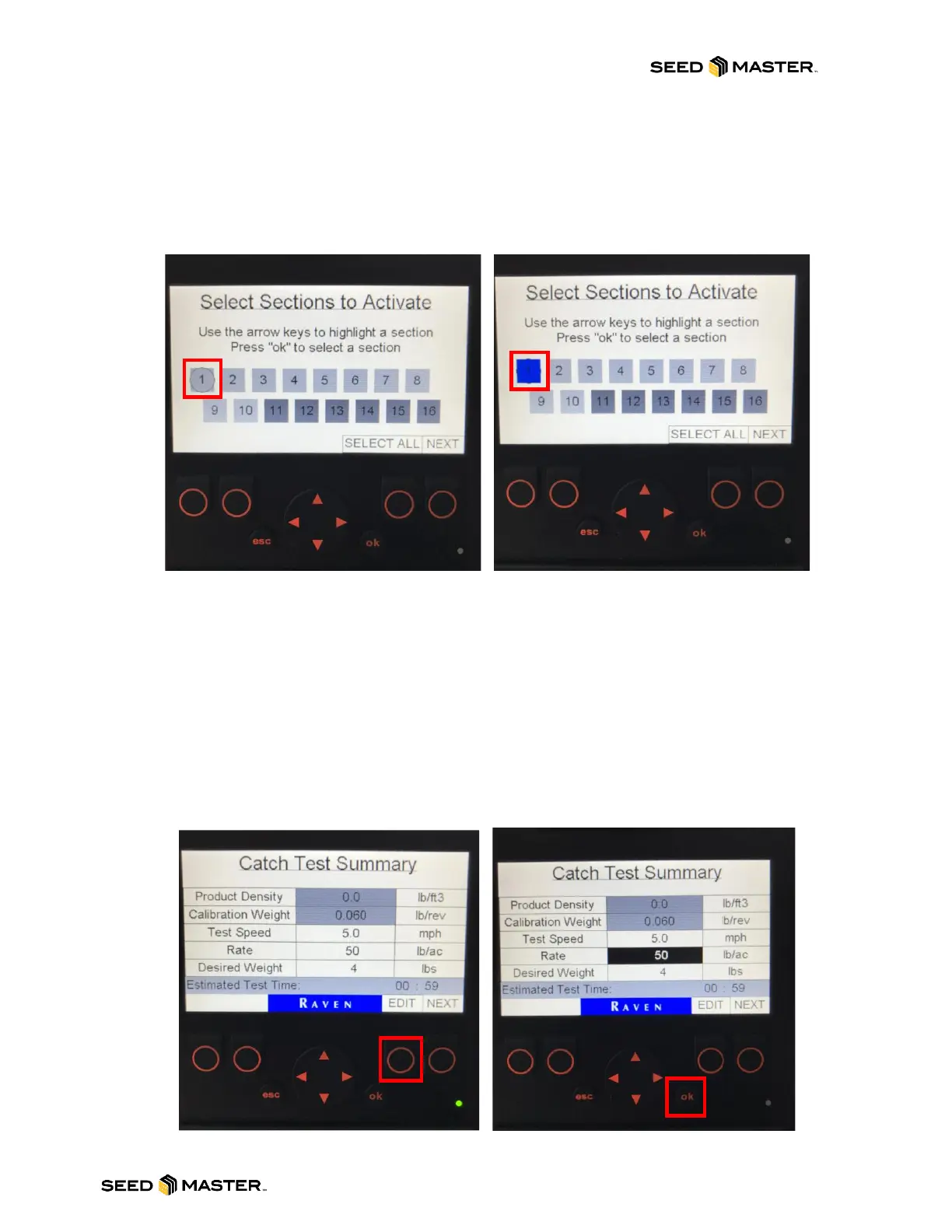
10. After selecting “ok”, the “Select Sections to Activate” page will be displayed.
11. Use the arrow keys to highlight a section, then press “ok” to select a section. A circle around
the number will represent the current section that is selected. After pressing the “ok“ button, the
section will highlight blue. Section numbering begins on the left of the machine.
12. After confirming what section the product will be caught from, press the “NEXT” button.
NOTE: Before continuing to the next step please ensure that a catch pail has be setup
underneath the zone or section that the product will be metered from. (#1 is on the left side)
13. The Catch Test Summary page will be displayed. The test speed will default to 5mph. This is a
sufficient test speed for calibrating and will not need to be changed. Please review the Rate and
Desired Weight.
NOTE: Set the rate to the actual rate that will be applied in the field. The desired weight will be
determined by either the size of the catch pail or the estimated test time.
FOR HIGH RATE PRODUCTS: A 5-gallon pail can hold roughly 20 lbs of product. If using a 5-
gallon pail, a desired weight of 20 can be used.
FOR LOW RATE PRODUCTS: The estimated test time needs to be below 10 mins. If it is
greater than 10 mins, lower the desired weight by 1-pound increments.
14. To change the Rate or Desired Weight, press the button below “EDIT”. Then use the UP or
DOWN arrow buttons to highlight the value to be changed in black.
15. Once the value is highlighted black, press the ok button to change the value.



 To Next Page