Using the EM 6000
111
Help
In this menu item, you can find the link to the English version of this instruc-
tion manual.
TX Update
This menu item lets you perform a firmware update for the transmitters.
This update is recommended after you perform a firmware update for the
receiver (see “Updating the firmware of the receiver”).
To open the TX Update menu item:
▷ Turn the jog dial in the System menu item until the TX Update menu
item appears in the selection frame.
▷ Press the jog dial to open the menu.
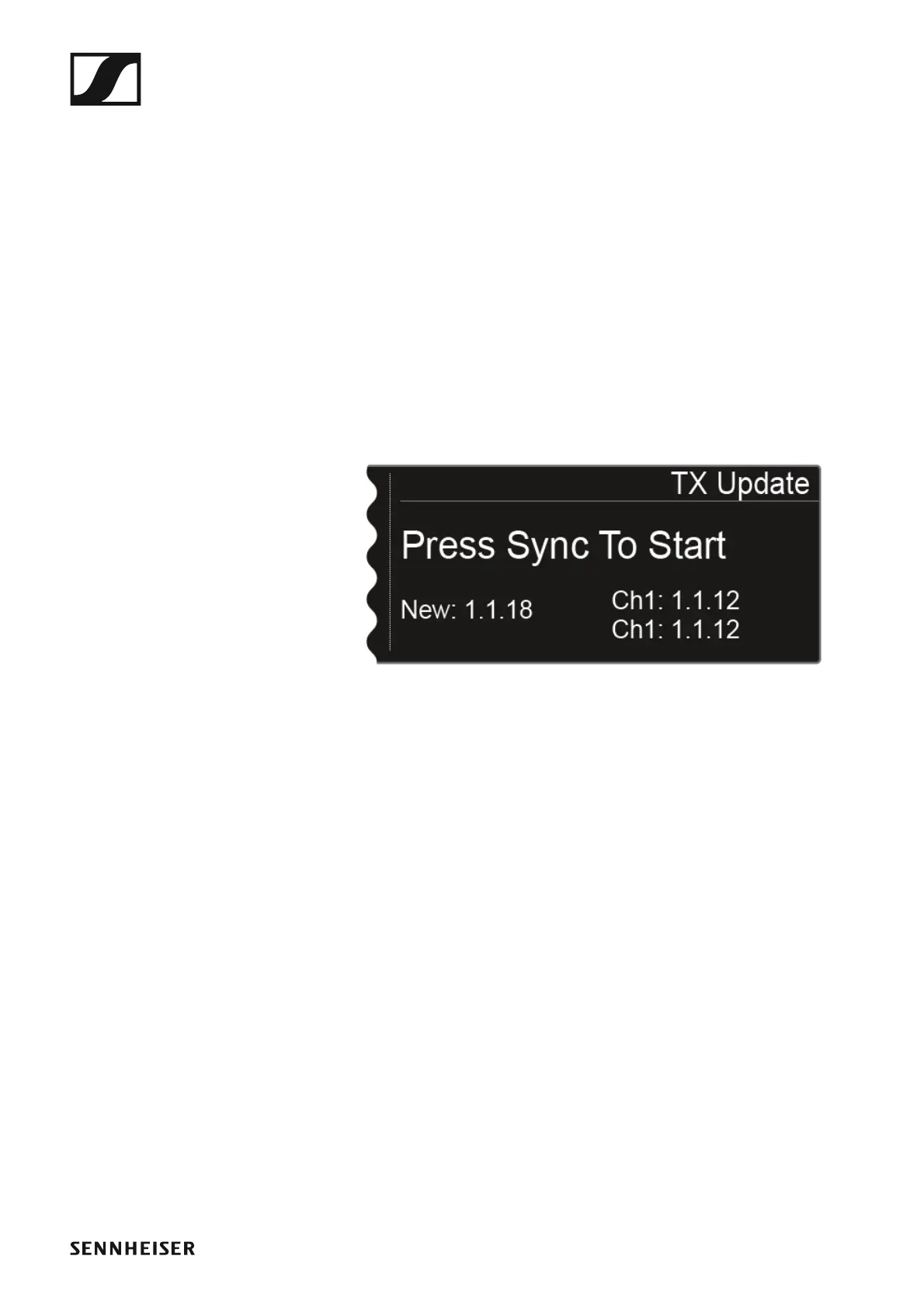
The following view is shown on the display.
►
• New shows the version of the new firmware that is available after the
firmware update for the receiver.
• Ch1 shows the firmware that is currently installed on the transmitter for
the receiving channel CH 1.
• Ch2 shows the firmware that is currently installed on the transmitter for
the receiving channel CH 2.
To start the firmware update:
▷ Press the Sync button for the desired channel.
▷ Hold the transmitter and its infrared interface in front of the infrared in-
terface of the receiver. See “Synchronizing devices”.














 To Next Page