Using the SKM 6000
118
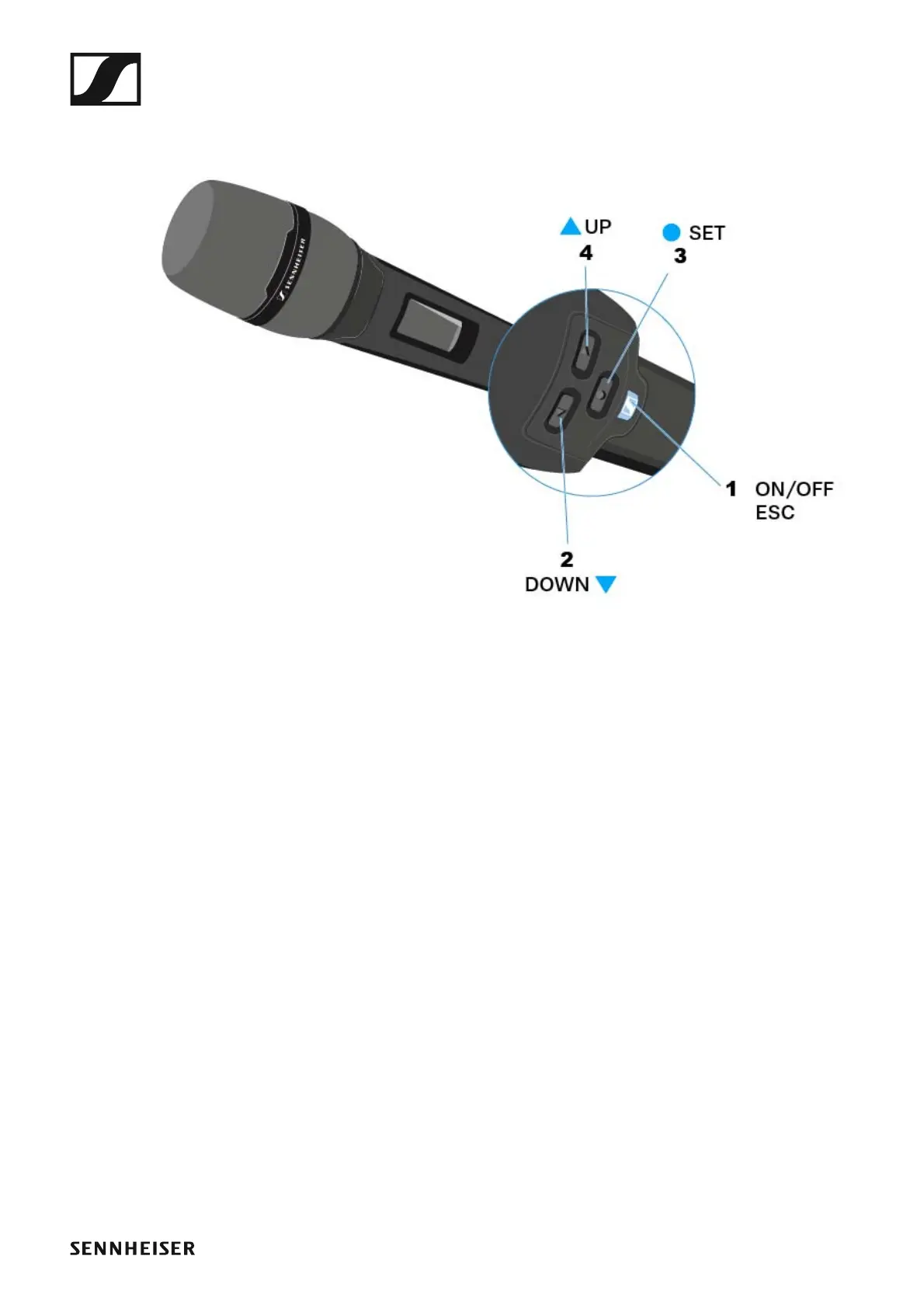
Operating elements of the SKM 6000 handheld
transmitter
►
1 ON/OFF (ESC) button
• Switch the transmitter on or off
• See “Switching the SKM 6000 on and off”
• Escape function in the menu
• See “Operating the SKM 6000 menu”
2 DOWN button
• Navigate through the transmitter operating menu
• Change values in the operating menu
• See “Operating the SKM 6000 menu”
3 SET button
• Open a menu item
• Save a setting in the menu
• See “Operating the SKM 6000 menu”
4 UP button
• Navigate through the transmitter operating menu
• Change values in the operating menu
• See “Operating the SKM 6000 menu”














 To Next Page