Installing the EM 6000
29
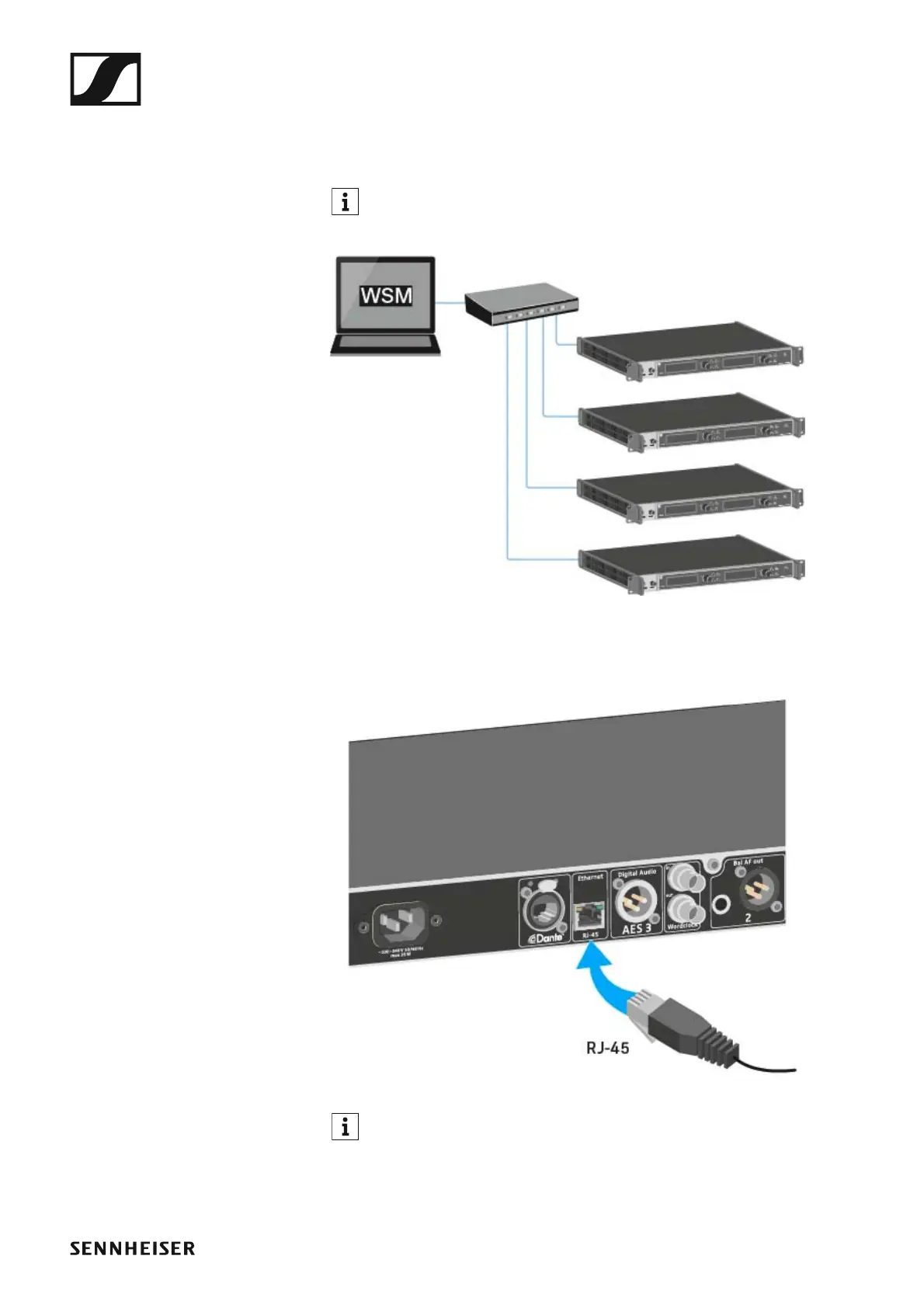
Connecting the EM 6000 to a network
You can monitor and control one or more EM 6000s via a network connec-
tion using Sennheiser Wireless Systems Manager (WSM) software.
The network does not have to be a homogeneous network including
only receivers. You can integrate the EM 6000 into your existing net-
work infrastructure with any other types of devices.
►
To connect the EM 6000 to a network:
▷ Connect a network cable with an RJ-45 connector (Cat5 at minimum)
to the Ethernet socket on the rear side of the EM 6000.
►
For more information about controlling devices via the Sennheiser
Wireless Systems Manager (WSM) software, refer to the instruction
manual for the software. You can download the software at
www.sennheiser.com/download.














 To Next Page