Using the EM 6000
66
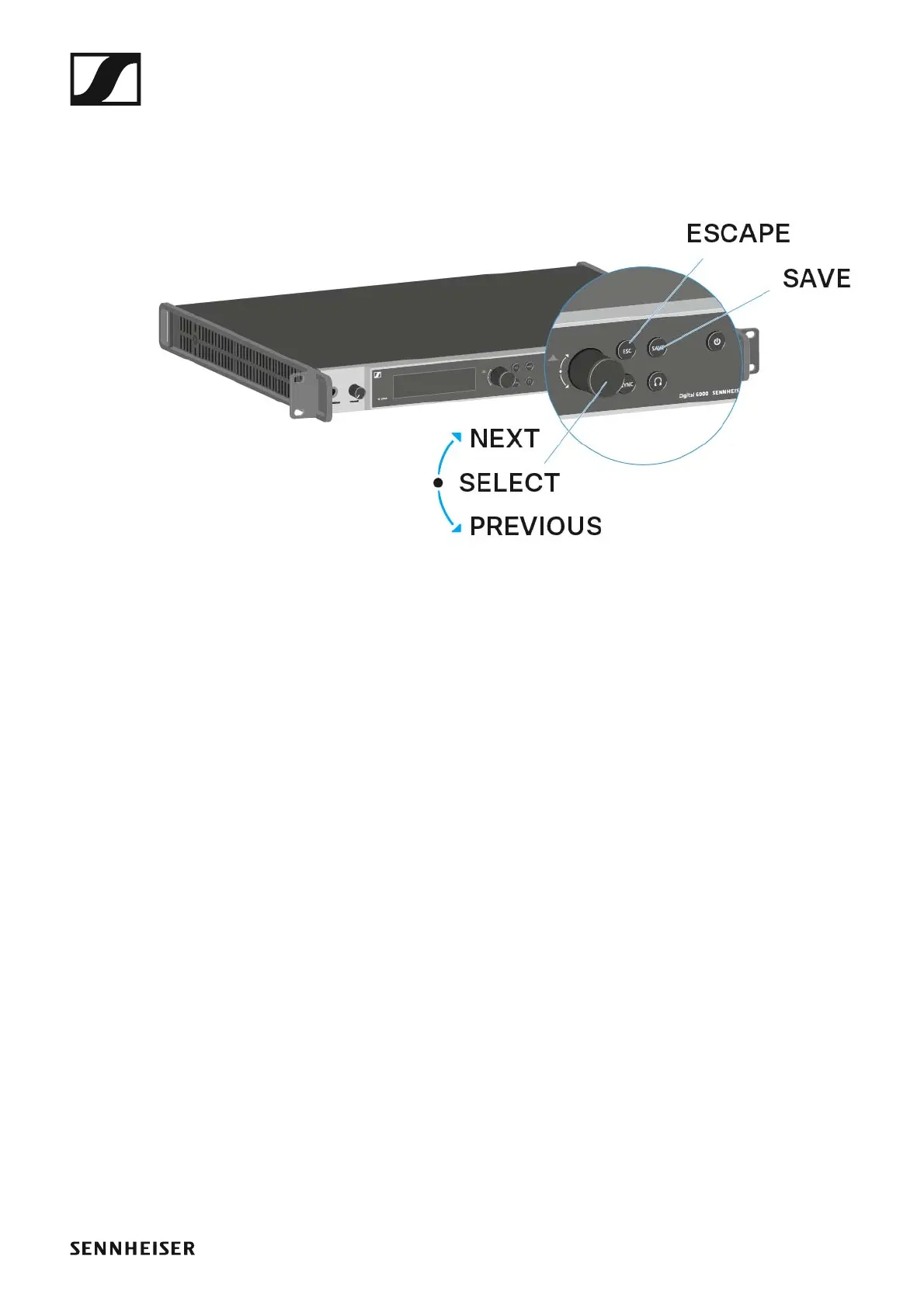
Buttons for navigating through the menu
To navigate through the EM 6000 operating menu, you require the follow-
ing buttons.
►
Turn the jog dial to the right: NEXT
• Display the next home screen
• Scroll down in the menu
Turn the jog dial to the left: PREVIOUS
• Display the previous home screen
• Scroll up in the menu
Press the jog dial: SELECT
• On the home screen: open the menu
• In the menu: open a menu item
• Within a menu item: go to the next selection
SAVE button
• Save a selection
ESC button
• Navigate back one level without saving
These buttons are located next to the two displays for the two CH 1 and CH
2 channels.














 To Next Page