Installing the SK 6000
52
Connecting a microphone to the SK 6000
We recommend using the following Lavalier microphones and headset mi-
crophones with the SK 6000 bodypack transmitter.
►
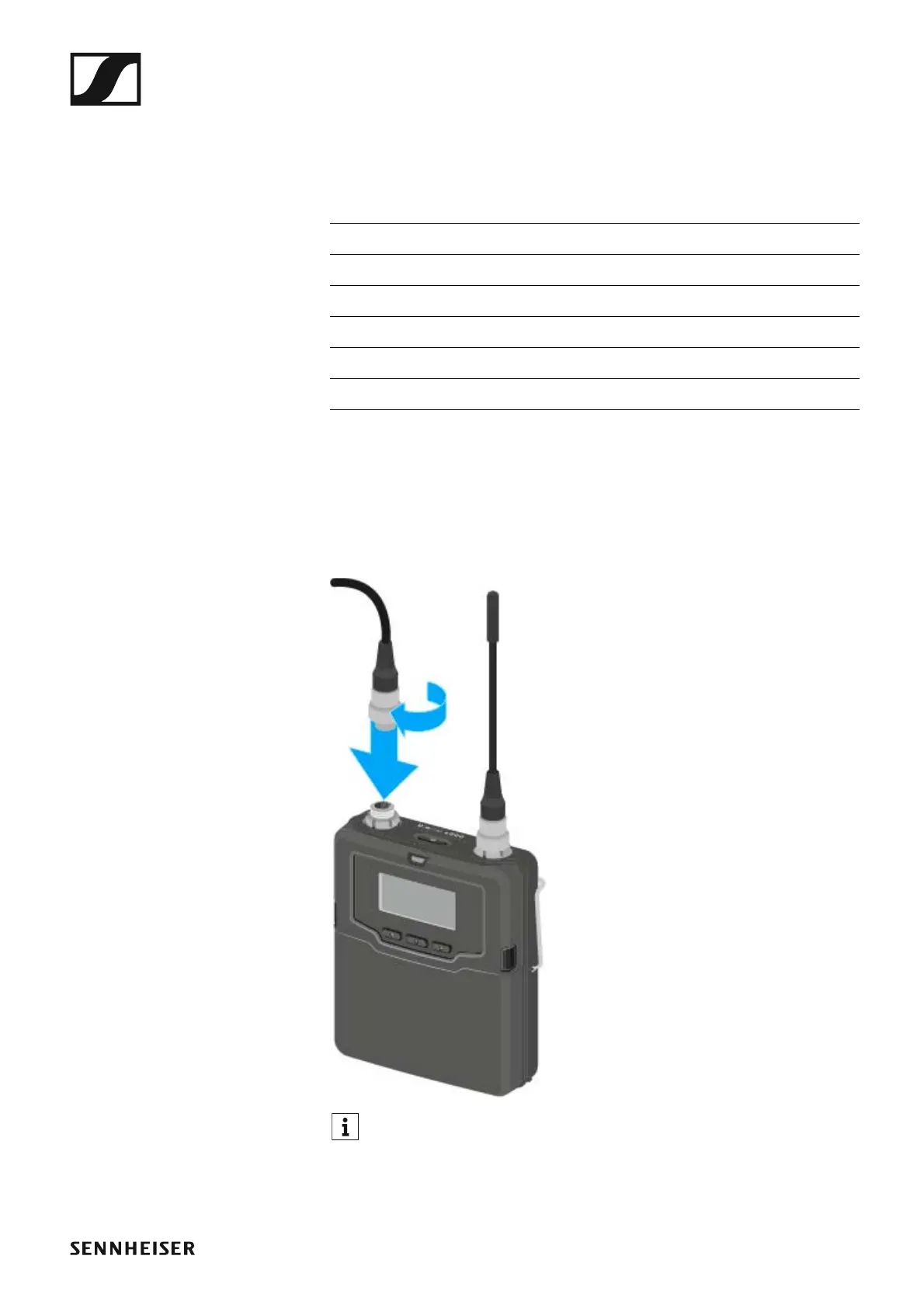
To connect a microphone to the bodypack transmitter:
▷ Use a 3-pin audio connector to connect the microphone cable to the
SK 6000 bodypack transmitter audio socket as shown in the figure.
▷ Tightly screw on the microphone cable coupling ring on the audio sock-
et thread of the SK 6000 bodypack transmitter.
►
For more information about using the particular microphone, see the
corresponding instruction manual for the microphone. You can find
this instruction manual in the download section of the Sennheiser
website under www.sennheiser.com/download.
Microphone Features Article no.
MKE 1-4 Lavalier microphone, omni-directional 502167
MKE 2-4 Lavalier microphone, omni-directional 004736
MKE 40-4 Lavalier microphone, cardioid 003579
HSP 2 Headset microphone, omni-directional 009862
HSP 4 Headset microphone, cardioid 009864
SL Headmic 1-4 Headset microphone, omni-directional 506905














 To Next Page