Installing the EM 6000
26
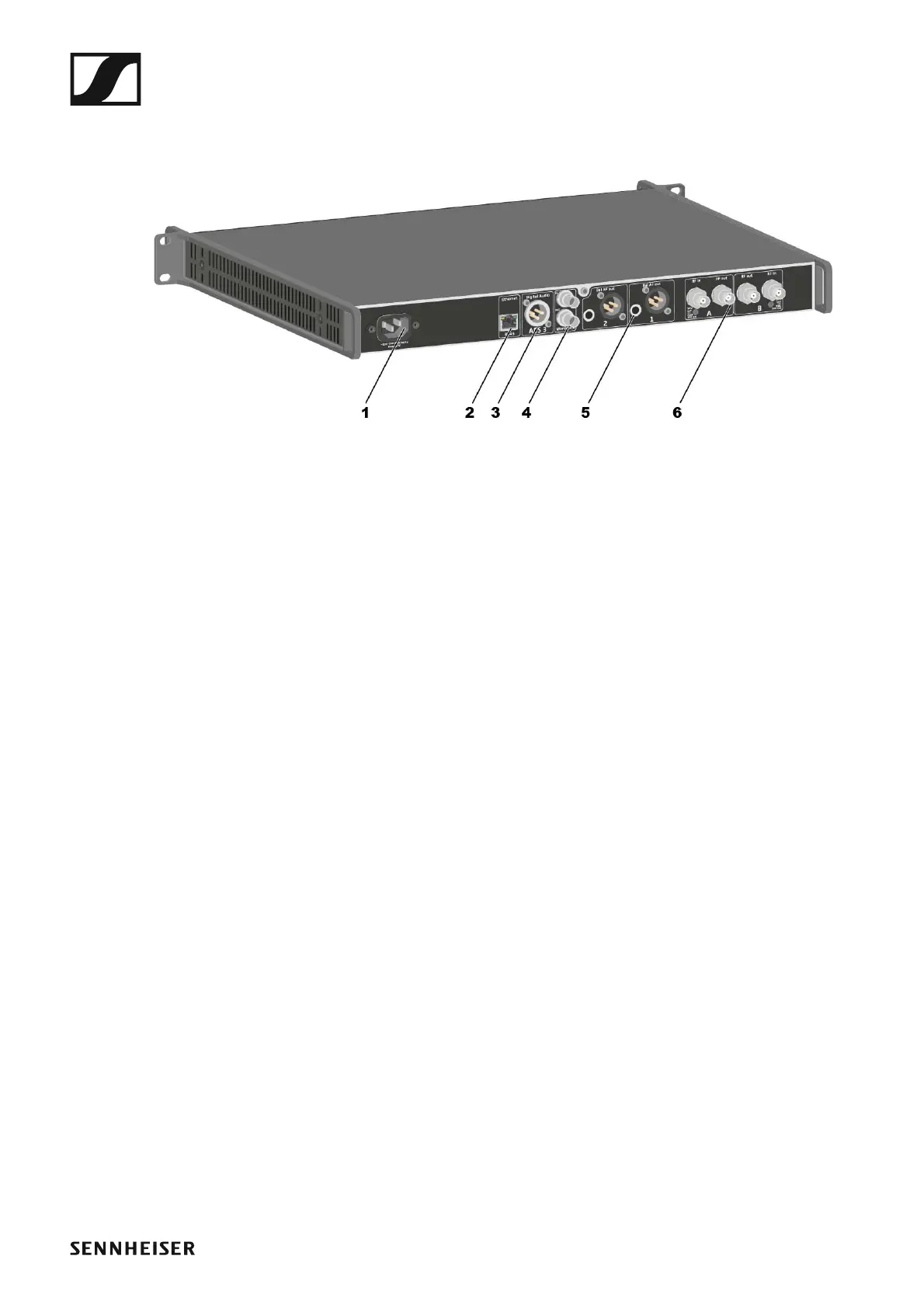
Connectors on the rear of the device
Product overview for the rear side of the EM 6000
►
1 Power socket
• See “Connecting/disconnecting the EM 6000 to/from the power
supply system”
2 Ethernet socket for controlling the device via the network and Sennhe-
iser WSM
• See “Connecting the EM 6000 to a network”
3 Digital Audio AES 3 digital audio output
• See “Outputting digital audio signals”
4 Word clock BNC sockets
• See “Connecting the word clock”
5 Bal AF out analog audio outputs for the CH 1 and CH 2 channels
• One XLR and 6.3 mm (1/4") jack per channel, transformer-balanced,
parallel
• See “Outputting analog audio signals”
6 BNC antenna inputs and BNC antenna outputs for cascading
• See “Connecting remote antennas”
• See “Connecting rod antennas”
• See “Recommendations for using antennas”














 To Next Page