110 FLOWSIC200 · Operating Instructions · 8013271/1CJ9/V2-0/2022-01 · © SICK Engineering GmbH
Malfunctions
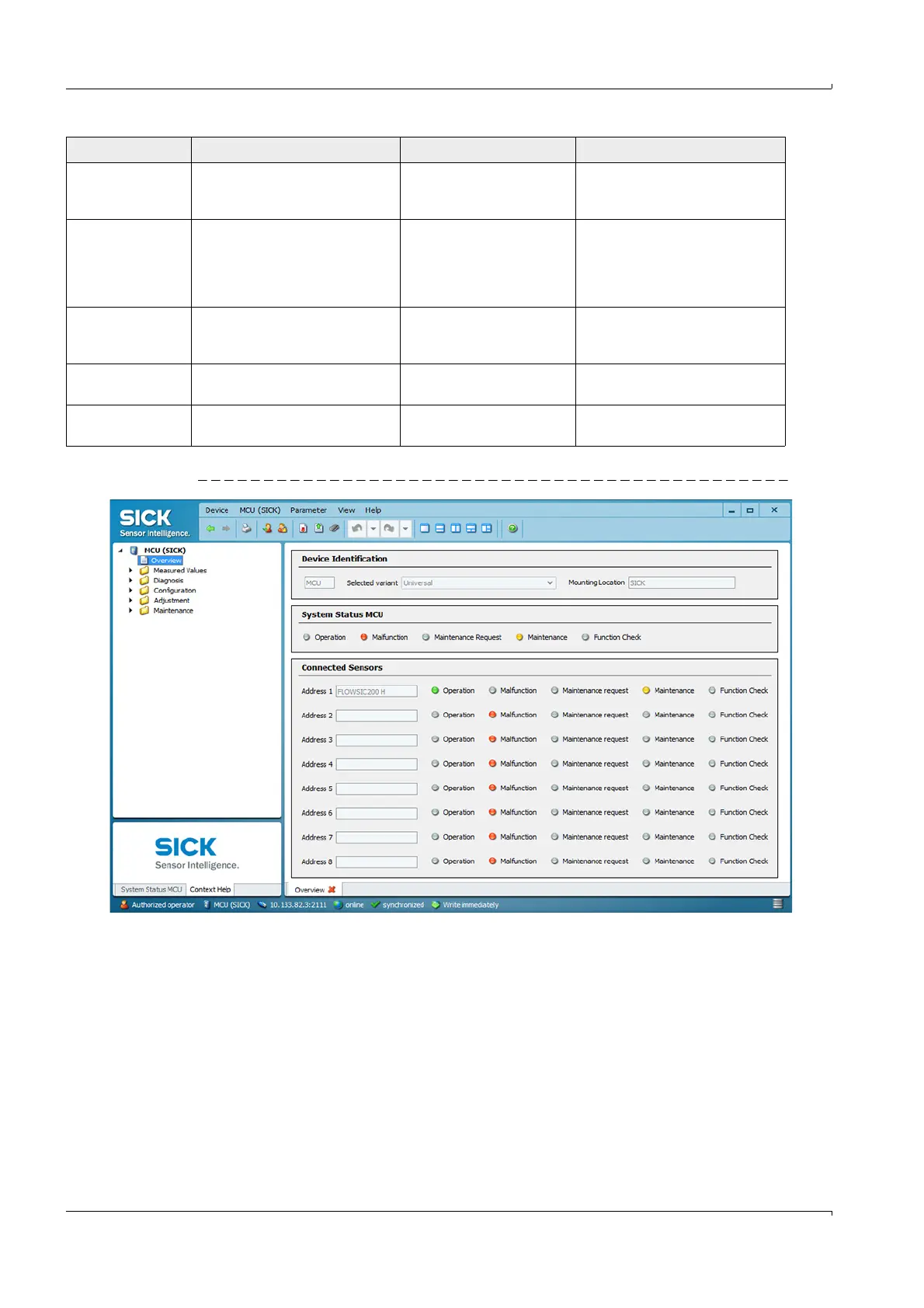
Fig. 95 “Overview” directory
DO configuration Number of digital outputs
configured and number of optional
modules do not match.
DO not configured
Connection error
Module failure
Check configuration (
p. 85,
§4.3.1).
Contact SICK Service.
Sensor configuration Number of sensors available does
not match number connected.
Sensor failure
Communication problems
on RS485 line
Check sensor addressing and
availability (
p. 110, Fig. 95).
Correct sensor selection
(
p. 85, Fig. 76).
Contact SICK Service.
Interface module No communication via Interface
module.
Module not configured
Connection error
Module failure
Check configuration (
p. 91,
§4.3.2.3).
Contact SICK Service.
Variant configuration
error
MCU setting does not match the
connected sensor.
Sensor type has been
changed
Correct application settings
(
p. 68, §4.2.1).
Testmode enabled MCU in Test mode.
Deactivate “System Test” mode
(“Maintenance” directory)
Message Significance Possible cause Action













 To Next Page