62 FLOWSIC200 · Operating Instructions · 8013271/1CJ9/V 2-0/2022-01 · © SICK Engineering GmbH
Commissioning and parameterization
Ethernet communication
Select “Custom IP address configuration”.
Click “Add”.
Enter the IP address of the device or the IP address range when several devices are
used and confirm with “OK”.
Select TCP port 2111 in the “TCP port” directory.
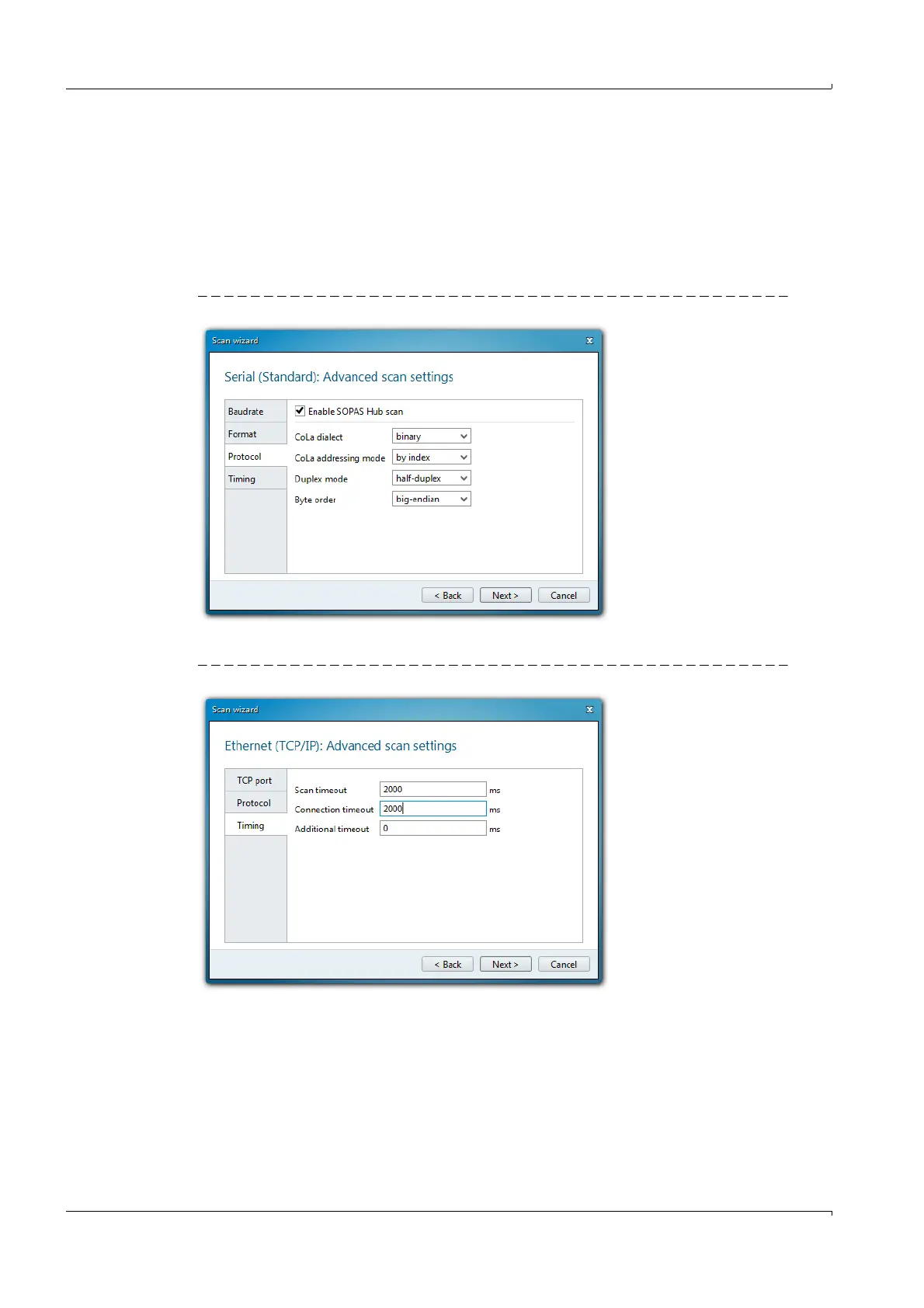
Define the protocol settings in the “Protocol” directory according to
p. 62, Fig. 46.
Fig. 46 Defining the protocol settings
Define the timeout settings in the “Timing” directory according to
Fig. 47.
Fig. 47 Defining the timeout settings













 To Next Page