Commissioning and parameterization
FLOWSIC200 · Operating Instructions · 8013271/1CJ9/V2-0/2022-01 · © SICK Engineering GmbH 65
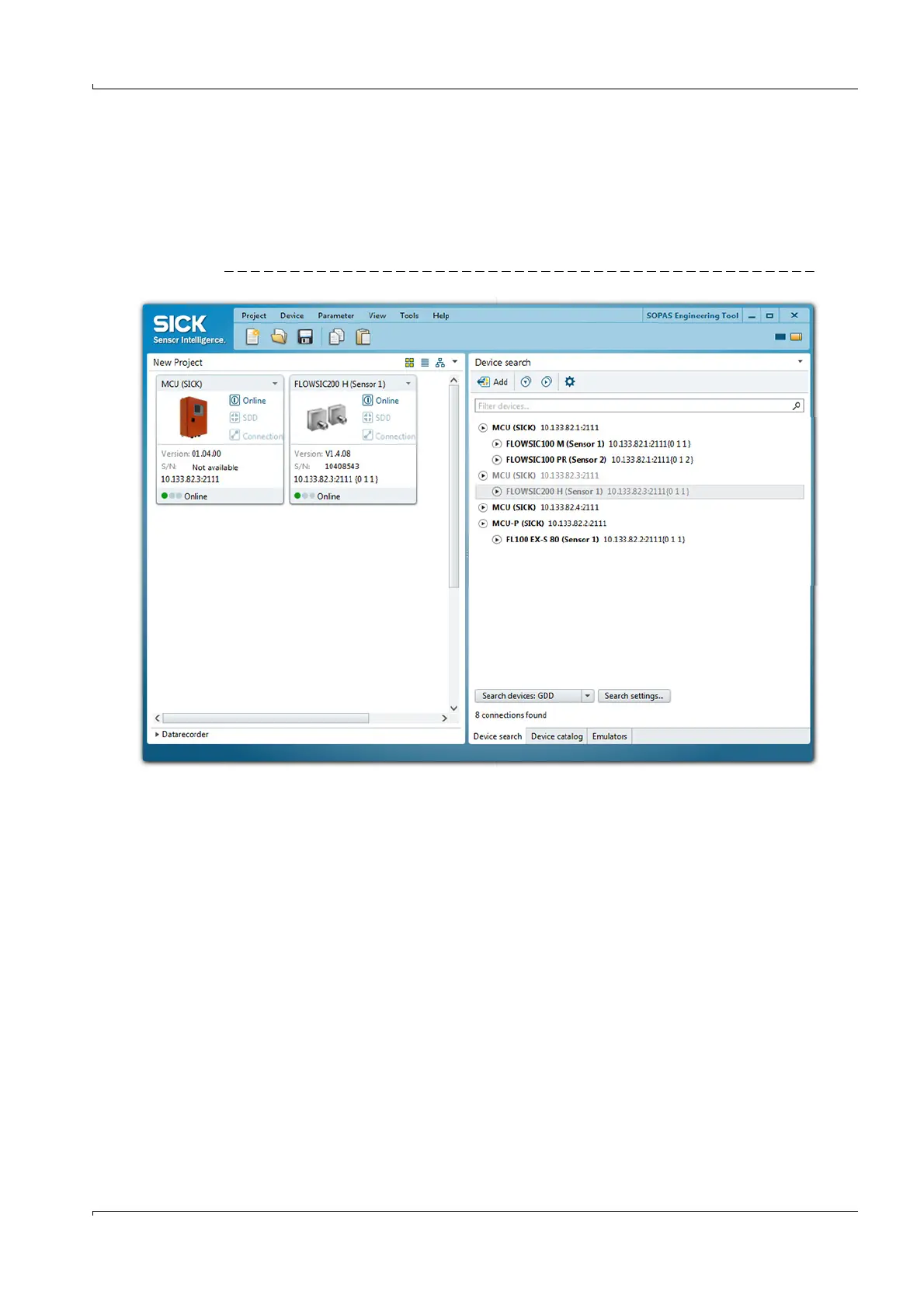
Device selection
Move the required devices with drag-and-drop or a double-click on the required device
into the project area.
– The configuration of the devices is shown in a separate device window.
– The device windows can be opened by a double-click on the respective
device file or the context menu (
p. 66, Fig. 52).
Fig. 51 Device selection













 To Next Page