117
Copyright 2017 SolarCity Corporation. All rights reserved.
Chapter 1 - Welcome
If the inverter has a separate PLC Transmitter box, it can be replaced.
To install or replace the PLC Transmitter:
1. Turn the DC Disconnect Switch to the OFF position. If the battery pack includes a DC
disconnect, then turn that switch OFF as well.
2. Move the external AC disconnect / back-feed breaker in the main electrical panel to the
OFF position.
3. Remove the wiring box cover as described in
“Remove Wiring Box Cover” on page 59
.
4. If you do not need to remove an existing PLC Transmitter, then skip to Step 9.
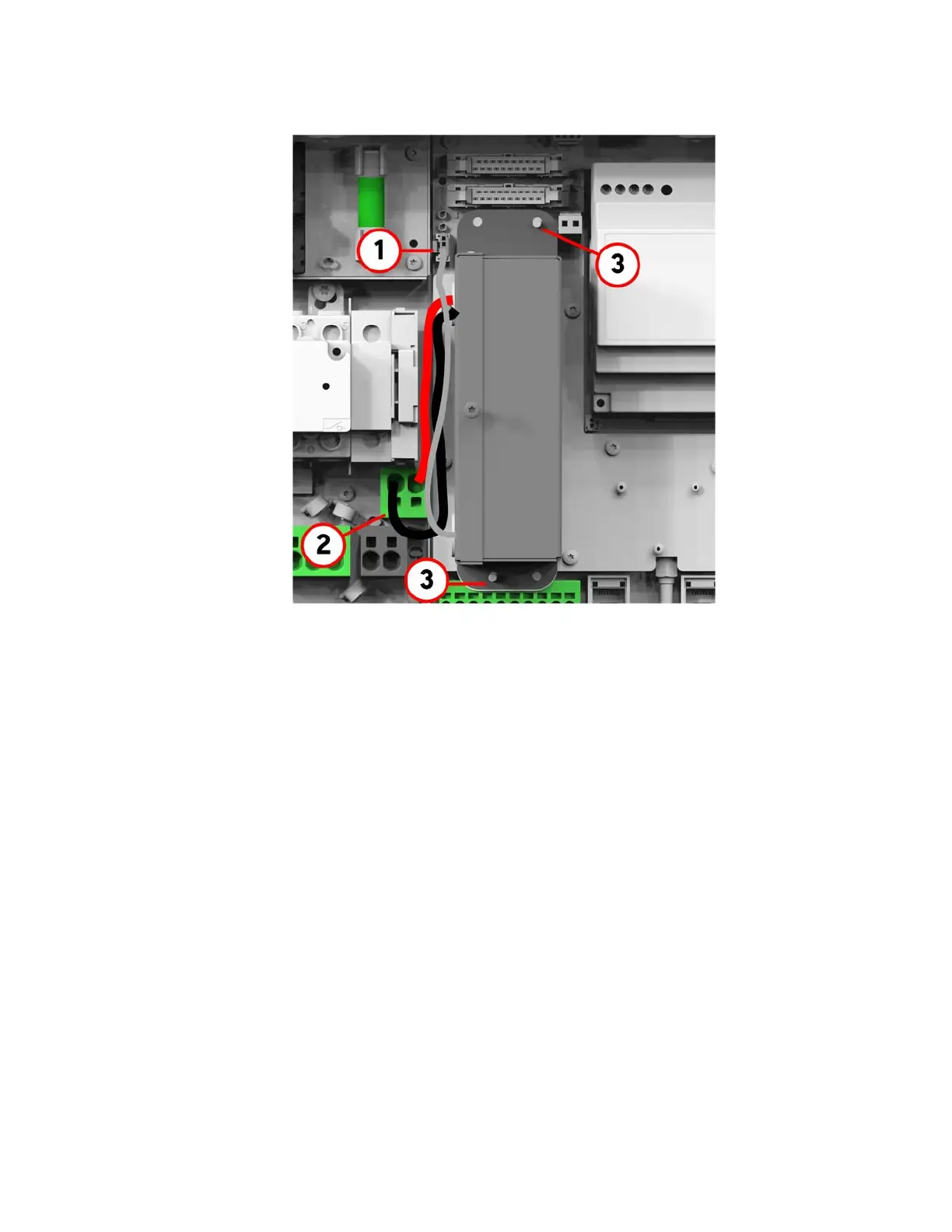
5. Disconnect the data cable from the connector (1).
6. Disconnect the DC wires from the spring clamp connectors (2).
7. Remove the two M3 hex nuts (3), and then lift the PLC Transmitter out of the SolarCity H6
inverter.
8. Place the PLC Transmitter into position over the two threaded studs, and then secure the
PLC Transmitter using two (2) M3 hex nuts (3).
9. Connect the DC wires to the spring clamp connectors (2), making sure that the red wire is
on the left and the black wire is on the right.
10. Connect the data cable to the connector (1).



 To Next Page