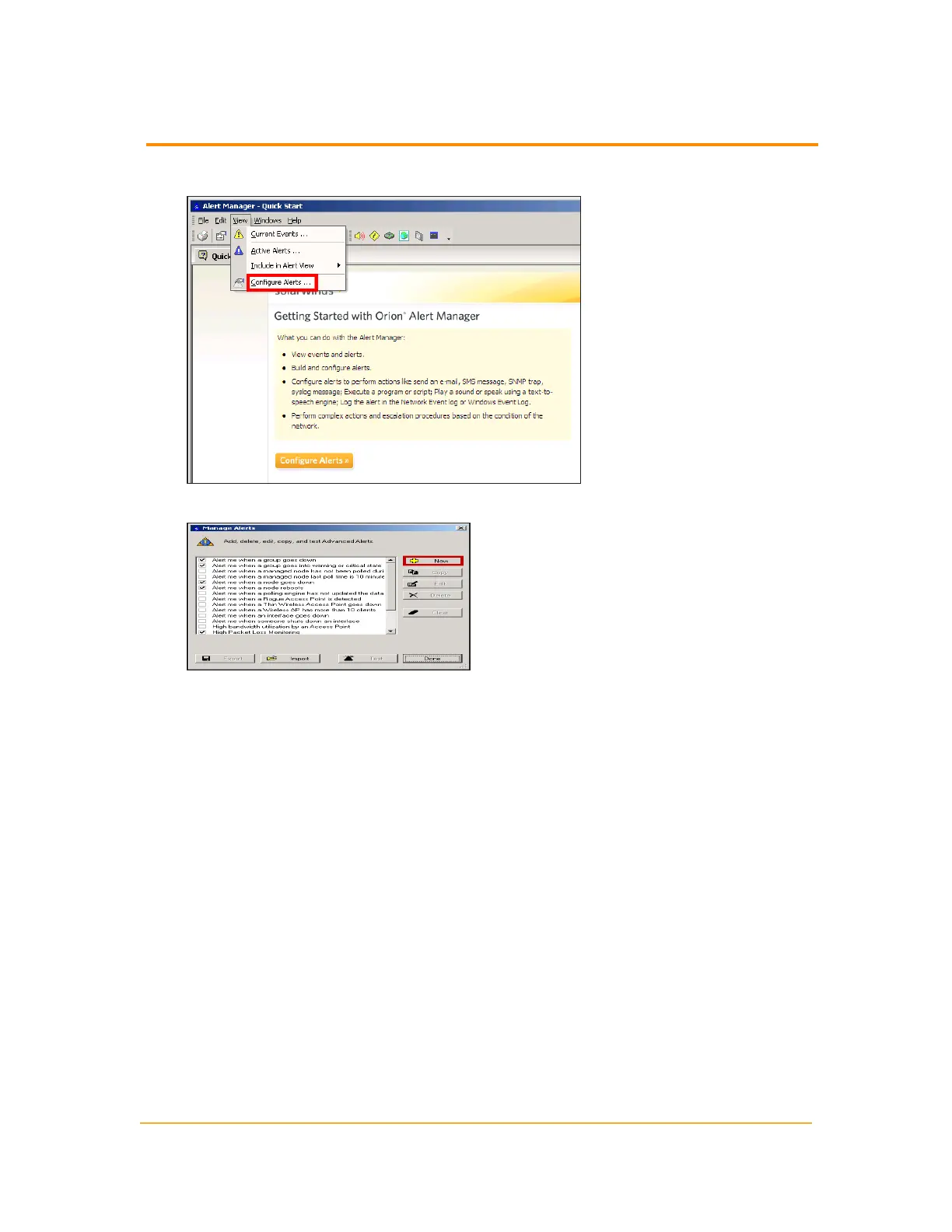
2.
Click View > Configure Alerts.
3.
Click New.
The Edit Alert window displays, providing an array of configurable alerting options,
including trigger and reset conditions, suppressions, and date and time limitations.
The following topics provide more information about configuring alert options:
n
Naming, Describing, and Enabling an Advanced Alert
n
Setting a Trigger Condition for an Advanced Alert
n
Setting a Reset Condition for an Advanced Alert
n
Setting a Suppression for an Advanced Alert
n
Setting the Monitoring Period for an Advanced Alert
n
Setting a Trigger Action for an Advanced Alert
n
Setting a Reset Action for an Advanced Alert
n
Alert Escalation
n
Understanding Condition Groups
n
Using the Advanced Alert Manager
213
Creating a New Advanced Alert



 To Next Page