Common Orion Tasks
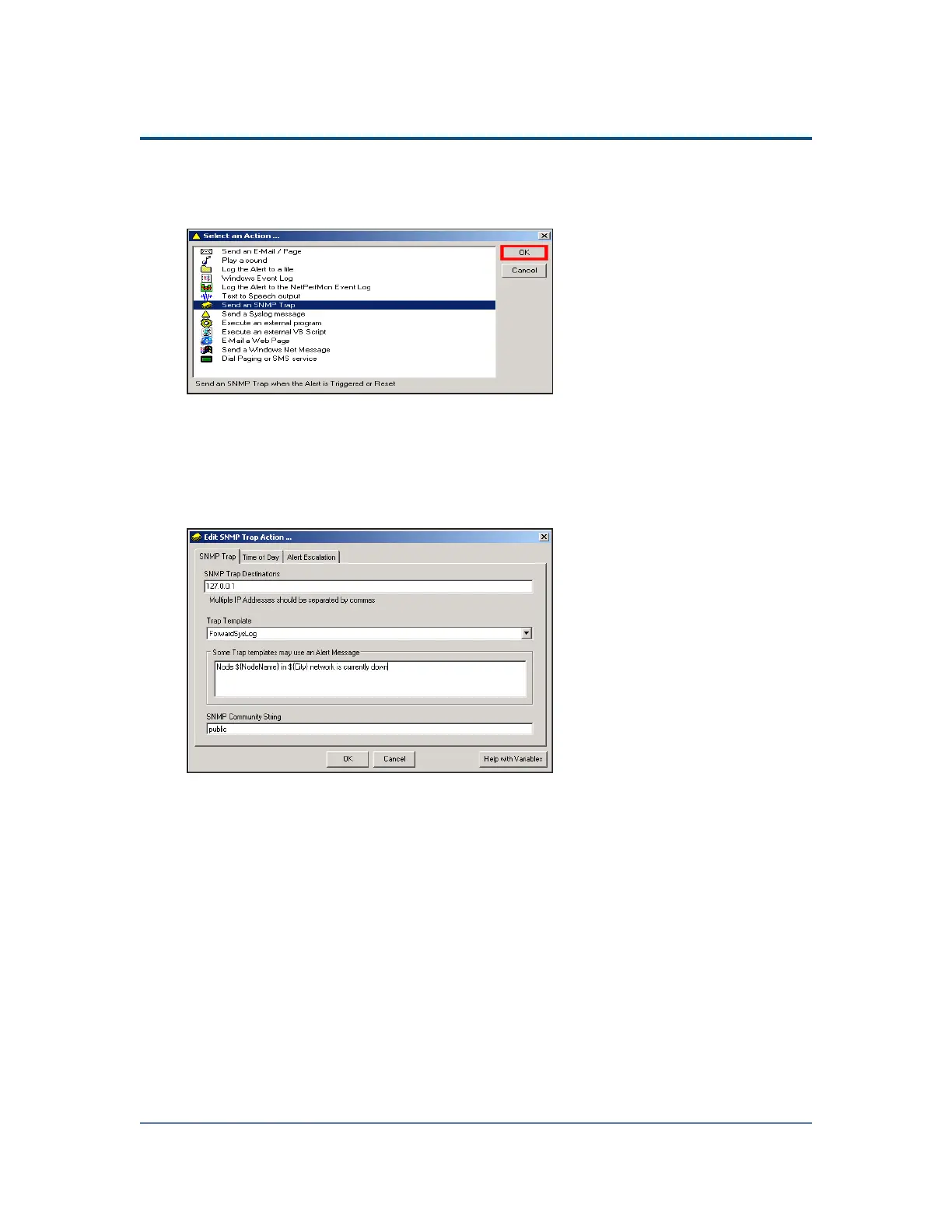
1. Open an alert for editing and then click Add New Action.
2.
Select Send an SNMP Trap, and then click OK.
3.
Click the SNMP Trap tab.
4.
Type 127.0.0.1 as the SNMP Trap Destination, and then type Node
${NodeName} in ${State} network is currently down in the ...Alert
Message field.
Note: The ${variable} syntax is required for SolarWinds NPM variables.
5. Click OK.
6. If you are finished configuring alert actions, click OK.
Testing Alerts
You do not have to actually experience a device failure to confirm that your alerts are
working. SolarWinds NPM provides a Test Alerts function that allows you to ensure
that you have configured your alerts properly, as shown in the following procedure.
Prerequisites
This is the fourth task in the process to create an alert to discover network device
failures. Previous tasks are:
331



 To Next Page