Common Orion Tasks
3.
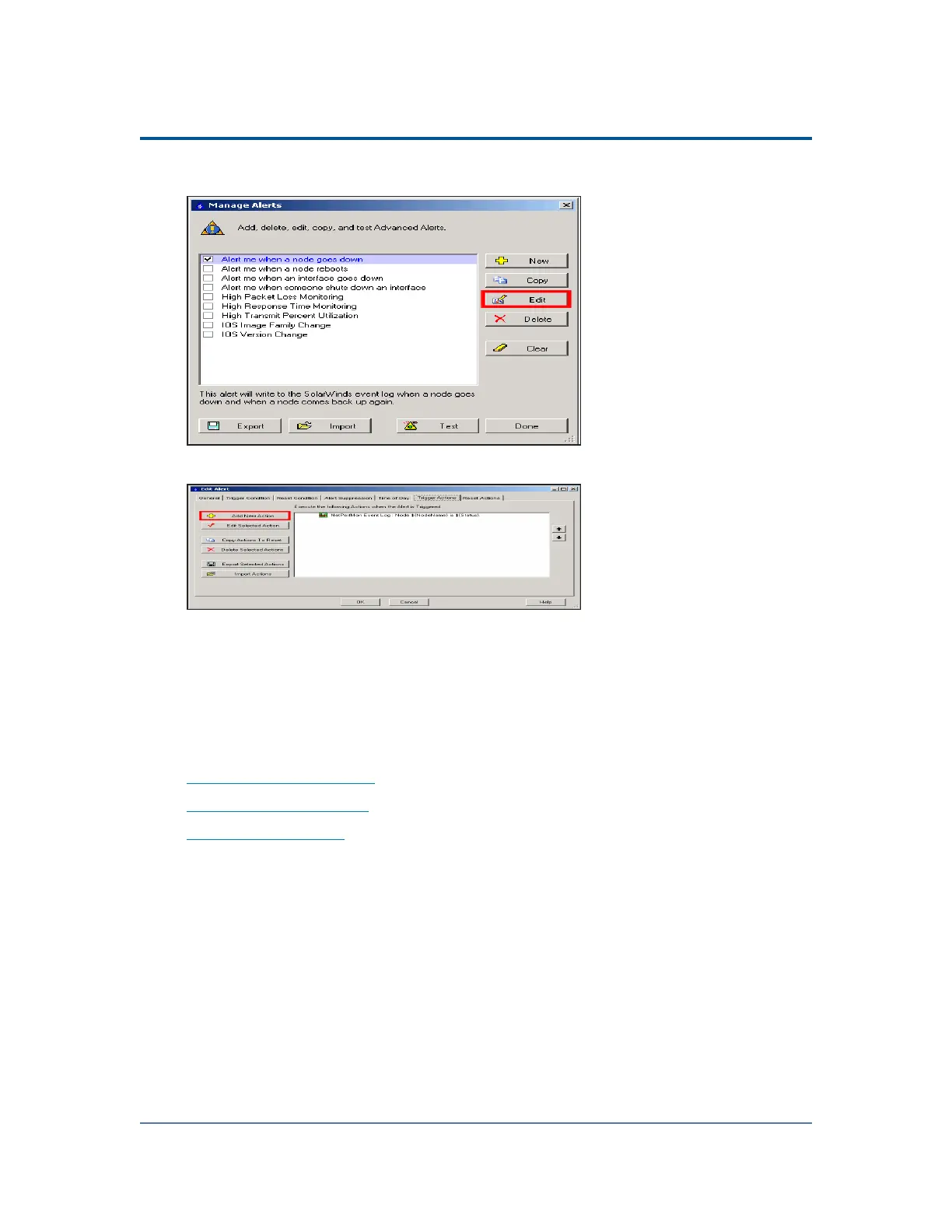
Check Alert me when a node goes down, and then click Edit.
4.
Click the Trigger Actions tab, and then click Add New Action.
Next: See this topic for instructions on adding a number of alert actions to a selected
alert.
Configuring Alert Actions
The following sections create three different actions for the same alert:
n
Create a Local Alert Log
n
Send a Syslog Message
n
Send an SNMP Trap
Prerequisites
This is the third task in the process to create an alert to discover network device
failures. Previous tasks are:
1. Creating a Custom Property
2. Creating an Alert Using a Custom Property
327



 To Next Page