Common Orion Tasks
Alternatively, if you only have a few individual changes or additions, you may choose
to make those changes using the Edit view. For more information, see "Editing
Custom Properties."
The following procedure uses the Custom Property Editor to create a custom location
property that is applied to monitored nodes. This property will be used to create an
alert to discover network device failures.
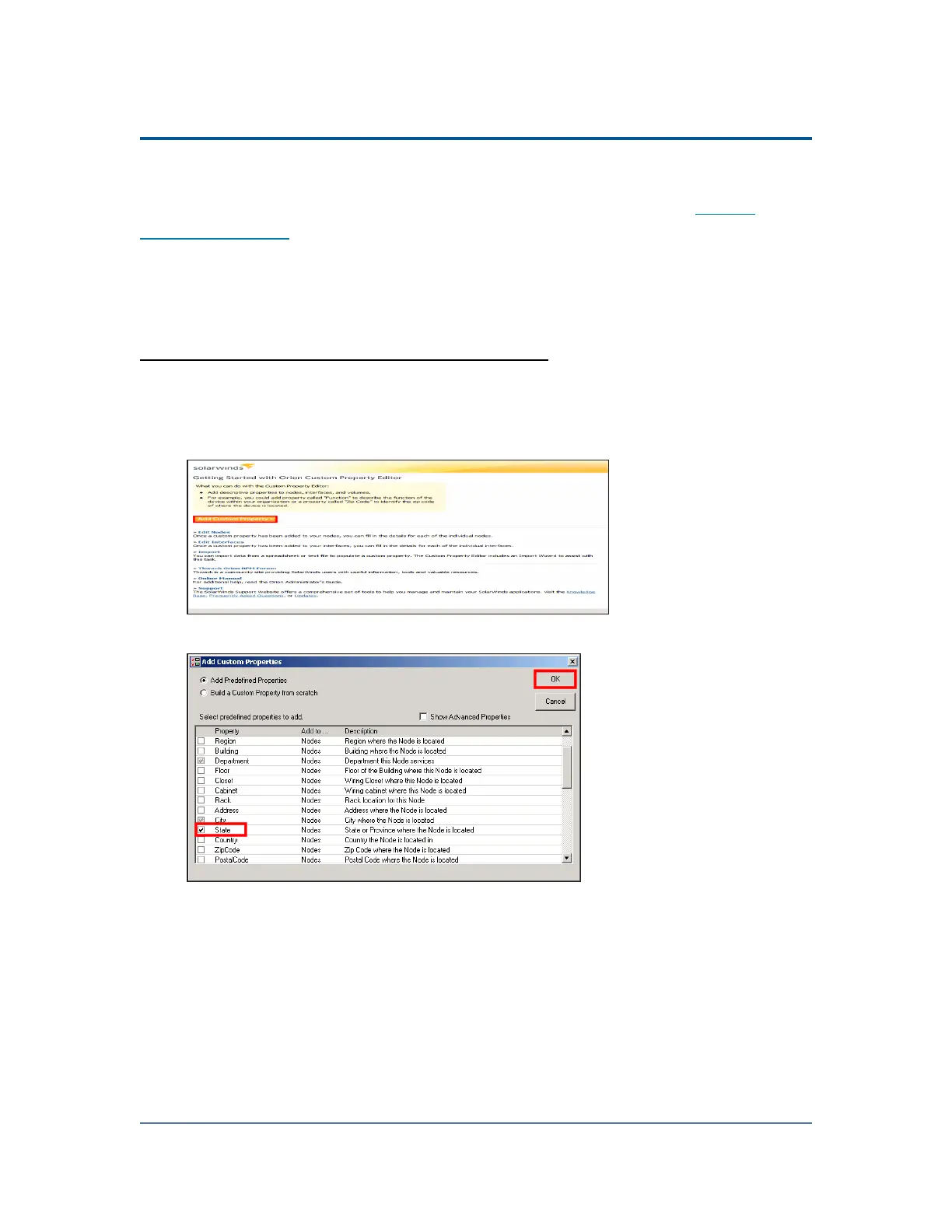
To create and apply a custom location property:
1. Click Start > All Programs > SolarWinds Orion > Grouping and Access Control >
Custom Property Editor.
2.
Click Add Custom Property.
3.
Select Add Predefined Properties, check State, and then click OK.
4. Click Start > All Programs > SolarWinds > Orion Web Console.
5.
Log in to the Orion Web Console as an administrator.
6. Click Settings in the top right corner of the web console.
7. Click Manage Nodes in the Node & Group Management grouping of the Orion
Website Administration page.
325



 To Next Page