Common Tasks with SolarWinds UDT
n See port and user information related to an IP address or host DNS assignment
n View port usage and capacity on every switch
n Detect endpoint devices having IP address conflicts
n Shutdown a port through the web interface
IPAM can detect IP Address conflicts (both IP static and DHCP environments) and help
you to troubleshoot the problem by simply drilling down to the actual switch port and
shutting it down.
Once you see an IP Address conflict event/alert, simply click on the IP or MAC address
info in the alert message and it will take you to the IP Address Details view, where you
can see the MAC address assignment history.
If you determine you need to resolve the conflict on the spot, you can administratively
shutdown the port using UDT.
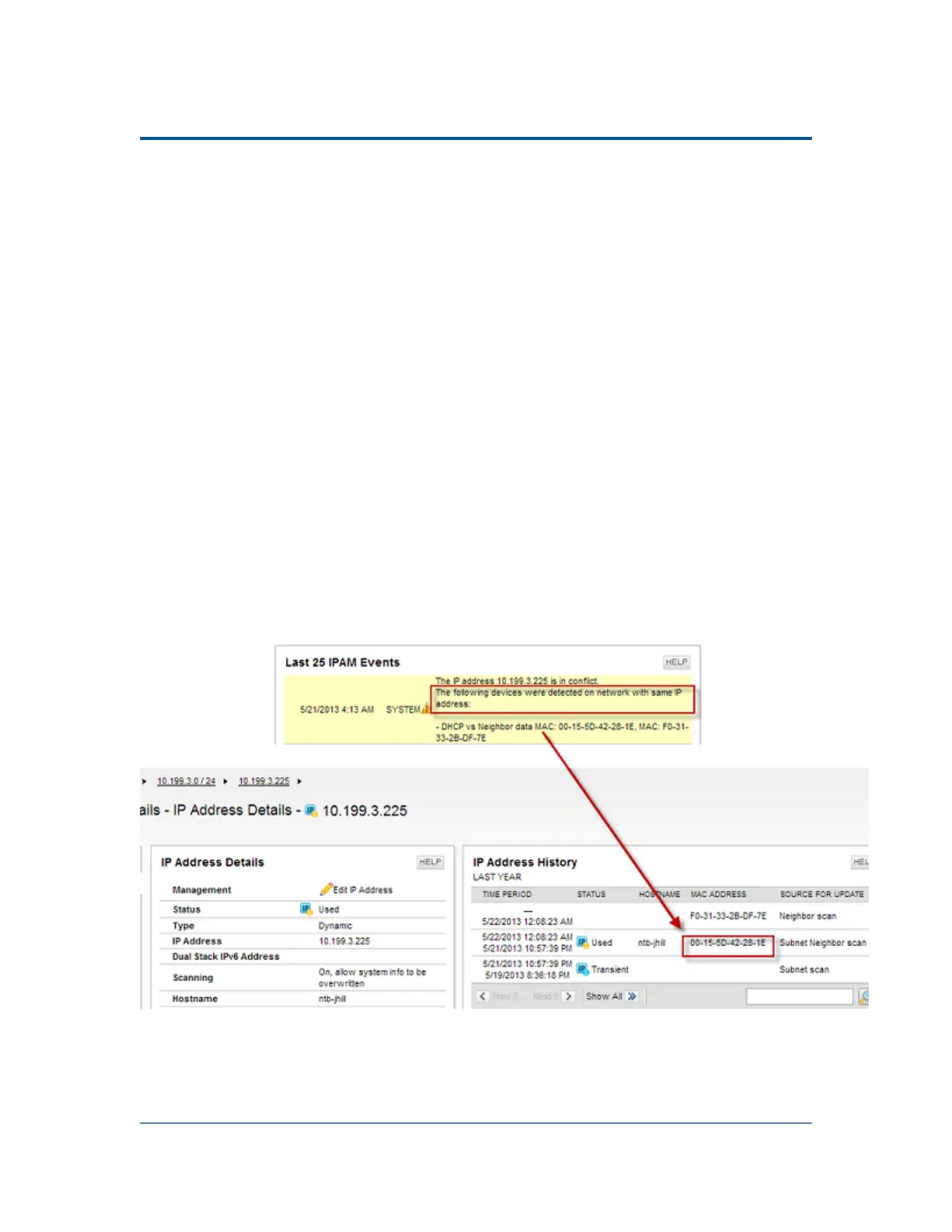
IP address conflicts will trigger an event displaying the MAC addresses in conflict.
The following screen shot shows an example of what to look for:
Note: IPAM displays the IP address history along with the MAC address of the IP
address in conflict.
To shut down the conflicting port, perform the following steps:
88



 To Next Page