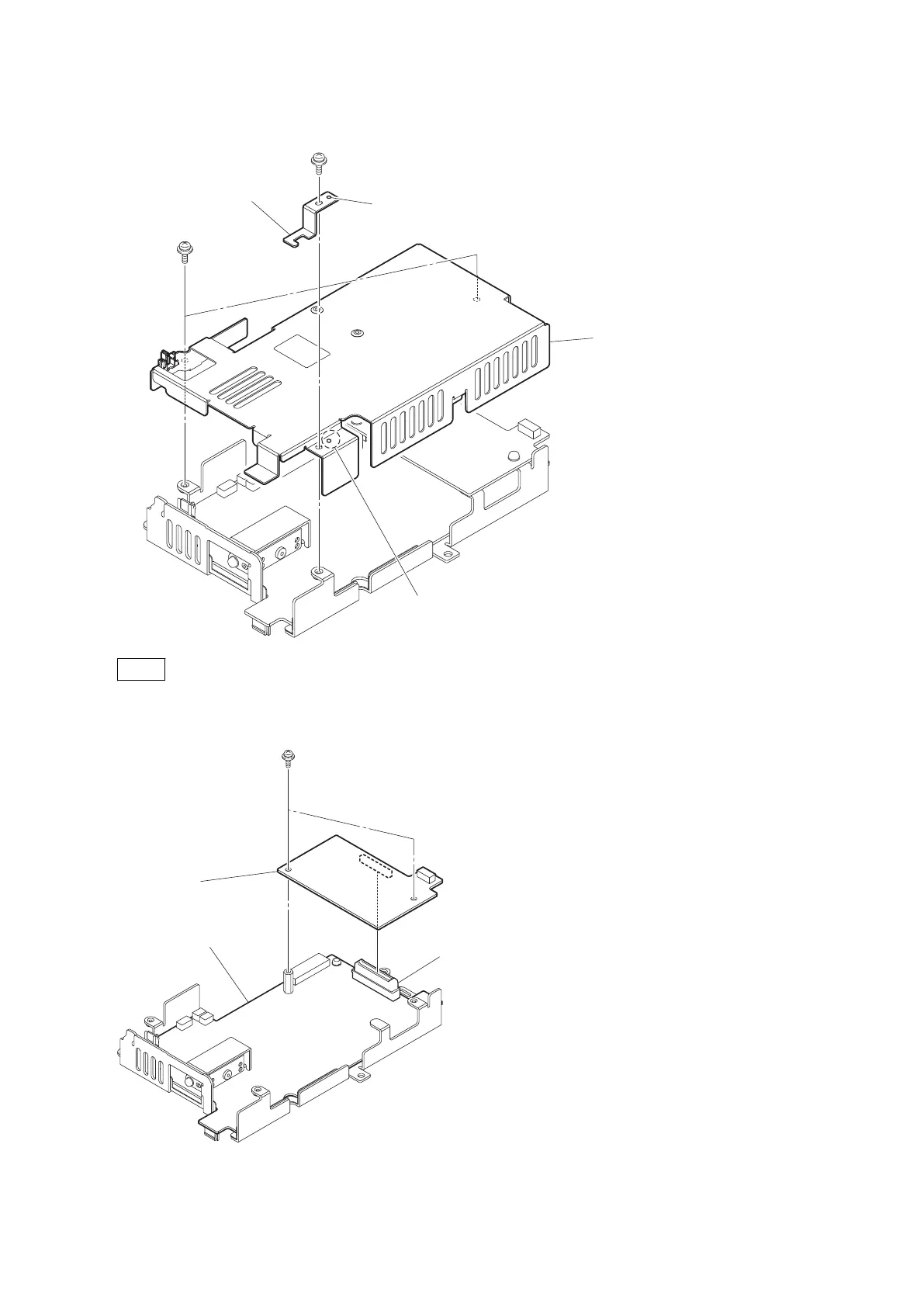
6. Remove the two screws, and detach the PS cover.
PSW3 x 6
PSW3 x 6
Pin stopper
Boss
Hole
PS cover
Note
When installing the pin stopper, match the boss with the hole.
7. Remove the two screws, and detach the RE-291 board from the connector (CN5007) on the PS-836 board.
PSW3x 6
RE-291 board
PS-836 board
CN5007
8. Remove the screw, and detach the heat sink retainer and thermal sheet.
9. Remove the hexagon support.
10. Remove the four screws, and detach the PS-836 board.
HDC4300
4-29



 To Next Page