Left field
Centre field
Right field
Configure favourites
Truck settings
Lift height preselection
Approach lift heights
Enter lift heights
Clear lift heights
Service
Message list
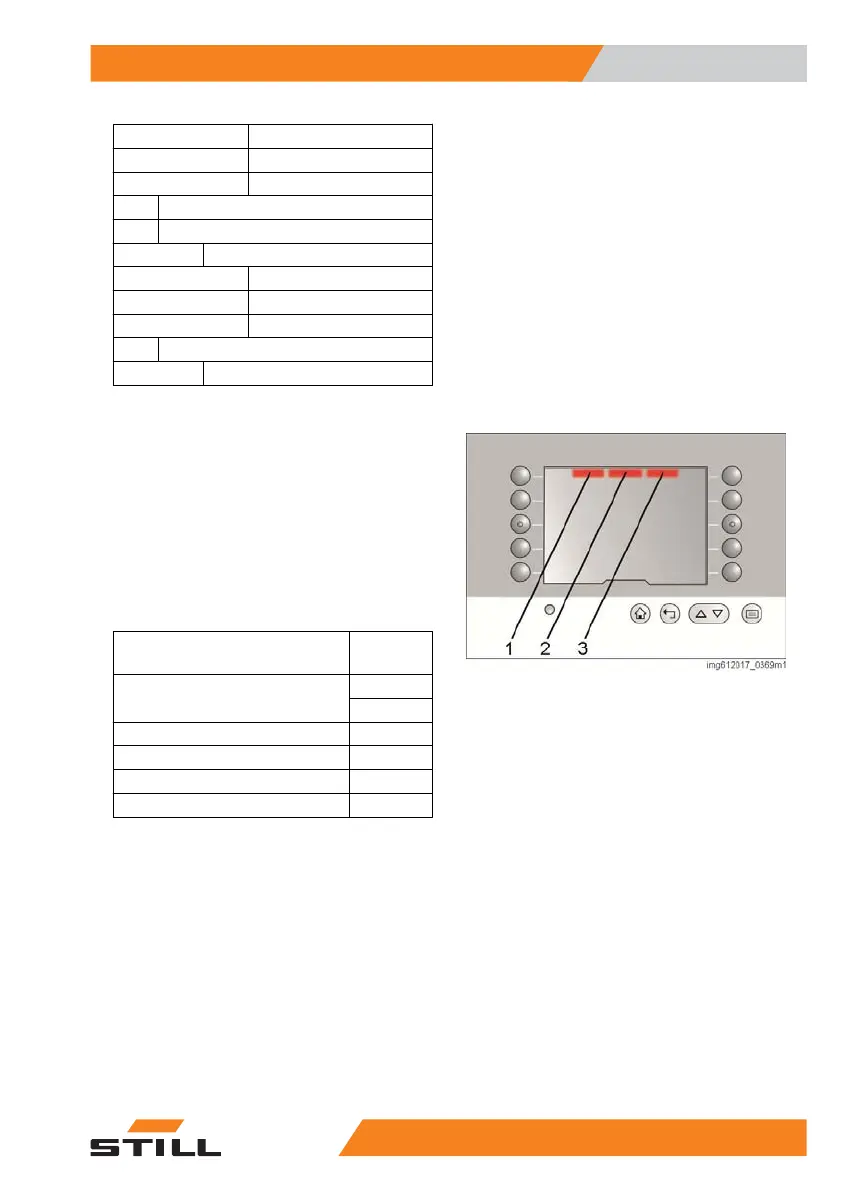
Top status bar
The status bar at the top of the display is divi-
ded into three fields:
●
Left field (1)
●
Centre field (2)
●
Right field (3)
The status bar can display the following infor-
mation:
Information
Display
format
Battery charge level (charge
state)
Graphical
%
Operating hours h
Time hh:mm
Date dd.mm.yy
Next maintenance interval h
The status bar can be configured individually.
Overview
3
Operating the display
355231 804 2502 EN - 04/2020


 To Next Page