Procedure
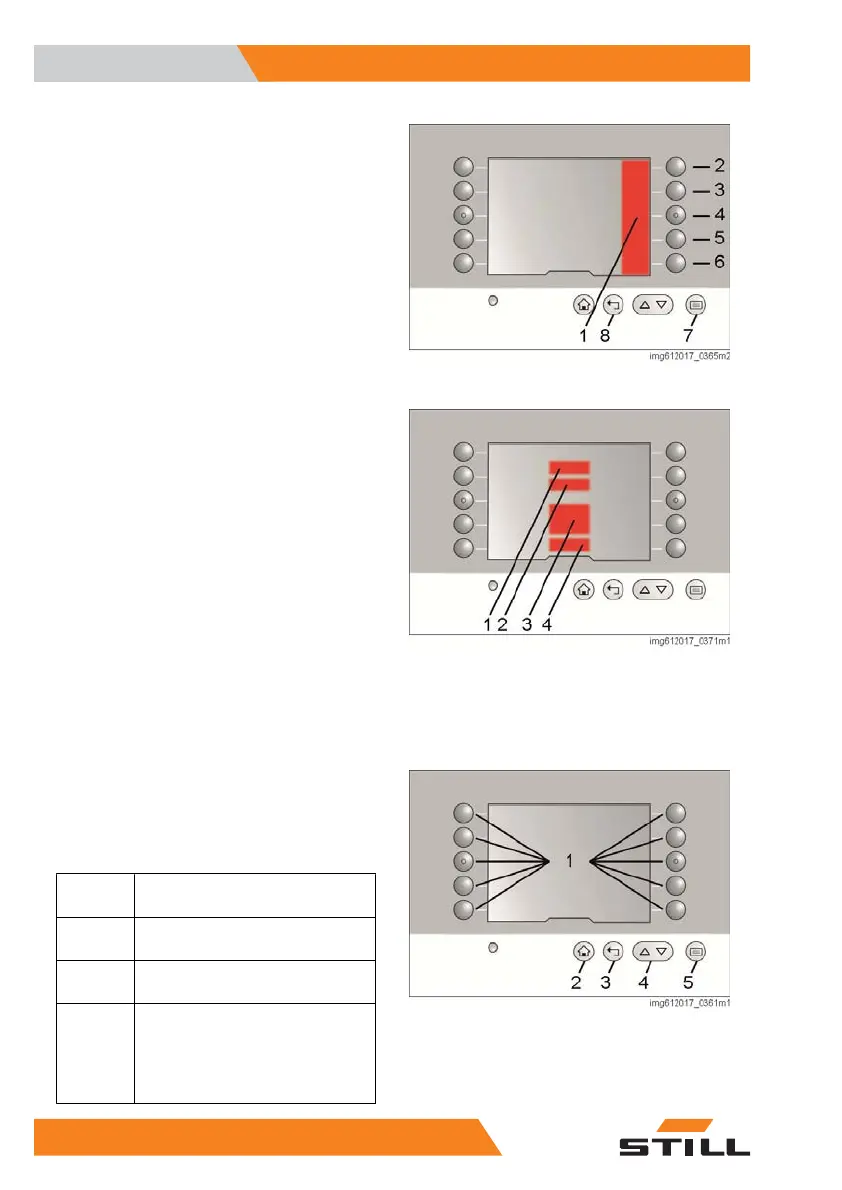
– Push button (7). The menu in area (1)
opens.
– Press key sequence (6), (3) and (5).
– Select the status bar field using button (2),
(3) or (4).
– In the list, use buttons (2) to (6) to select the
desired information.
– Exit the list by pressing button (8).
Central information area
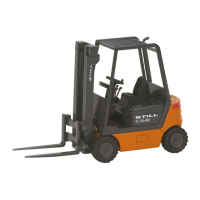
The central information area simultaneously
shows four values that are relevant for opera-
tion:
●
Weight
(1):
The maximum permissible weight for the
current lift height. If the optional weight
measurement is available, the current
weight of the load being lifted.
●
Lift height
(2):
Current height of the fork arms (upper
edge)
●
Type of guidance and steering angle
(3)
●
Driving speed
(4)
This part of the display cannot be parameter-
ised.
Operation
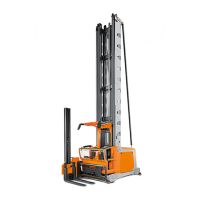
The display is operated using 15 membrane
switches. The function of buttons (2) to (4) is
fixed. Button (5) has two functions.
Item
number
Function
2
Changes the view back to the
main page
3
Changes the view back to the
next-highest menu
4
If the arrow is displayed at the up-
per or lower edge of the right-
hand menu bar, the content can
be changed using these two push
buttons.
Overview
3
Operating the display
36 5231 804 2502 EN - 04/2020


 To Next Page