DOC-34014 Rev. C 6–7
Objet24 User Guide
Intheprinterinterface,theprintermodechangesfromIdletoPre‐print,as
theprinter’scomponentspreparethemselvesforproduction:
• Theprintblockisheated.
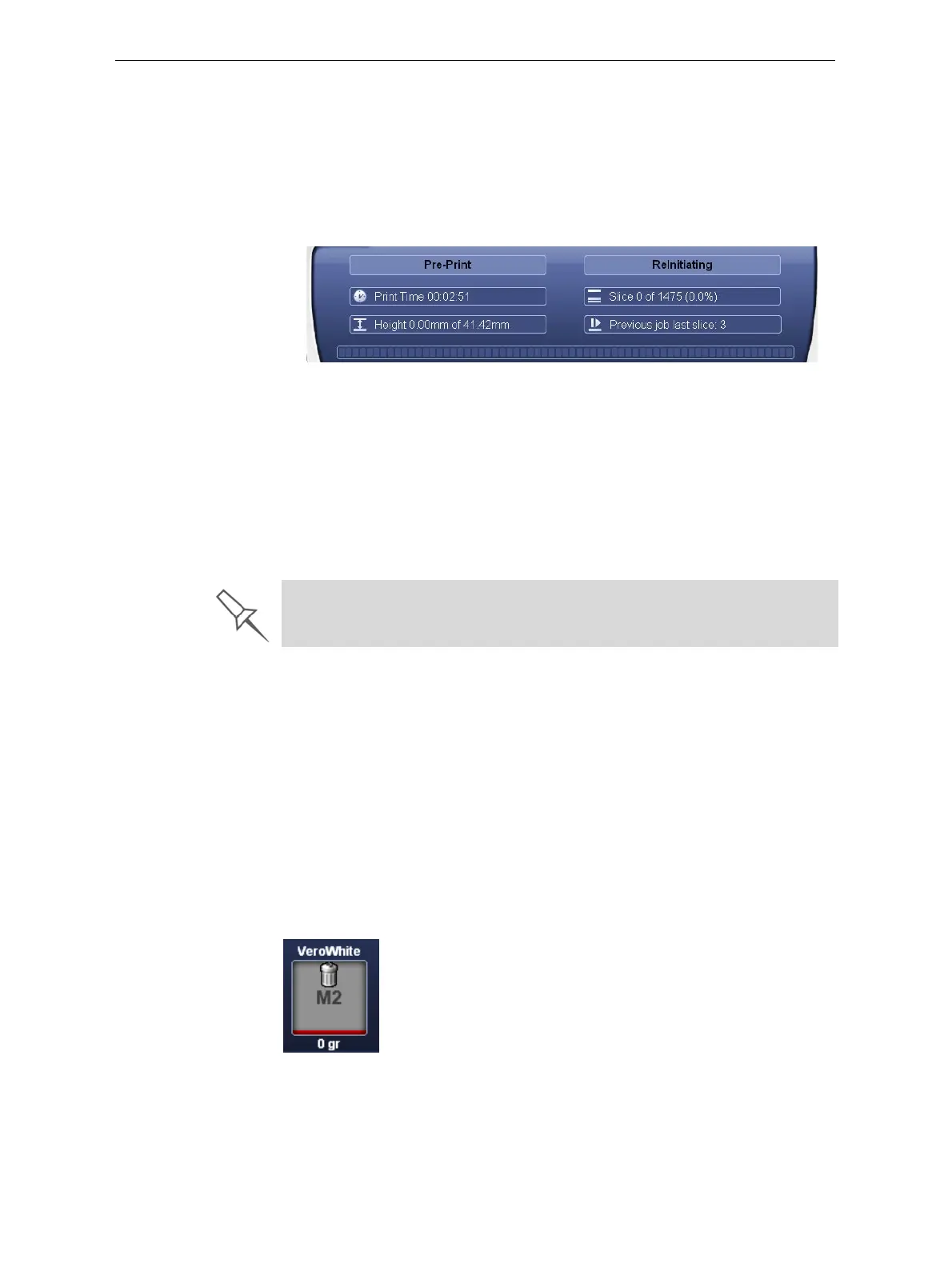
• Ifmorethan48hourshavepassedsincethelastprintjob,theprinting
materialsintheprintheadsareflushedandreplaced,toensurequality
printing.(Thisstepadds7to14minutestothePre‐printcycle,anditis
displayedintheprinterinterface.)
Figure 6-5: ReInitiate process during the Pre-Print cycle
• TheUVlampispoweredanditwarmsup.
Whenprintingbegins,ObjetStudiosendssevenslicestothe printer.Thisis
thestandardbufferbetweenObjetStudioandtheprinter.Aseachsliceis
printed,anothersliceissenttotheprinter.
Dependingonthesizeofthemodel(s)tobe
produced,printingcantake
betweenseveralhourstoseveraldays.AslongasthereisenoughModel
andSupportmaterialinthesupplycartridges,printingproceeds
automaticallyuntilthejobisfinished.
TheObjetprinterusesoneModel‐materialcartridgeandoneSupport‐
materialcartridgetoproducemodels.Whenfourcartridges
areloadedin
theprinter,twoofthemarereserve,orstandby,cartridges.Bydefault,the
printerfirstusesthecartridgeswiththeleastmaterialinthem.
¾ Theactivecartridgesareblueintheprinterinterface.
Whentheweightofacartridgedropsbelow200grams,theremaining
materialdisplayedintheprinterinterfaceisred.
Whentheweightofacartridgedropsbelow100grams,theprinter
alternatesthepumpingofmaterialbetweentheheavier and
thealmost‐
emptycartridge.Thisisindicatedintheprinterinterfacebyanhour‐glass
icon.(Seefigure 6‐8onpage 9.)
Whenacartridgeiscompletelyempty,atrashiconisdisplayed.
Figure 6-6: Empty cartridge indicator
During printing, the server computer must remain on and it must
communicate with the Objet printer. Do not log-off Windows until printing is
finished.













 To Next Page