DOC-34014 Rev. C 5–9
Objet24 User Guide
Preparing Models for Production
Modelpreparationinvolvesthefollowingbasicsteps:
1. Placeobjectsonthebuildtray.
2. Ifnecessary,manipulatetheobject’sorientationandposition.
3. Selectthematerialandmodelfinish.
OBJDF Files:
Overview
Anobjdffiledescribesboththegeometryofasingleobjectandthematerial,
andfinishrequiredtoprintit.Youcanusethisfileformattosaveagroup
ofseparateobjectsonthebuildtrayasoneunit,togetherwiththeirrelative
positionsandmaterial.
Furtherexplanationsofobjdf
files,andtheirfeatures,appearthroughout
thischapter.
Model Files
Toproducemodels,youopenoneormoremodelfilesinObjetStudioand
positionobjectsonthebuildtray.Youcanplaceobjectsonthebuildtrayin
twoways:
• byinsertingindividual stl or slc files.
• bypastingobjectsthatyoucopiedtotheWindowsclipboard.
Placing
Objects on the
Build Tray
To place an object on the build tray:
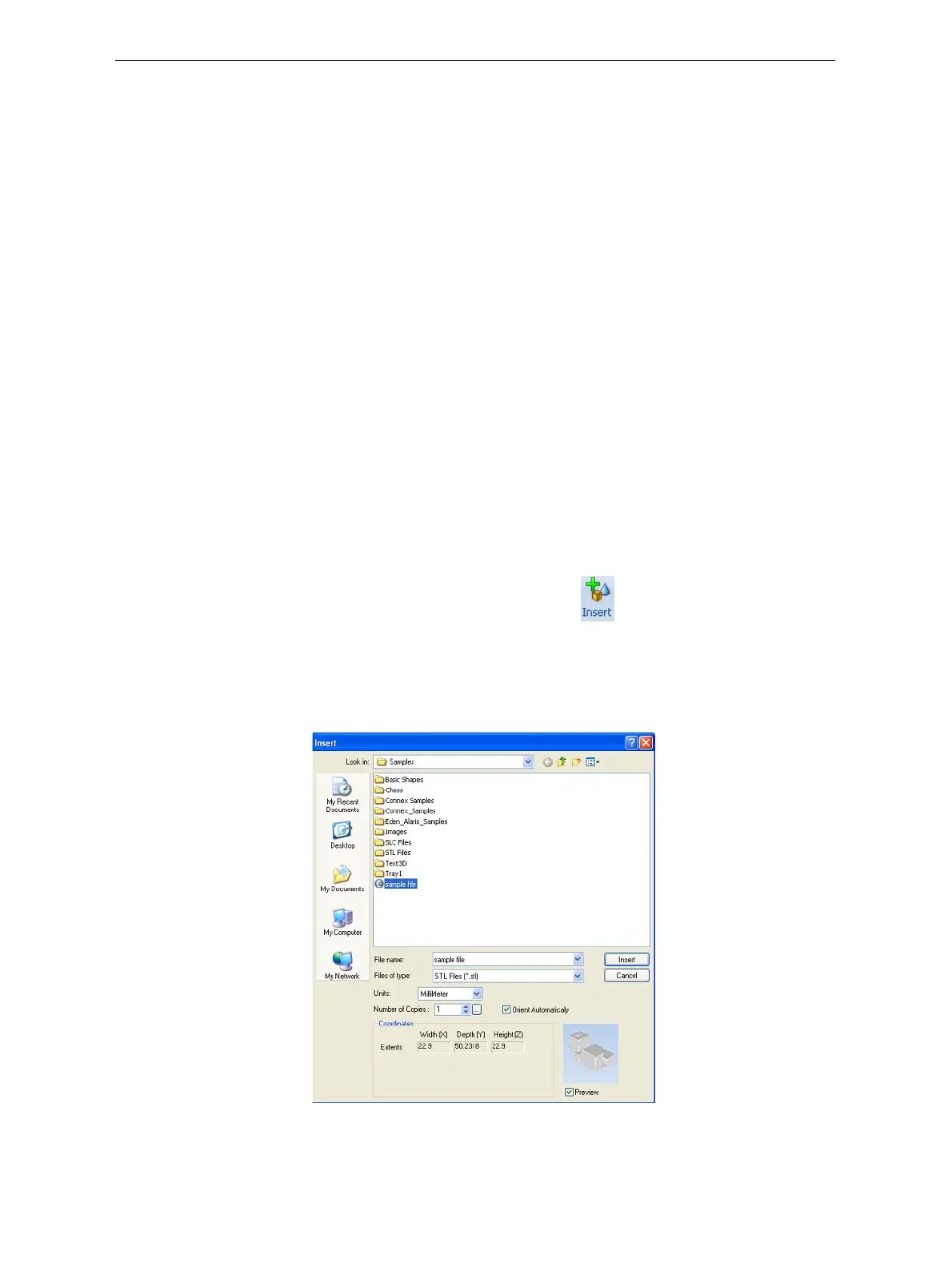
1. OpentheInsertdialogbox—
• FromtheObjectmenu,selectInsert.
or—
• OntheTraySettingsribbon,click .
or—
• Right‐clickonthebuildtray,andselectInsert fromthecontext
menu.
TheInsertdialogboxappears.
Figure 5-9: Insert dialog box
2. IntheLookinfield,displaytheappropriatefolder.













 To Next Page