Operating & Maintaining the Objet24 3D Printer
6–56
DOC-34014 Rev. C
Replacing the
Odor Filter
Iftheprinterexhaustisnotconnectedtoanexternalventilationsystem,a
built‐inactivated ‐carbonfilterremovesodorsfromprintingmaterials.This
filtershouldbereplacedregularly(asnecessary)tokeepyourworking
environmentpleasant.Thisisnormallydoneduringthepreventive‐
maintenanceservicevisit.
To replace the odor filter:
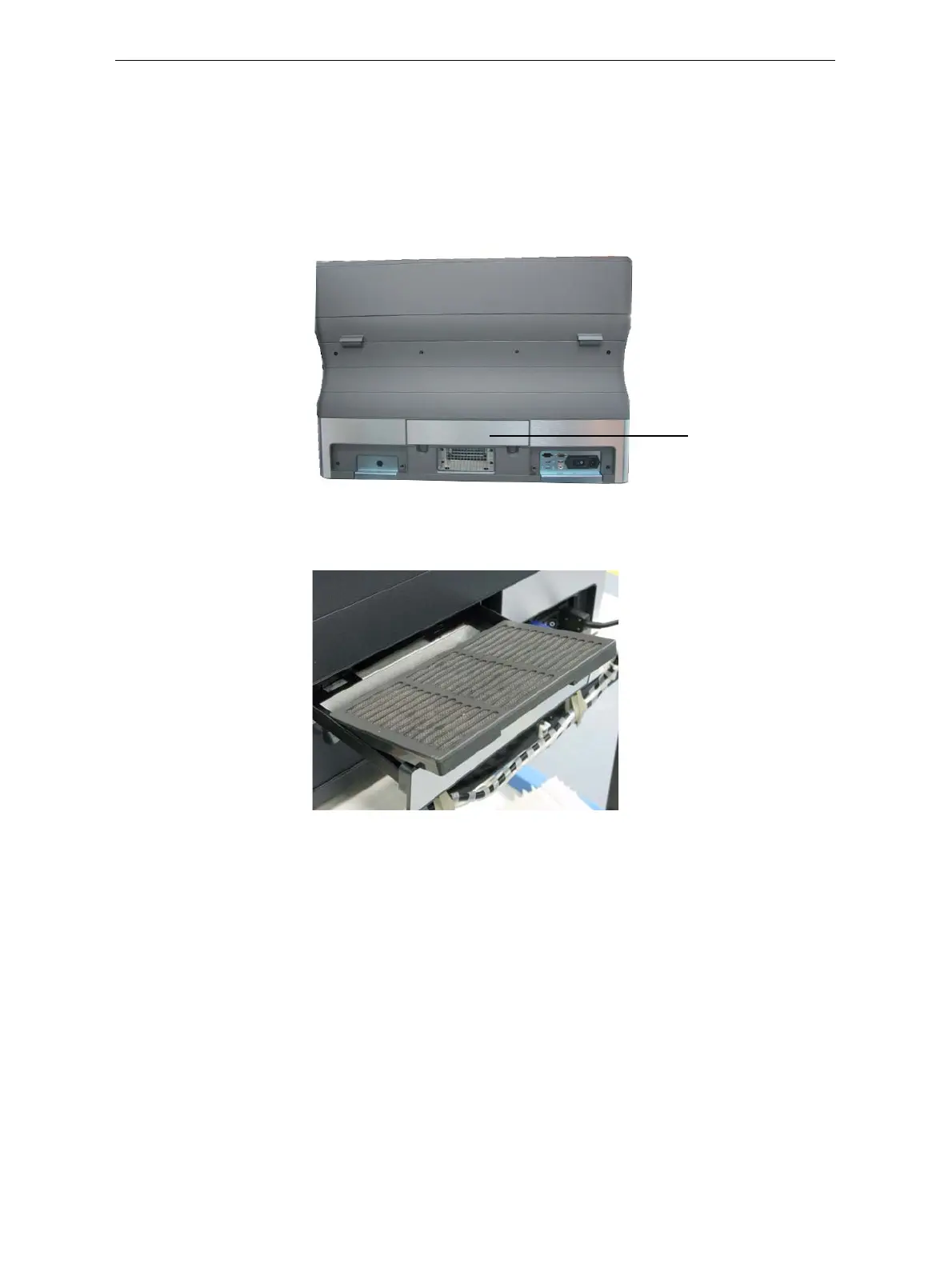
1. Locatethefilterdrawerattherearoftheprinterandpullitopen.
Figure 6-82: Rear of the Objet24 printer
2. Removetheusedfilter.(Youcanpushitoutfromunderneaththe
drawer.)
Figure 6-83: Odor filter in drawer
3. Insertanewfilterandclosethedrawer.
Odor filter drawer













 To Next Page