DOC-34014 Rev. C 6–51
Objet24 User Guide
Testing and
Calibrating the
UV Lamp
TheeffectiveUVradiationfromthelampusedforcuringmodelscan
changeovertime.ToolittleUVcuringcancausesomeoftheprinting
materialtoremaininaliquidstate,onmodels,whenprintinghasfinished.
TestthelampandcalibrateitseffectiveUVradiationafterevery300hours
ofprinting,orwhenyoususpectthatthisisnecessary,byrunningtheUV
CalibrationWizard.
Thewizardcomparesthemeasuredradiationtotherecommended
radiationlevel.Whencalibratingthelamp,thewizardattemptstoadjust
theradiationlevel,ifnecessary.
• Ifthereadingiswithintheacceptablerange,thewizardcontinues.
• Iffurtheradjustmentisnecessary,thetestisrepeated.
• IftheUVradiationistoolowtobeproperlyadjusted,thewizard
indicatesthatthelamp’sradiationfortheprintingmodeis
unacceptable.
To test and calibrate UV lamp radiation:
1. StarttheUVCalibrationWizardfromtheOptionsmenu(seefigure 6‐28
onpage 6‐23).
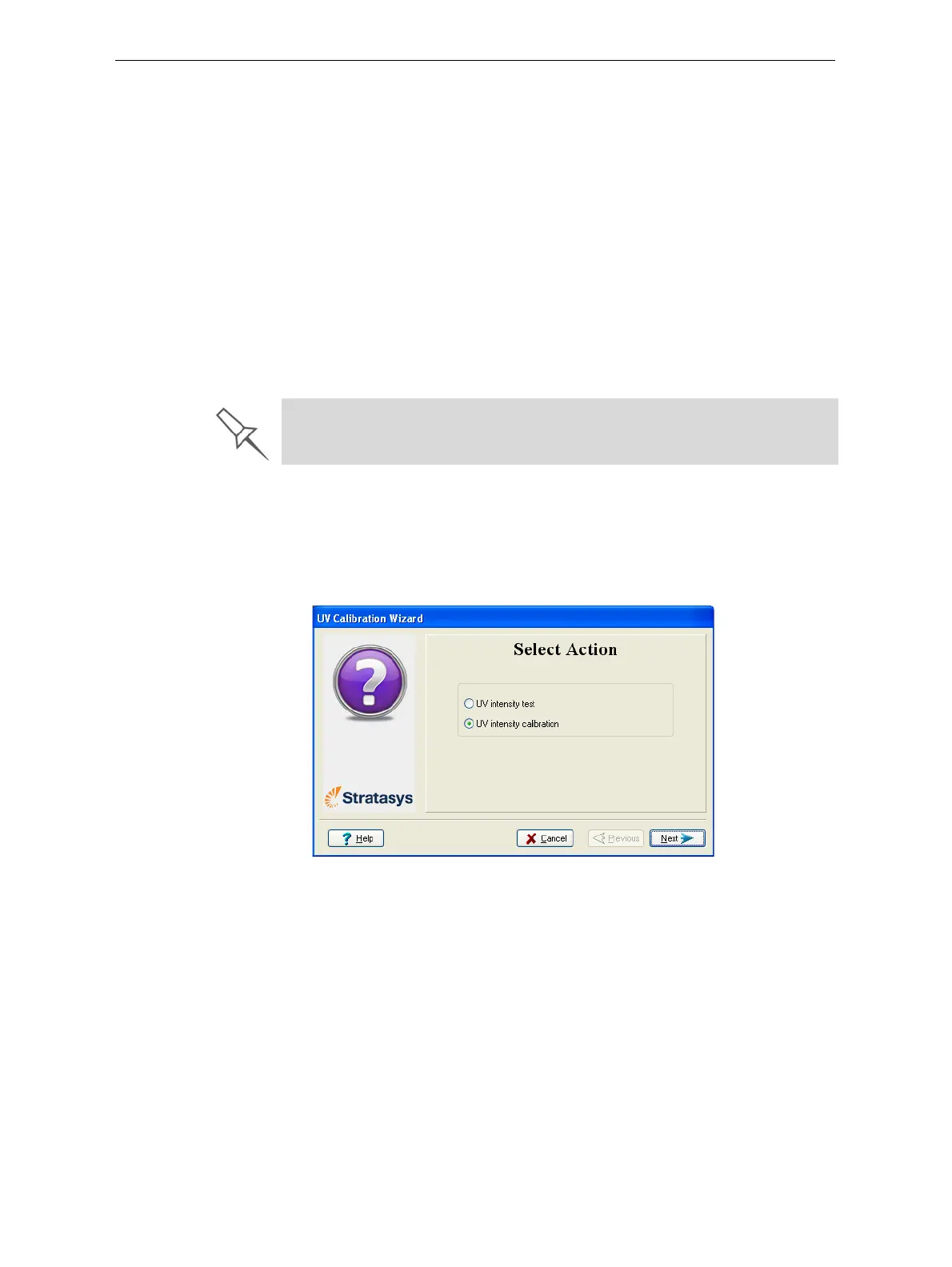
2. Inthefollowingscreen,select
UV Intensity Calibrationtoadjustthe
lamp’sradiationleveltotheacceptablerange.
Figure 6-71: UV Test/Calibration selection
Before testing and calibrating the UV lamp, make sure the glass lens is
clean. For easy access, run the Head Cleaning Wizard, and use the special
cleaning pad supplied.













 To Next Page