Using Objet Studio
5–50
DOC-34014 Rev. C
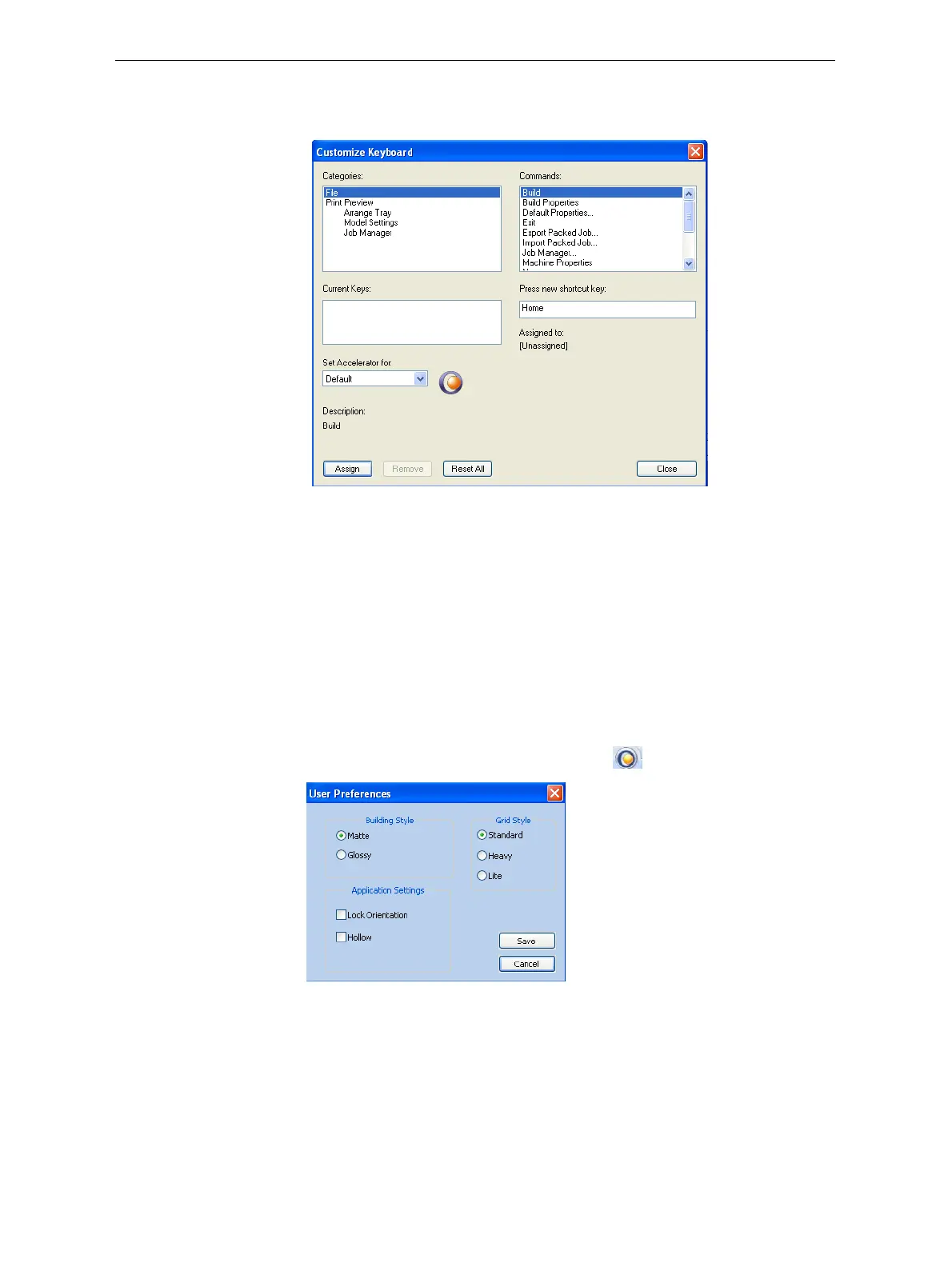
3. ClickCustomize.
TheCustomizeKeyboarddialogboxappears.
Figure 5-70: Customize Keyboard dialog box
4. SelectcommandCategoriestodisplayallthecommandsinthat
category,forexample,alltheModelSettingscommands.
Currentshortcutkeysaredisplayed.
5. Entertheshortcutkeyinthe
Pressnewshortcutkeyfield,andclick
Assign.
6. Ifyouwanttoredefineallshortcutkeys,click
Reset All.
Setting User
Preferences
YoucanchangeseveralObjetStudiosettingsthataffectobjectsplacedon
thebuildtray.
To change default settings:
¾
FromtheObjetStudioCommandsmenu ,selectUser Preferences.
Figure 5-71: Setting work preferences
• BuildingStyle—see“SurfaceFinish”onpage 17.
• GridStyle—see“UsingaGridtoPositionObjects”onpage 25.
• ApplicationSettings—see“ChoosingtheSupportStrength”onpage 41,
and“FreezingModelOrientation”onpage 31.













 To Next Page