Using Objet Studio
5–16
DOC-34014 Rev. C
Copying and
Pasting
Objects
Ifyouneedtoduplicateobjectsonthebuildtray,youcaninsertthesame
objectfromitsfilemorethanonce.Aneasierway,however ,istocopyand
pastetheobject.Youcancopyobjectsfromthebuildtrayorthemodeltree.
Theobjectscopiedremaininthe
Windowsclipboarduntilyoupastethem
ontothebuildtray.
Youcanalsocopyobjectsfromonetrayandpaste themontoanother,inthe
samewayasyoucopytextfromonedocumentandpasteitintoanother
one.However,ObjetStudioallowsonlyonetraytobeopen
atatime.For
eachbuildtrayyouneedtoworkwith(atthesametime),youmustopena
separateObjetStudiowindow,byrunningtheapplicationagain(fromthe
WindowsStartmenu).
YouperformtheCopyandPastecommandsasinotherWindows
applications:
• fromtheright‐clickcontextmenu.
• byusingkeyboardshortcuts(Ctrl+CandCtrl+V,respectively).
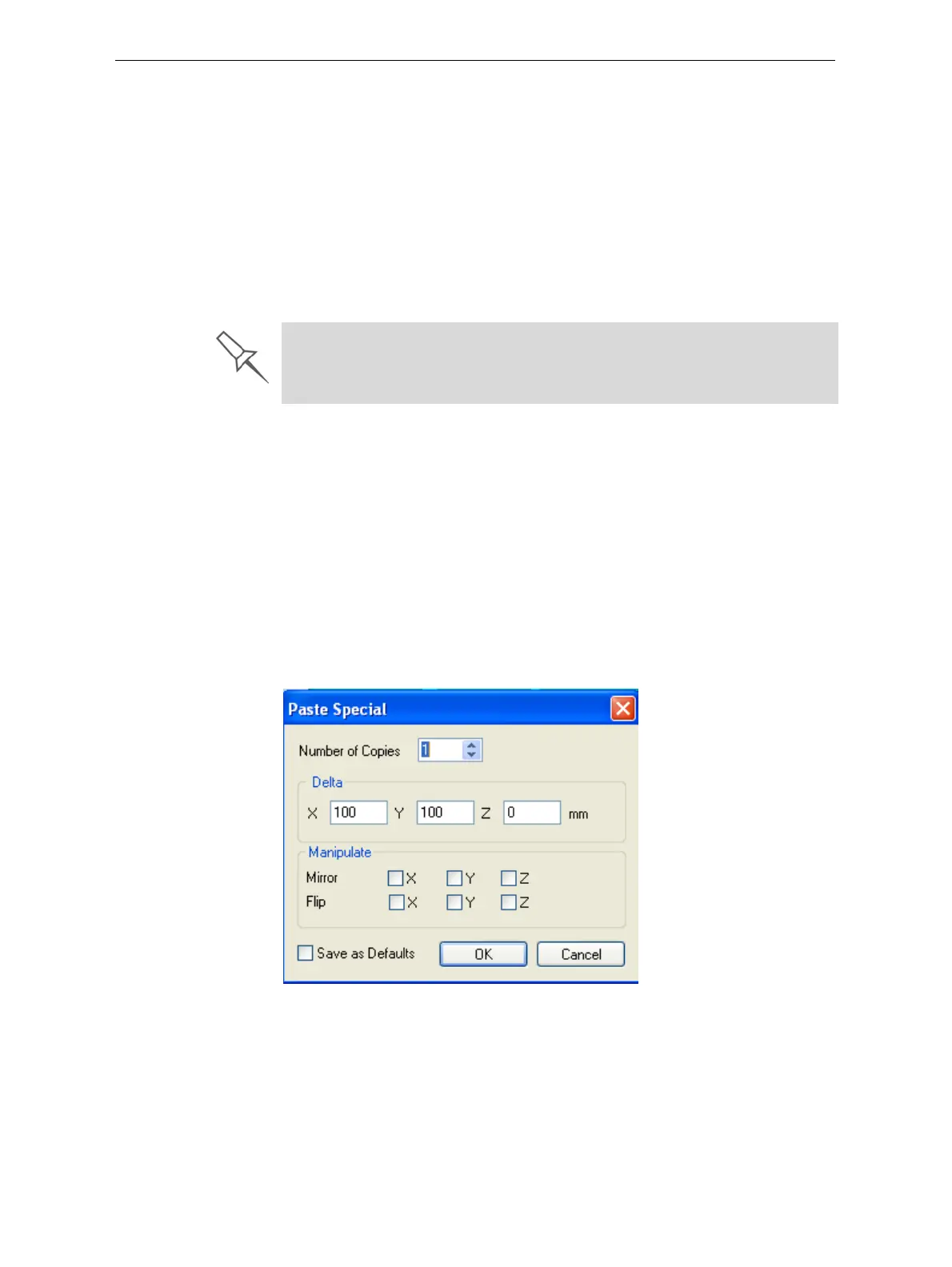
ThePasteSpecialcommand(fromtheobject’sright‐clickcontextmenu)
enablesyoutoplaceduplicateobjectsevenmoreefficiently:
• Youcanspecifythenumberofduplicatestoplaceonthebuildtrayat
once.
• Youcansetthedistance,oneachaxis,betweentheduplicateobjects.
• Youcanmanipulatemirrorimagesoftheoriginalobject,andflipthem
onselectedaxes.
Figure 5-16: Paste Special dialog box
Having multiple Objet Studio windows open can be convenient when you
need to manipulate or configure objects before inserting them in your
production build tray. Copying and pasting also allows you to use objects
already configured on previously-used build trays for newer projects.













 To Next Page