DOC-34014 Rev. C 5–39
Objet24 User Guide
Printing the
Tray File
Whenatrayisreadytobeprinted,itisplacedintheJobsQueue.Whenthe
jobreachestheheadofthequeue,ObjetStudiopre‐processesthetrayfileto
createslices,andfeedsthemtothe3Dprinter.
To send the tray to the print queue:
1. OntheTraySettingsribbon,BuildProcessgroup,click .
Ifthebuildtrayfilehasnotbeensaved,theSaveAsdialogboxopensfor
youtosaveitnow.
ObjetStudiochecksifthereisaproblemwiththepositioningofobjects
onthetray.Ifso,theaffectedobjects
aredisplayedwithspecialcolors
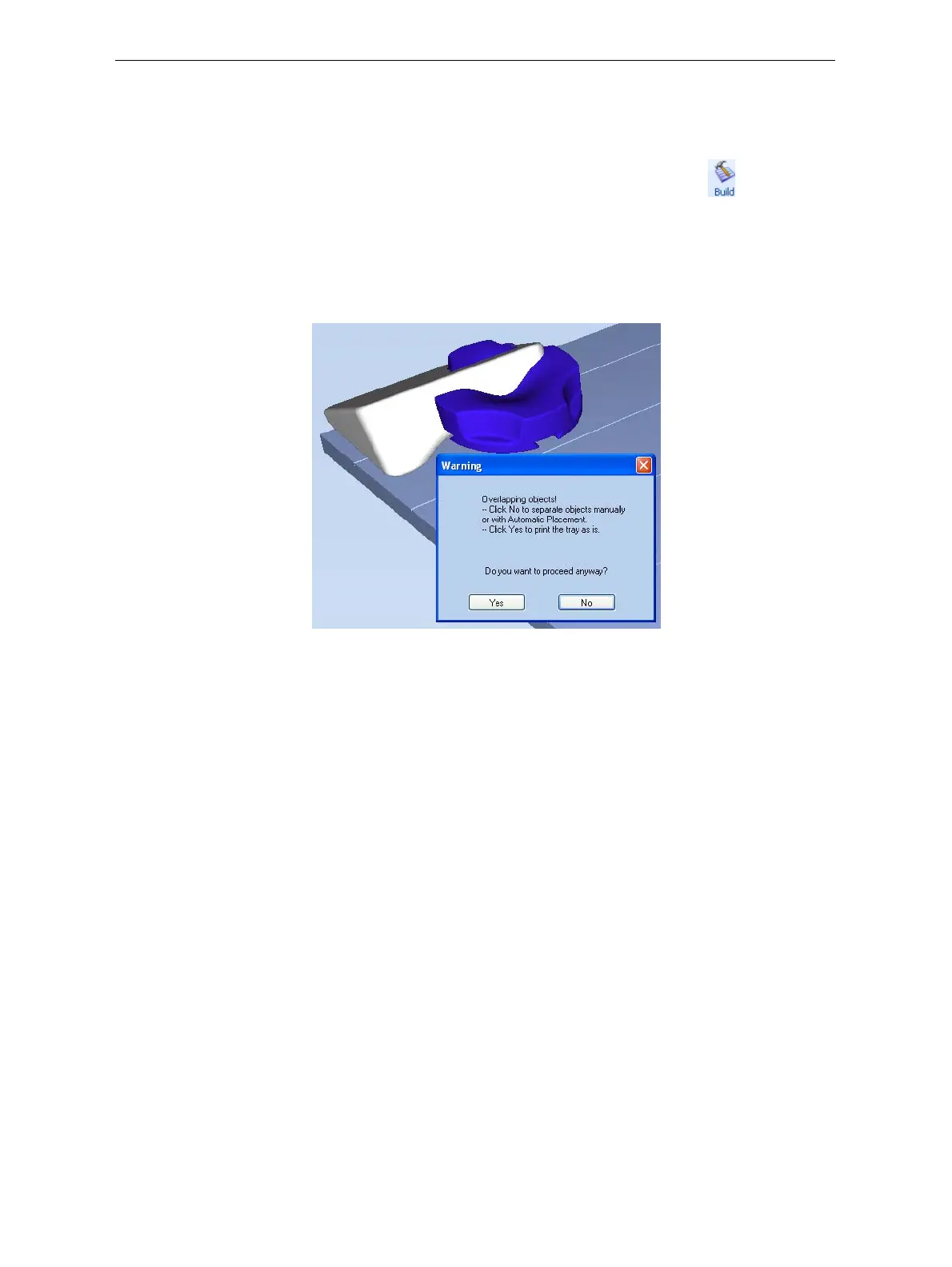
(see“TrayValidation”onpage 42),andawarningmessageappears.
Figure 5-54: Tray validation warning message
TocanceltheBuildcommandsoyoucancorrecttheproblem,click
No.
Toprintthemodelsastheyarepositionedonthetray,clickYes.
TheJobManagerscreenopens,soyoucanmonitortheprogressofyour
trays—before,during,andafterprinting.See“Monitoringand
ManagingPrintJobs”onpage 64.













 To Next Page