Using Objet Studio
5–40
DOC-34014 Rev. C
Applying Additional Objet Studio Features
Dividing
Objects
YoucanusetheSplitObjectfeaturetoproduceobjectslargerthanthetray
areabydividingthemodelintoseparateparts.Withthisfeature,you
produceonlyaspecificsectionofamodel.
To split an object:
1. Selecttheobject.
2. FromtheObjectmenu,select
Split.
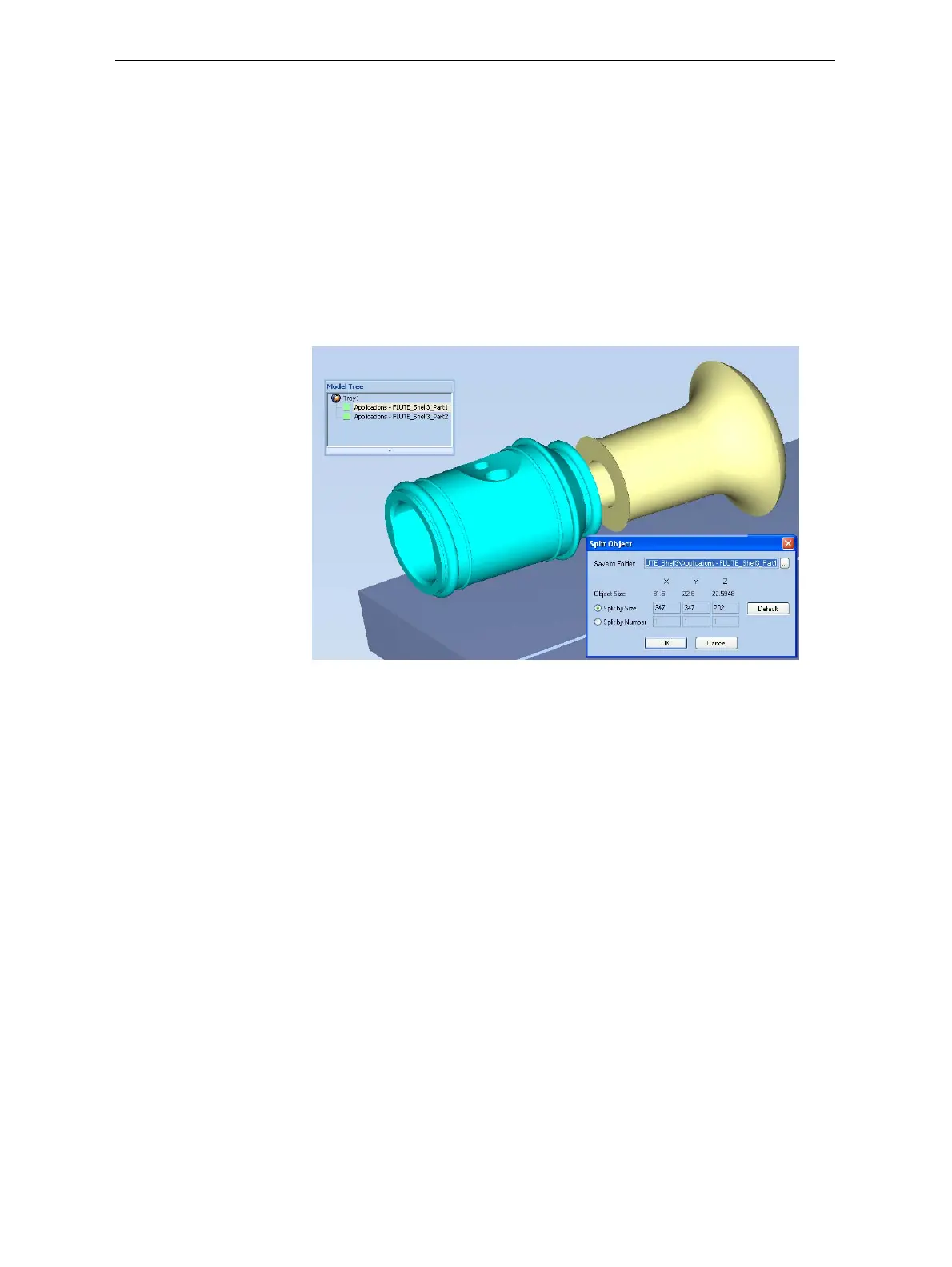
3. IntheSplitObjectdialogbox,enterthevaluestodeterminehowObjet
Studiowilldividetheobject.Youcandivideanobjectalonganyofits
axes,byenteringeitherexactmeasurementsorthenumberofparts.
Figure 5-55: Split Object dialog box
4. InSavetoFolder, enterthefoldername.
5. Click
OK.
Thecompositepartsaresavedasnewstlfileswith“Part1,”“Part2,”
etc.,addedtotheoriginalfilename.
Note: Before printing the newly created stl files, it is recommended that you
check them for defects in an STL-repair application, such as
Magics™, by Materialise
®
.













 To Next Page